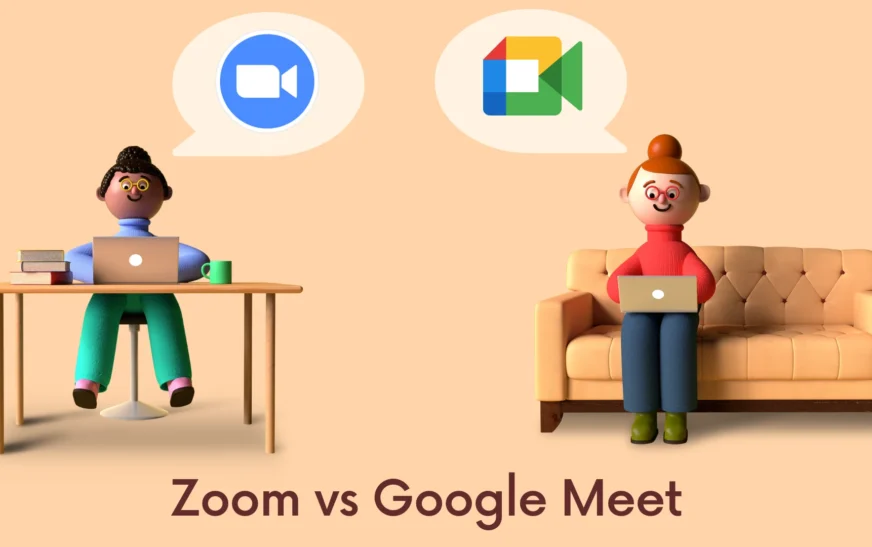
When it comes to choosing the right video conferencing tool for remote teams, the debate often boils down to two giants: Zoom and Google Meet. Both platforms have surged in popularity since the global shift to remote work, but which one truly delivers the best experience for distributed teams? If you’re managing a remote workforce and need reliable, secure, and user-friendly communication, this head-to-head comparison cuts through the noise to help you decide: Zoom vs. Google Meet—which is best for remote teams?
From ease of use and integration capabilities to security features and pricing, we’ll break down every critical factor that impacts team productivity. Whether you’re a startup with five people or a mid-sized company scaling globally, understanding the strengths and weaknesses of each platform is essential. Let’s dive into the details and see which tool aligns best with your remote team’s needs.
Why the Right Video Conferencing Tool Matters for Remote Teams
Remote work isn’t just a trend—it’s the new standard for many organizations. With team members spread across time zones, cities, and even countries, seamless communication is no longer a luxury; it’s a necessity. The right video conferencing platform ensures that collaboration remains smooth, meetings stay productive, and company culture stays intact.
Choosing between Zoom and Google Meet isn’t just about picking a tool with a nice interface. It’s about evaluating how well the platform supports daily operations, integrates with existing workflows, and scales as your team grows. A poor choice can lead to frustrated employees, dropped calls, and wasted time—none of which remote teams can afford.
That’s why this comparison focuses specifically on what remote teams care about most: reliability, accessibility, security, and value. Let’s explore how Zoom and Google Meet stack up in each of these areas.
Zoom vs. Google Meet: Feature Comparison for Remote Teams
Ease of Use and User Interface
Both Zoom and Google Meet offer intuitive interfaces, but they cater to slightly different user preferences. Zoom is known for its polished, feature-rich dashboard. From the moment you log in, you’re greeted with clear options for scheduling, joining, or starting meetings. The layout is consistent across desktop and mobile, making it easy for new users to adapt quickly.
Google Meet, on the other hand, leans into simplicity. Its clean, minimalist design fits naturally within the Google Workspace ecosystem. If your team already uses Gmail, Google Calendar, and Docs, Meet feels like a seamless extension—no learning curve required. Starting a meeting is as easy as clicking a link in your calendar invite.
For remote teams that value speed and familiarity, Google Meet has the edge. But if your team needs advanced controls—like breakout rooms, custom backgrounds, or meeting analytics—Zoom’s interface offers more depth.
Meeting Capacity and Duration
One of the first things remote teams check is how many people can join a meeting and for how long. Here’s how the two platforms compare:
- Zoom: Free plan allows up to 100 participants with a 40-minute limit on group meetings. Paid plans (Pro and above) remove the time limit and support up to 500 participants (with add-ons).
- Google Meet: Free version supports up to 100 participants with a 60-minute limit on group calls. Google Workspace plans extend this to 500 participants and allow meetings up to 24 hours long.
For small to mid-sized remote teams, both platforms are sufficient. However, Google Meet’s longer default time limit on free calls can be a lifesaver for brainstorming sessions or all-hands meetings that run over.
Integration with Productivity Tools
Remote teams live and die by their tools. The ability to integrate video conferencing with project management, document collaboration, and communication apps is crucial.
Google Meet shines here. It’s deeply embedded in Google Workspace. You can start a Meet call directly from a Google Doc, share your screen during a Calendar event, or join a meeting with one click from Gmail. For teams already using Google’s ecosystem, this level of integration is a game-changer.
Zoom also offers strong integrations—especially with tools like Slack, Microsoft Teams, and Asana—but it requires more setup. While Zoom’s App Marketplace is extensive, the experience isn’t as seamless as Google Meet’s native integration.
If your remote team relies heavily on Google Workspace, Meet is the clear winner. For mixed environments or Microsoft-heavy teams, Zoom may offer more flexibility.
Security and Privacy
Security is a top concern for remote teams, especially when discussing sensitive projects or client information. Both platforms have strengthened their security measures in recent years, but their approaches differ.
Google Meet benefits from Google’s robust infrastructure. All meetings are encrypted in transit and at rest. With Google Workspace, admins can enforce two-factor authentication, control meeting access, and monitor usage through detailed audit logs. Meet also supports end-to-end encryption for 1:1 calls (with plans to expand to group meetings).
Zoom has made significant improvements since its early security controversies. It now offers end-to-end encryption (available on paid plans), waiting rooms, password protection, and the ability to lock meetings. Zoom also complies with GDPR, HIPAA, and other regulatory standards, making it suitable for healthcare and legal teams.
Both platforms are secure, but Google Meet’s integration with enterprise-grade admin controls gives it a slight edge for teams prioritizing centralized security management.
Audio and Video Quality
Nothing derails a remote meeting faster than poor audio or laggy video. Both Zoom and Google Meet deliver high-quality streaming, but performance can vary based on internet speed and device.
Zoom is often praised for its adaptive video quality. It adjusts resolution based on bandwidth, ensuring smoother calls even on weaker connections. It also offers advanced audio features like noise suppression and original sound mode for music or podcasts.
Google Meet uses AI-powered enhancements to improve video clarity and reduce background noise. Its “TuneUp” feature automatically adjusts lighting and stabilizes video, which is great for teams working from home with inconsistent setups.
In real-world use, both platforms perform well. Zoom may have a slight advantage in low-bandwidth environments, while Google Meet excels in automatic optimization for casual users.
Collaboration Features
Remote teams need more than just talking heads on a screen. They need tools that foster real-time collaboration.
Zoom offers breakout rooms, whiteboarding, polling, and live transcription. These features are especially useful for training sessions, workshops, or team-building activities. The ability to assign participants to smaller groups makes Zoom ideal for interactive meetings.
Google Meet supports screen sharing, live captioning, and real-time collaboration through integrated Google Docs, Sheets, and Slides. While it lacks breakout rooms in the free version, Google Workspace Enterprise plans include this feature. The seamless document sharing during calls is a major plus for teams that live in Google’s productivity suite.
For highly collaborative remote teams, Zoom’s built-in tools give it an edge. But if your workflow revolves around Google Docs and real-time editing, Meet keeps everything in one place.
Pricing and Value for Money
Cost is always a factor—especially for growing remote teams. Let’s break down the pricing:
- Zoom: Free plan with 40-minute limit on group calls. Pro plan starts at $14.99/month per license (billed annually), removing time limits and adding cloud recording, admin controls, and reporting.
- Google Meet: Free with 60-minute limit on group calls. Google Workspace Business Starter starts at $6/month per user, offering longer meetings, recording, and advanced security. Business Standard ($12/month) adds more storage and features like breakout rooms.
For budget-conscious teams, Google Meet’s free tier is more generous. But if you need advanced features like cloud recording or analytics, Zoom’s Pro plan offers strong value. Larger teams may find Google Workspace more cost-effective when bundling Meet with other tools.
Which Platform Is Best for Different Types of Remote Teams?
Startups and Small Teams
If you’re a small remote team with limited resources, Google Meet is hard to beat. The free plan offers longer meeting times, and integration with Gmail and Calendar makes scheduling effortless. Plus, there’s no need to manage separate accounts or licenses.
Zoom is still a solid choice, especially if you anticipate growth or need features like breakout rooms early on. But for simplicity and cost, Meet wins for small teams.
Mid-Sized and Growing Companies
As your team scales, needs become more complex. You’ll want better admin controls, recording capabilities, and integration with HR or project management tools.
Zoom shines here with its detailed reporting, cloud recording, and third-party app support. It’s ideal for teams that run frequent training sessions or client meetings.
Google Meet, especially with Google Workspace, offers a unified experience. If your team already uses Google tools, upgrading to Business Standard gives you breakout rooms, recording, and enhanced security—all in one package.
Enterprise and Regulated Industries
For large organizations or teams in healthcare, finance, or legal sectors, security and compliance are non-negotiable.
Both platforms meet high standards, but Google Meet’s integration with enterprise identity management (like Google Identity) and centralized admin console make it easier to enforce policies across thousands of users.
Zoom also offers strong compliance features, including HIPAA-compliant plans and data residency options. However, it requires more manual configuration.
Ultimately, the choice depends on your existing infrastructure. Google-centric enterprises will prefer Meet; hybrid or Microsoft-heavy environments may lean toward Zoom.
User Experience: What Remote Teams Are Saying
Beyond features and specs, real-world user feedback matters. Let’s look at what remote professionals are saying about their experiences.
Many users praise Zoom for its reliability during large meetings and its extensive feature set. “We use Zoom for weekly all-hands with 200+ people,” says Sarah, a project manager at a tech startup. “The breakout rooms and polling keep everyone engaged.”
Others appreciate Google Meet’s simplicity. “I don’t have to explain how to join a meeting,” notes James, a remote team lead. “Everyone just clicks the link in the calendar. No downloads, no confusion.”
Common complaints about Zoom include the need to download the app (though browser joining is available) and occasional audio sync issues. Google Meet users sometimes report limited customization and fewer advanced features on lower-tier plans.
Overall, satisfaction is high for both platforms—but the “best” choice often comes down to team habits and existing tooling.
Key Takeaways: Zoom vs. Google Meet for Remote Teams
- Choose Google Meet if: Your team uses Google Workspace, values simplicity, and needs seamless integration with Gmail, Calendar, and Docs. Ideal for small to mid-sized teams prioritizing ease of use and cost-efficiency.
- Choose Zoom if: You need advanced features like breakout rooms, cloud recording, and third-party integrations. Best for teams that run interactive sessions, training, or large meetings regularly.
- Security: Both are secure, but Google Meet offers stronger centralized admin controls, while Zoom provides more customization for compliance.
- Pricing: Google Meet’s free plan is more generous, but Zoom offers better value for feature-heavy use cases.
- Scalability: Zoom excels in large, complex environments; Google Meet integrates better in unified ecosystems.
FAQ: Zoom vs. Google Meet for Remote Teams
Which is better for large remote meetings: Zoom or Google Meet?
Zoom supports up to 500 participants with add-ons and offers features like breakout rooms and live polling, making it better suited for large, interactive meetings. Google Meet also supports up to 500 participants on Enterprise plans, but Zoom’s toolset is more robust for engagement.
Can I use Zoom or Google Meet without downloading an app?
Yes. Both platforms allow joining meetings via web browser. Google Meet works directly in Chrome, while Zoom offers a web client with most features. However, some advanced functions (like breakout rooms) may require the desktop app.
Is Google Meet free for remote teams?
Yes, Google Meet offers a free version with up to 100 participants and 60-minute group meeting limits. For longer meetings and additional features, a Google Workspace subscription is required. Zoom also has a free tier, but with a 40-minute limit on group calls.
Final Verdict: Which Is Best for Your Remote Team?
There’s no one-size-fits-all answer to the Zoom vs. Google Meet debate. The best platform for your remote team depends on your specific needs, existing tools, and growth plans.
If your team thrives on simplicity, already uses Google Workspace, and values seamless integration, Google Meet is the natural choice. It’s reliable, secure, and keeps everything in one ecosystem.
But if you need advanced collaboration tools, frequent large meetings, or deeper customization, Zoom offers more flexibility and power—especially as your team scales.
Ultimately, both platforms are excellent. The key is aligning your choice with your team’s workflow, not just chasing features. Try both with your team, gather feedback, and choose the one that keeps your remote workforce connected, productive, and engaged.
Because in the end, the best video conferencing tool isn’t the one with the most bells and whistles—it’s the one your team actually loves using.