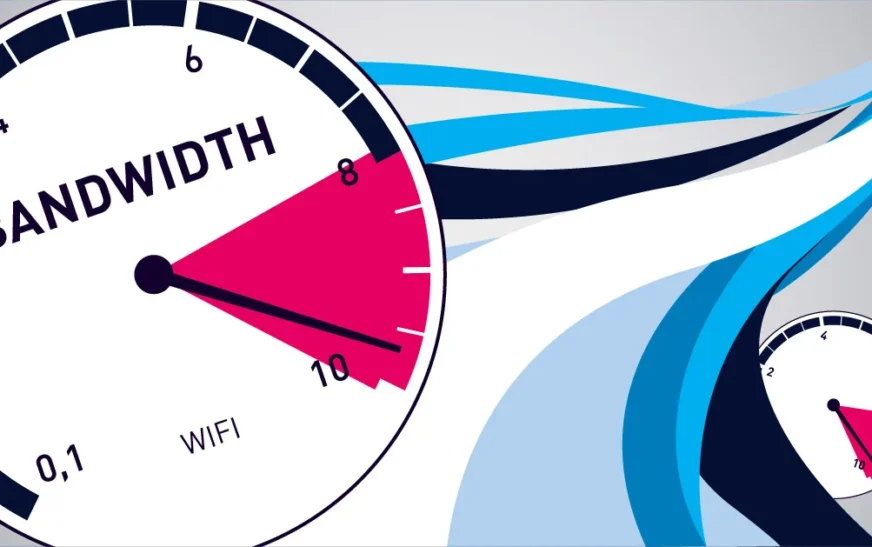
Ever been in the middle of a video call, streaming your favorite show, or uploading photos—only for everything to slow down or freeze? That frustrating moment often comes down to two invisible forces: bandwidth and WiFi. While they’re closely related, they’re not the same thing. And understanding the difference can make all the difference in your internet experience.
Bandwidth is the maximum amount of data your internet connection can handle at once—like the width of a highway. WiFi, on the other hand, is the wireless technology that delivers that data from your router to your devices—like the cars traveling on that highway. Together, they determine how fast and smoothly your online activities run. Whether you’re working from home, gaming, or just scrolling through social media, knowing how bandwidth and WiFi interact helps you troubleshoot issues and optimize performance.
This guide breaks down everything you need to know about bandwidth and WiFi in simple, practical terms. No tech jargon, no confusion—just clear explanations and actionable tips to help you get the most out of your internet connection.
What Is Bandwidth? The Data Highway Explained
Think of bandwidth as the capacity of your internet connection—the total amount of data that can be sent or received per second. It’s measured in megabits per second (Mbps) or gigabits per second (Gbps). The higher your bandwidth, the more data can flow at once.
For example, if your internet plan offers 100 Mbps, that means your connection can theoretically transfer 100 megabits of data every second. But here’s the catch: bandwidth is shared among all devices using the network. So if your phone, laptop, smart TV, and tablet are all active at the same time, they’re all drawing from that same 100 Mbps pool.
- Low bandwidth = slower downloads, buffering videos, laggy calls
- High bandwidth = faster streaming, smoother gaming, quicker file uploads
It’s important to note that bandwidth isn’t the same as speed—though people often use the terms interchangeably. Bandwidth is the potential capacity, while speed refers to how quickly data actually moves under real-world conditions. Factors like network congestion, device performance, and WiFi signal strength can all affect actual speed, even if your bandwidth is high.
How Much Bandwidth Do You Really Need?
The amount of bandwidth you need depends on how you use the internet. A single person browsing websites and checking email may get by with just 10–25 Mbps. But a household with multiple users streaming 4K videos, playing online games, and video conferencing will need significantly more—often 100 Mbps or higher.
Here’s a quick breakdown of typical bandwidth requirements:
- Basic browsing & email: 1–5 Mbps
- HD video streaming (Netflix, YouTube): 5–10 Mbps per stream
- 4K video streaming: 25 Mbps per stream
- Online gaming: 10–25 Mbps (low latency is more critical than raw bandwidth)
- Video conferencing (Zoom, Teams): 3–8 Mbps for HD quality
- Large file uploads/downloads: 50+ Mbps recommended
If multiple people are using the internet simultaneously, add up the requirements. For example, two people streaming 4K videos while someone else is on a Zoom call could easily need 60–70 Mbps. Going over your bandwidth limit doesn’t “break” your internet, but it can cause slowdowns and buffering as data competes for space.
What Is WiFi? The Wireless Delivery System
While bandwidth defines how much data your connection can handle, WiFi is the technology that delivers that data wirelessly from your router to your devices. It uses radio waves to transmit information, allowing your phone, laptop, smart TV, and other gadgets to connect to the internet without physical cables.
WiFi operates on specific frequency bands—most commonly 2.4 GHz and 5 GHz. Each has its strengths and weaknesses:
- 2.4 GHz: Longer range, better at penetrating walls and obstacles, but slower and more prone to interference (from microwaves, cordless phones, etc.)
- 5 GHz: Faster speeds, less interference, but shorter range and weaker wall penetration
Modern routers often support both bands simultaneously (called dual-band), and some even offer a third band at 6 GHz (WiFi 6E), which provides ultra-fast speeds and minimal congestion for compatible devices.
WiFi performance depends on several factors: the router’s capabilities, its placement in your home, the number of connected devices, and physical obstacles like walls or metal objects. Even with high bandwidth from your ISP, poor WiFi can bottleneck your entire network.
WiFi Standards: What’s the Difference?
WiFi technology has evolved over the years, with each new standard offering improvements in speed, range, and efficiency. Here’s a quick overview of the most common WiFi standards:
- WiFi 4 (802.11n): Released in 2009, supports up to 600 Mbps, works on both 2.4 GHz and 5 GHz
- WiFi 5 (802.11ac): Launched in 2013, focuses on 5 GHz, speeds up to 3.5 Gbps
- WiFi 6 (802.11ax): Introduced in 2019, improves efficiency in crowded networks, supports up to 9.6 Gbps
- WiFi 6E: Extends WiFi 6 to the 6 GHz band, offering even more bandwidth and less interference
- WiFi 7 (802.11be): The latest standard (2024), promises speeds up to 46 Gbps and ultra-low latency
To take advantage of these advancements, both your router and your devices need to support the same standard. For example, a WiFi 6 router won’t deliver its full potential if your phone only supports WiFi 4.
Bandwidth vs. WiFi: How They Work Together
Now that we’ve defined both terms, let’s clarify how bandwidth and WiFi interact. Think of it like a water system: bandwidth is the size of the main pipe bringing water into your house, while WiFi is the network of smaller pipes and faucets distributing that water to different rooms.
If your main pipe (bandwidth) is narrow, no matter how well-designed your indoor plumbing (WiFi) is, you’ll still have low water pressure. Similarly, if your WiFi network is weak or congested, even a high-bandwidth connection won’t reach your devices efficiently.
Here’s where things get tricky: your internet speed test might show 200 Mbps from your ISP, but your laptop might only get 50 Mbps over WiFi. That doesn’t mean your ISP is lying—it means your WiFi is the bottleneck. Common causes include:
- Distance from the router
- Walls, floors, or metal objects blocking the signal
- Interference from other electronic devices
- Too many devices connected at once
- An outdated or low-quality router
To maximize performance, you need both sufficient bandwidth and a strong WiFi network. Upgrading your internet plan without improving your WiFi setup is like buying a sports car but driving it on a dirt road—you won’t see the full benefit.
Real-World Example: The Family Streaming Night
Imagine a family of four: two kids watching Netflix in 4K, one parent on a Zoom call, and another downloading a large work file. That’s easily 70–100 Mbps of demand.
If the household has a 100 Mbps internet plan but an old single-band router placed in a basement corner, the WiFi signal will be weak upstairs. Even though the bandwidth is technically enough, the slow, unstable connection causes buffering, dropped calls, and long download times.
The solution? Upgrade to a dual-band or tri-band WiFi 6 router, place it centrally on the main floor, and ensure devices connect to the 5 GHz band when possible. This optimizes both bandwidth usage and WiFi delivery.
How to Test and Improve Your Bandwidth and WiFi
Not sure if your bandwidth or WiFi is the problem? Start with a speed test. Use tools like Speedtest by Ookla, Fast.com, or your ISP’s own testing tool. Run the test on a device connected via Ethernet (wired) first—this gives you the true bandwidth from your ISP.
Then, run the same test over WiFi. If the wired speed is high but WiFi speed is much lower, your wireless network is the issue. If both are slow, you may need to upgrade your internet plan or contact your provider.
Here are practical steps to improve both bandwidth and WiFi performance:
Boost Your Bandwidth
- Upgrade your internet plan: Contact your ISP to see if higher-speed options are available.
- Schedule heavy usage: Download large files or stream during off-peak hours when the network is less congested.
- Limit background apps: Close unnecessary programs on your devices that use bandwidth (e.g., cloud backups, software updates).
Optimize Your WiFi
- Reposition your router: Place it in a central, elevated location, away from walls, metal objects, and appliances like microwaves.
- Use the right band: Connect high-demand devices (laptops, smart TVs) to the 5 GHz band for faster speeds.
- Reduce interference: Keep your router away from cordless phones, baby monitors, and Bluetooth devices.
- Upgrade your router: Invest in a modern WiFi 6 or WiFi 6E router for better performance and capacity.
- Use a mesh network: For large homes, a mesh WiFi system (like Google Nest WiFi or Eero) extends coverage with multiple nodes.
- Change the channel: Use your router’s admin panel to switch to a less congested WiFi channel, especially on the 2.4 GHz band.
Many routers also offer Quality of Service (QoS) settings, which let you prioritize certain devices or activities (like gaming or video calls) over others. This ensures critical tasks get the bandwidth they need, even when the network is busy.
Common Misconceptions About Bandwidth and WiFi
There’s a lot of confusion around bandwidth and WiFi, even among regular internet users. Let’s clear up some common myths:
Myth 1: “More bandwidth means faster WiFi.”
Not necessarily. Bandwidth is the total capacity, but WiFi determines how well that capacity reaches your devices. A 1 Gbps plan won’t help if your WiFi signal is weak or your router is outdated.
Myth 2: “WiFi speed is the same as internet speed.”
WiFi speed refers to the maximum data rate your wireless connection can handle, while internet speed is what you actually get from your ISP. They’re related but not identical.
Myth 3: “All WiFi networks are the same.”
Different routers, standards, and environments create vastly different experiences. A high-end WiFi 6 router in an open space will perform far better than a budget router in a crowded apartment.
Myth 4: “You need the fastest internet plan available.”
Not true for everyone. If you only use the internet for light browsing and email, a 25 Mbps plan may be more than enough. Overpaying for speed you don’t need wastes money.
Myth 5: “WiFi signals can’t go through walls.”
They can—but they weaken. Thick walls, metal, and concrete reduce signal strength. That’s why placement and mesh systems matter.
Key Takeaways
- Bandwidth is the total data capacity of your internet connection, measured in Mbps or Gbps.
- WiFi is the wireless technology that delivers data from your router to your devices.
- High bandwidth doesn’t guarantee fast WiFi—your router, placement, and network setup matter just as much.
- Use speed tests to identify whether bandwidth or WiFi is the bottleneck.
- Optimize both by upgrading your plan, improving router placement, and using modern equipment.
- Choose the right WiFi band (2.4 GHz for range, 5 GHz for speed) based on your needs.
- Mesh networks and WiFi 6/6E routers offer significant improvements for larger homes and multiple devices.
FAQ: Your Questions About Bandwidth and WiFi Answered
Q: Can I have high bandwidth but slow WiFi?
A: Yes. If your router is outdated, poorly placed, or overloaded with devices, your WiFi performance will suffer—even with a high-speed internet plan. Always test both wired and wireless speeds to identify the issue.
Q: Should I use 2.4 GHz or 5 GHz WiFi?
A: Use 2.4 GHz for better range and wall penetration (ideal for smart home devices), and 5 GHz for faster speeds and less interference (best for streaming, gaming, and video calls). Many modern routers let you use both simultaneously.
Q: How do I know if I need a new router?
A: Signs include frequent disconnections, slow speeds despite a good internet plan, dead zones in your home, or an inability to connect multiple devices. If your router is more than 3–5 years old, upgrading to a WiFi 6 model can make a big difference.
Final Thoughts
Understanding bandwidth and WiFi doesn’t require a degree in computer science. It’s about knowing how data flows from your ISP to your devices—and where things can go wrong. With the right balance of sufficient bandwidth and a strong, well-configured WiFi network, you can enjoy fast, reliable internet for everything from work to entertainment.
Don’t let slow speeds and buffering ruin your online experience. Take control by testing your connection, optimizing your setup, and upgrading when necessary. Whether you’re a casual user or a power streamer, a little knowledge goes a long way in making your internet work for you.