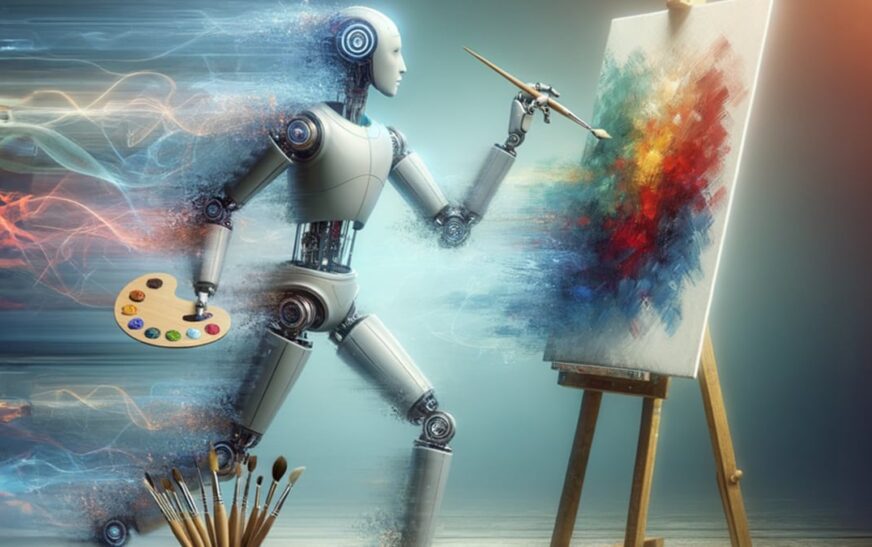
You’ve seen the stunning visuals from Midjourney—dreamlike landscapes, hyper-detailed portraits, surreal scenes that blur the line between imagination and reality. But what if you could create equally breathtaking AI-generated art without paying $30+ per month? You don’t need to break the bank to access high-quality AI art tools. In fact, there are several AI art generators that rival Midjourney in output quality, style versatility, and creative control—while costing significantly less (or even being free).
Whether you’re a digital artist, content creator, marketer, or hobbyist, this guide reveals the top seven affordable alternatives that deliver professional-grade results. We’ve tested them for image fidelity, prompt responsiveness, customization options, and value for money. No fluff, no filler—just real tools that actually compete with Midjourney’s elite-tier output.
Why Midjourney Isn’t Your Only Option Anymore
Midjourney dominates the AI art conversation, and for good reason: its Discord-based interface, consistent updates, and photorealistic rendering set a high bar. But it’s not perfect. The subscription model locks advanced features behind a paywall, and the lack of direct image editing or commercial licensing clarity frustrates many users.
Meanwhile, the AI art landscape has exploded with innovation. New platforms now offer similar—or sometimes superior—capabilities at a fraction of the cost. These tools leverage cutting-edge diffusion models, fine-tuned datasets, and user-friendly interfaces to deliver results that can easily stand beside Midjourney outputs.
The best part? Many of these alternatives are built with creators in mind—offering batch generation, style presets, upscaling, and even API access—all while keeping pricing transparent and accessible.
What Makes an AI Art Generator “Rival” Midjourney?
Before diving into the list, let’s define what “rival” means in this context. We’re not looking for pixelated clip art or generic filters. A true Midjourney competitor must meet these criteria:
- High-resolution output (at least 1024×1024, with upscaling options)
- Strong prompt adherence—understanding complex descriptions, artistic styles, lighting, and composition
- Style diversity: ability to generate photorealism, anime, oil painting, cyberpunk, fantasy, and more
- Commercial usability: clear licensing for business or personal projects
- Affordable pricing: under $20/month or with generous free tiers
With that benchmark in mind, here are the seven AI art generators that truly hold their own against Midjourney—without the hefty price tag.
1. Leonardo.Ai – The Creative Powerhouse
Leonardo.Ai has rapidly become a favorite among digital artists and game developers. It combines powerful AI models with an intuitive web interface, making it one of the most accessible yet capable tools on the market.
What sets Leonardo apart is its custom model training feature. You can upload your own images and fine-tune a model to match your unique art style—something Midjourney doesn’t offer natively. Whether you’re designing characters for a game or creating marketing visuals, this level of personalization is a game-changer.
Output quality is consistently high, with sharp details, accurate lighting, and strong adherence to prompts. The platform supports inpainting, image-to-image generation, and real-time canvas editing. Plus, the free tier offers 150 daily credits—enough for casual experimentation.
Pricing: Free tier available; paid plans start at $10/month for 8,500 credits. That’s less than half the cost of Midjourney’s basic plan, with more creative control.
2. Playground AI – Where Simplicity Meets Quality
If you want Midjourney-level art without learning Discord commands, Playground AI is your answer. This browser-based tool is refreshingly simple: type your prompt, choose a style, and generate. No steep learning curve.
Despite its ease of use, Playground AI delivers impressively detailed images. It uses Stable Diffusion under the hood, fine-tuned for better prompt understanding and fewer artifacts. The “Magic Prompt” feature even enhances your input automatically, helping beginners get pro-level results.
One standout feature is the ability to edit images directly in the browser—adjust lighting, remove objects, or extend backgrounds with AI inpainting. It’s perfect for content creators who need quick, editable visuals for social media or blogs.
Pricing: Free plan includes 500 image generations per day. Paid plans start at $15/month for unlimited generations and commercial use rights. A steal compared to Midjourney’s $30 entry point.
3. SeaArt.AI – The Hidden Gem for Anime & Fantasy Lovers
SeaArt.AI might not be as well-known, but it’s quietly building a reputation for exceptional anime, fantasy, and illustration-style art. If you love Midjourney’s whimsical or stylized outputs, SeaArt delivers similar vibes—often with better facial accuracy and fewer distortions.
The platform offers over 50 pre-trained models, including specialized ones for anime, cyberpunk, and watercolor. You can mix models, adjust weights, and use negative prompts to fine-tune results. The interface is clean and mobile-friendly, making it great for on-the-go creation.
Another advantage? SeaArt allows commercial use on all generated images, even on the free tier. That’s a huge win for freelancers and small businesses.
Pricing: Free tier with 100 daily credits. Paid plans start at $9.99/month for 5,000 credits and priority generation. One of the most affordable options with serious creative potential.
4. Blue Willow – The Discord Alternative That’s Actually Better
Blue Willow runs on Discord—just like Midjourney—but with a key difference: it’s free. Yes, completely free, with no hidden limits or paywalls. It uses a combination of Stable Diffusion models optimized for speed and quality.
While it lacks some of Midjourney’s polish, Blue Willow produces surprisingly good results, especially for abstract art, concept sketches, and stylized portraits. The community is active and supportive, with channels dedicated to tips, critiques, and collaborations.
One downside: image resolution is capped at 1024×1024 on the free tier, and upscaling requires manual effort. But for artists on a budget or students exploring AI art, it’s an unbeatable entry point.
Pricing: Free forever. Optional donations support development. No subscription needed.
5. Clipdrop by Stability AI – The All-in-One Creative Suite
Clipdrop isn’t just an image generator—it’s a full creative toolkit. Built by the team behind Stable Diffusion, it includes text-to-image generation, background removal, image upscaling, and even a “Relight” feature that adjusts lighting in photos.
The text-to-image model is highly responsive, producing clean, detailed visuals with minimal noise. It excels at product mockups, lifestyle photography, and branding visuals. The “Imagine” feature lets you generate images from text, while “Uncrop” extends images beyond their original borders—perfect for fitting different aspect ratios.
Clipdrop integrates seamlessly with Photoshop and other design tools, making it ideal for professionals who need AI assistance in their workflow.
Pricing: Free tier with 10 generations per day. Pro plan at $9.99/month includes unlimited generations, commercial license, and API access. A fraction of Midjourney’s cost with broader functionality.
6. Bing Image Creator (Powered by DALL·E 3) – Free & Surprisingly Powerful
Microsoft’s Bing Image Creator, powered by OpenAI’s DALL·E 3, is one of the most underrated AI art tools. It’s free, requires no account (though signing in with Microsoft gives more boosts), and produces remarkably coherent, high-quality images.
DALL·E 3 excels at understanding complex prompts—especially those involving text, scenes, or specific artistic references. Want a “watercolor painting of a cat reading a book under a cherry blossom tree at sunset”? Bing nails it with surprising accuracy.
The interface is simple: enter your prompt, hit generate, and download. No settings to tweak, no models to select. It’s perfect for quick ideas, brainstorming, or social media content.
Pricing: Completely free. Users get 15 “boosts” per day (faster generation); after that, images generate in queue. No subscription required.
7. Fooocus – The Open-Source Challenger
For tech-savvy users who want full control, Fooocus is a standout. It’s a free, open-source AI image generator based on Stable Diffusion, designed to deliver high-quality results with minimal setup.
Unlike cloud-based tools, Fooocus runs locally on your computer (Windows, Mac, or Linux). This means faster generation, no usage limits, and complete privacy—your images never leave your device.
The interface is minimalist but effective. You input a prompt, choose a style (realistic, anime, etc.), and generate. Output quality rivals Midjourney in many cases, especially for photorealistic and cinematic styles.
Best of all? It’s free forever. No subscriptions, no credits, no ads. Just pure AI art creation.
Pricing: Free and open-source. Requires a decent GPU (NVIDIA recommended) for optimal performance.
Key Takeaways: Which AI Art Generator Should You Choose?
Choosing the right AI art generator depends on your needs, budget, and creative goals. Here’s a quick comparison to help you decide:
- Best overall value: Leonardo.Ai – powerful features, affordable pricing, custom models.
- Best for beginners: Playground AI – simple, fast, great free tier.
- Best for anime/fantasy: SeaArt.AI – specialized models, commercial use allowed.
- Best free Discord alternative: Blue Willow – no cost, active community.
- Best all-in-one toolkit: Clipdrop – generation + editing + upscaling.
- Best free DALL·E 3 access: Bing Image Creator – no account needed, high-quality output.
- Best for privacy & control: Fooocus – local, open-source, unlimited use.
While Midjourney remains a top-tier option, these seven alternatives prove you don’t need to pay a premium for stunning AI art. Many offer unique advantages—better interfaces, more control, or lower costs—that make them worthy rivals.
FAQ: Your Questions About AI Art Generators, Answered
Are these AI art generators really as good as Midjourney?
Yes—many of them produce images with comparable detail, style accuracy, and creativity. While Midjourney has a slight edge in photorealism and consistency, tools like Leonardo.Ai, Playground AI, and Clipdrop come very close, especially when fine-tuned or used with strong prompts.
Can I use the images commercially?
It depends on the platform. Most paid plans (like Leonardo, Playground, and Clipdrop Pro) include commercial licenses. Free tiers vary—always check the terms. SeaArt and Clipdrop are particularly generous with commercial use rights.
Do I need a powerful computer to use these tools?
Most cloud-based tools (Playground, Leonardo, Bing) run in your browser and require no special hardware. Only local tools like Fooocus need a capable GPU. For average users, a standard laptop or smartphone is sufficient.
Final Thoughts: The AI Art Revolution Is Just Getting Started
The rise of affordable, high-quality AI art generators marks a turning point for creators everywhere. You no longer need a $30/month subscription to produce gallery-worthy visuals. With options ranging from free Discord bots to open-source powerhouses, there’s never been a better time to explore AI-generated art.
Whether you’re designing a logo, illustrating a story, or just experimenting with digital creativity, these seven tools prove that AI art generators that rival Midjourney aren’t just possible—they’re already here, and they’re cheaper than you think.
Try one today. Your next masterpiece might be just a prompt away.