Imagine reading a 200-page research report, a dense legal contract, or a lengthy academic paper—without actually reading every single word. Sounds like a dream? It’s not. With the right tools, you can now use AI to summarize long documents in under five minutes, saving hours of your time while still extracting the most critical insights. Whether you’re a student, researcher, lawyer, or business professional, AI-powered summarization is transforming how we consume information.
AI doesn’t just shorten text—it understands context, identifies key themes, and distills complex ideas into digestible summaries. This means you get the essence of a document without losing meaning. No more skimming through paragraphs hoping you didn’t miss something important. AI does the heavy lifting, so you can focus on what matters: making decisions, writing reports, or preparing presentations.
In this guide, we’ll walk you through exactly how to use AI to summarize long documents—step by step. You’ll learn which tools work best, how to prepare your files, and pro tips to get the most accurate, useful summaries every time. Let’s dive in.
Why AI Document Summarization Is a Game-Changer
Long documents are everywhere. Think legal briefs, financial reports, medical studies, or even internal company memos. Reading them cover-to-cover is time-consuming and often unnecessary. Most people only need the core findings, action items, or conclusions.
This is where AI shines. Unlike traditional methods—like manual note-taking or copy-pasting key sentences—AI analyzes the entire document using natural language processing (NLP). It recognizes patterns, detects sentiment, and understands relationships between ideas. The result? A concise, coherent summary that captures the document’s true meaning.
Here’s why professionals are switching to AI summarization:
- Saves time: Cut reading time by up to 90%.
- Improves accuracy: AI reduces human error and bias.
- Enhances comprehension: Summaries highlight what’s important, making complex topics easier to grasp.
- Supports multilingual use: Many AI tools can summarize documents in multiple languages.
- Scalable: Process dozens of documents in the same time it takes to read one.
Whether you’re preparing for a meeting, conducting research, or reviewing contracts, AI summarization helps you stay informed—faster and smarter.
Top AI Tools to Summarize Long Documents
Not all AI summarizers are created equal. Some are built for speed, others for depth. Choosing the right tool depends on your needs: document type, language, desired output length, and integration with your workflow.
Here are five of the best AI-powered tools to summarize long documents in 2024:
1. SummarizeBot
SummarizeBot uses advanced NLP and machine learning to extract key points from PDFs, Word docs, and web pages. It supports over 40 languages and integrates with Google Drive, Dropbox, and Slack. Ideal for legal, academic, and business use.
2. Resoomer
Perfect for students and researchers, Resoomer focuses on academic texts. It highlights main ideas, arguments, and conclusions, making it great for summarizing essays, theses, and journal articles.
3. Notion AI
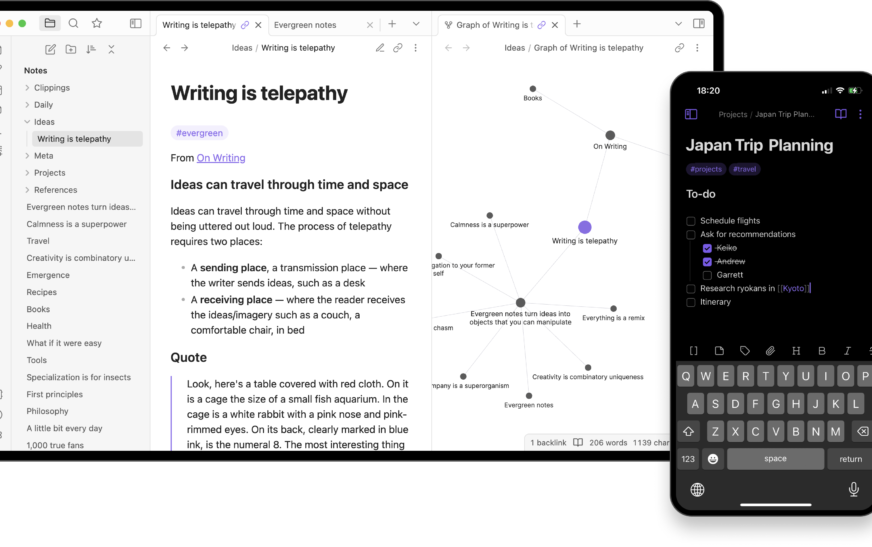
If you already use Notion for notes and project management, Notion AI lets you summarize uploaded documents directly within your workspace. Seamless integration and real-time editing make it a favorite among knowledge workers.
4. Genei
Designed for professionals, Genei offers smart summarization with keyword tagging and topic clustering. It’s excellent for market research, competitor analysis, and long-form content review.
5. ChatGPT (with file upload)
With the latest updates, ChatGPT allows users to upload PDFs and Word files. You can prompt it to “summarize this document in 100 words” or “extract the top 5 recommendations.” Highly customizable and free for basic use.
Each tool has strengths. Try a few to see which fits your workflow best.
Step-by-Step Guide: How to Use AI to Summarize Long Documents
Now that you know the tools, let’s get practical. Here’s a simple, repeatable process to summarize any long document using AI—no tech degree required.
Step 1: Choose the Right AI Tool
Match the tool to your document type. For legal contracts, go with SummarizeBot. For academic papers, Resoomer or Genei. For quick summaries on the go, use ChatGPT or Notion AI.
Step 2: Prepare Your Document
Ensure your file is in a supported format (PDF, DOCX, TXT). Remove unnecessary images or scanned pages if they cause errors. Clean, text-based files work best.
Step 3: Upload the File
Most tools have a drag-and-drop interface. Upload your document directly into the platform. Some tools also allow copy-pasting text if file upload isn’t available.
Step 4: Set Your Summary Preferences
Customize the output. Choose:
- Summary length (short, medium, long)
- Focus area (e.g., conclusions, recommendations, risks)
- Output format (bullet points, paragraph, table)
This ensures the AI delivers exactly what you need.
Step 5: Generate and Review the Summary
Click “Summarize” and wait a few seconds. Review the output for accuracy. Does it capture the main points? Are key terms or names preserved? If not, adjust your settings or re-upload.
Step 6: Export or Share
Download the summary as a PDF, copy it to your clipboard, or share it via email or cloud storage. Many tools also let you edit the summary before finalizing.
That’s it! In under 10 minutes, you’ve turned a 50-page report into a clear, actionable summary.
Best Practices for Accurate AI Summaries
AI is powerful, but it’s not perfect. To get the most reliable results, follow these best practices:
- Use high-quality source files: Blurry scans or image-based PDFs confuse AI. Convert them to text using OCR tools like Adobe Acrobat or online converters.
- Break up extremely long documents: If your document is over 100 pages, split it into sections. Summarize each part separately, then combine the results.
- Guide the AI with prompts: Instead of just uploading, add a prompt like “Summarize the financial risks in this report” or “Extract the key findings from this study.”
- Verify critical information: Always double-check names, dates, figures, and legal terms. AI can misinterpret context or miss nuances.
- Combine AI with human review: Use AI for first drafts, then refine the summary yourself. This hybrid approach ensures both speed and accuracy.
Remember: AI is a tool, not a replacement for critical thinking. Use it to enhance your workflow, not bypass it.
Common Challenges and How to Overcome Them
Even the best AI tools can stumble. Here are common issues users face—and how to fix them.
Problem: AI Misses Key Details
Sometimes, AI focuses on general ideas and skips specific data points. To fix this, use targeted prompts. For example: “List all deadlines mentioned in this contract” or “Extract every statistic related to sales growth.”
Problem: Summaries Are Too Vague
If the output is too general, increase the summary length or ask for bullet points with supporting details. You can also upload a shorter excerpt to test the AI’s response.
Problem: Formatting Gets Messy
AI may lose formatting when converting text. To preserve structure, export summaries as plain text or use tools that support rich formatting (like Notion or Google Docs).
Problem: Language or Jargon Confusion
Technical terms, industry slang, or non-English phrases can confuse AI. If your document uses specialized language, choose a tool trained in that domain (e.g., legal or medical AI models).
With a little tweaking, most issues are easily resolved. The key is experimentation and feedback.
Real-World Use Cases: Who Benefits Most?
AI document summarization isn’t just for tech geeks. It’s transforming industries. Here’s how different professionals use it daily.
Lawyers
Reviewing contracts, case files, and legal briefs takes hours. AI summarizes key clauses, obligations, and risks in minutes. Lawyers can prepare for court faster and reduce billable hours spent on manual review.
Researchers & Academics
Reading dozens of journal articles per week is standard. AI helps researchers quickly identify relevant studies, extract methodologies, and compare findings—accelerating literature reviews.
Business Executives
CEOs and managers receive lengthy reports from teams. AI summaries highlight KPIs, action items, and strategic insights, enabling faster decision-making.
Students
From textbooks to lecture notes, students use AI to condense study materials. It’s especially helpful during exam prep or when writing research papers.
Journalists
Reporters sift through press releases, government documents, and interview transcripts. AI helps them find the story faster and focus on writing.
No matter your role, if you read long documents, AI summarization can save you time and mental energy.
Future of AI Document Summarization
The technology is evolving fast. In the near future, we’ll see even smarter AI that doesn’t just summarize—but analyzes, compares, and even predicts outcomes.
Imagine uploading 10 financial reports and asking AI: “Which company is most likely to grow next quarter?” Or feeding it legal documents and getting a risk score. These capabilities are already in development.
We’re also seeing better integration with voice assistants, real-time collaboration tools, and multilingual support. Soon, you’ll be able to summarize a document by simply speaking to your phone.
As AI becomes more accurate and accessible, document summarization will shift from a “nice-to-have” to a standard workflow tool—just like spell check or auto-save.
Key Takeaways
- You can now use AI to summarize long documents in minutes, not hours.
- Top tools include SummarizeBot, Resoomer, Notion AI, Genei, and ChatGPT.
- Follow a simple 6-step process: choose tool, prepare file, upload, set preferences, generate, and export.
- Best practices include using clean files, guiding AI with prompts, and verifying critical details.
- AI summarization benefits lawyers, researchers, executives, students, and journalists.
- The future holds even smarter, more integrated AI tools for document analysis.
FAQ: How to Use AI to Summarize Long Documents
Q: Can AI summarize scanned PDFs or image-based documents?
A: Yes, but only if the text is converted first. Use OCR (Optical Character Recognition) tools like Adobe Acrobat, Google Drive, or online converters to extract text from images. Once converted, upload the text file to your AI summarizer.
Q: Is AI summarization safe for confidential documents?
A: It depends on the tool. Always check the privacy policy. Some platforms (like Notion or local AI models) keep data on your device. Avoid uploading sensitive legal or medical files to free, cloud-based tools unless they offer encryption and compliance (e.g., GDPR, HIPAA).
Q: How accurate are AI summaries compared to human-written ones?
A: AI summaries are highly accurate for general content but may miss nuances, sarcasm, or cultural context. For critical documents, always combine AI with human review. Think of AI as your first draft—fast and helpful, but not infallible.
Ready to stop drowning in paperwork? Start using AI to summarize long documents today. Your future self—with more free time and clearer insights—will thank you.