Struggling to create eye-catching marketing graphics without a design degree or expensive software? You’re not alone. In today’s fast-paced digital world, businesses need high-quality visuals fast—and that’s exactly where AI steps in. How to use AI to design marketing graphics is no longer a futuristic concept; it’s a practical, accessible strategy for entrepreneurs, marketers, and small teams. With AI-powered tools, you can generate professional banners, social media posts, infographics, and ad creatives in minutes—no Photoshop skills required.
Imagine launching a campaign with stunning visuals tailored to your brand, all created before your morning coffee cools. That’s the power of AI-driven design. From automating color schemes to generating custom illustrations, AI is transforming how marketers approach visual content. This guide will walk you through exactly how to use AI to design marketing graphics—efficiently, affordably, and effectively.
Why AI Is Revolutionizing Marketing Graphics
Traditional graphic design used to be time-consuming and costly. Hiring a designer, waiting for revisions, and paying hourly rates could drain budgets and delay campaigns. Now, AI tools are flipping the script. They analyze trends, understand brand aesthetics, and produce visuals that resonate with target audiences—all in real time.
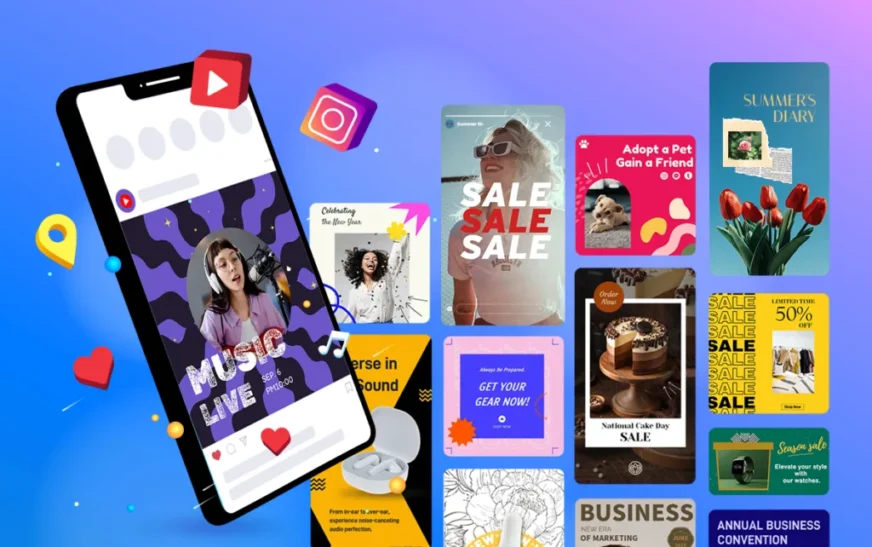
AI doesn’t replace human creativity—it amplifies it. Marketers can focus on strategy and messaging while AI handles the repetitive design tasks. Whether you’re crafting Instagram stories, email headers, or Facebook ads, AI ensures consistency, speed, and scalability. Plus, many platforms offer drag-and-drop interfaces, making them beginner-friendly.
The result? Faster turnaround, lower costs, and visuals that convert. Brands using AI for graphic design report up to 60% faster content production and improved engagement rates. It’s not just a trend—it’s a competitive advantage.
Top AI Tools for Designing Marketing Graphics
Choosing the right AI tool is the first step to success. Not all platforms are created equal, so here’s a curated list of the best options for creating marketing graphics:
- Canva (with Magic Studio): Offers AI-powered templates, background removers, and text-to-image generation. Ideal for social media and quick edits.
- Adobe Firefly: Integrates with Photoshop and Express. Great for brand-consistent visuals using generative AI.
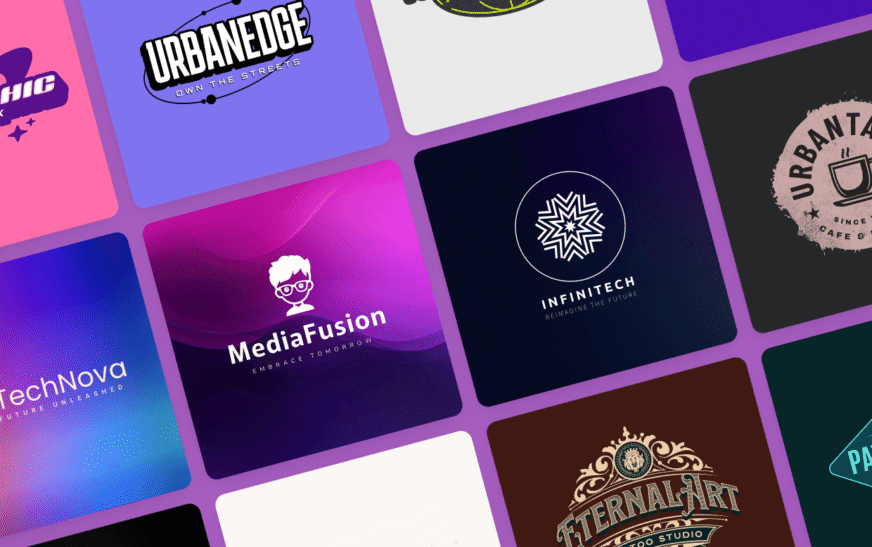
- Looka: Specializes in logo and brand kit creation using AI insights.
- Jasper Art: Generates unique images from text prompts—perfect for blog headers and ad visuals.
- Designs.ai: All-in-one platform with AI for logos, videos, banners, and more.
- Runway ML: Advanced tool for motion graphics and video editing with AI assistance.
Each tool has strengths depending on your needs. For example, Canva excels in simplicity, while Adobe Firefly offers deeper customization. Try a few free trials to see which fits your workflow.
Step-by-Step: How to Use AI to Design Marketing Graphics
Ready to dive in? Follow this practical process to create stunning marketing graphics using AI—no experience needed.
Step 1: Define Your Goal and Audience
Before opening any tool, clarify what you want to achieve. Are you promoting a product launch, building brand awareness, or driving email sign-ups? Knowing your goal shapes your design choices. Also, consider your audience: age, interests, and preferred platforms. A Gen Z audience on TikTok needs different visuals than professionals on LinkedIn.
Step 2: Choose the Right Template or Start from Scratch
Most AI design platforms offer pre-built templates for social posts, flyers, and ads. These save time and ensure professional layouts. If you’re starting fresh, use AI to generate a concept. For example, in Canva, type “modern tech product ad” and let the AI suggest a layout.
Step 3: Input Your Brand Elements
Upload your logo, brand colors, and fonts. Many tools, like Looka and Adobe Express, allow you to create a brand kit. The AI then applies these elements automatically across designs, ensuring consistency. This is crucial for building brand recognition.
Step 4: Use AI to Generate or Enhance Images
Stuck on imagery? Use AI image generators like DALL·E 3 or MidJourney (via integrations) to create custom visuals. Simply describe what you want: “a minimalist coffee cup on a wooden table, morning light, flat lay style.” The AI produces multiple options. You can also use AI to remove backgrounds, upscale images, or apply filters.
Step 5: Add Compelling Text with AI Copywriting
Great graphics need great copy. Use AI tools like ChatGPT or Jasper to write headlines, captions, and CTAs. Input your message, and the AI suggests variations optimized for engagement. For example: “Transform your mornings with our new cold brew—limited time offer!” Pair this with bold typography for maximum impact.
Step 6: Optimize for Each Platform
AI tools often include resizing features. A single design can be adapted for Instagram, Facebook, Pinterest, and email headers in seconds. This ensures your visuals look sharp everywhere—no manual cropping needed.
Step 7: Review, Edit, and Export
Always proofread and test your design. Does it convey the message clearly? Is it mobile-friendly? Make final tweaks, then export in the right format (PNG for web, PDF for print). Most platforms offer one-click sharing to social media or cloud storage.
Best Practices for AI-Generated Marketing Graphics
Using AI doesn’t mean sacrificing quality. Follow these best practices to ensure your graphics stand out:
- Maintain Brand Consistency: Use the same colors, fonts, and tone across all visuals. AI can help enforce this with brand kits.
- Prioritize Clarity Over Complexity: Avoid clutter. A clean design with a strong focal point performs better.
- Test Different Variations: Use AI to generate multiple versions and A/B test them. See which gets more clicks or shares.
- Stay Authentic: While AI speeds things up, inject your brand’s personality. Avoid generic stock-style visuals.
- Check for Copyright: Ensure AI-generated images are royalty-free or properly licensed for commercial use.
Remember, AI is a tool—not a magic wand. Your input and oversight are still essential for creating meaningful, on-brand content.
Common Mistakes to Avoid When Using AI for Graphics
Even with powerful tools, it’s easy to go off track. Here are pitfalls to watch out for:
- Over-reliance on Templates: While helpful, copying templates exactly can make your brand look generic. Customize them to reflect your uniqueness.
- Ignoring Mobile Optimization: Many users view content on phones. Always preview how your graphic looks on small screens.
- Using Too Much Text: Crowded visuals lose attention. Keep text minimal and impactful.
- Skipping Human Review: AI can make errors—misspelled words, awkward compositions. Always have a human eye check the final design.
- Forgetting Accessibility: Ensure color contrast is high and text is readable for users with visual impairments.
Avoiding these mistakes ensures your AI-generated graphics don’t just look good—they perform well too.
Real-World Examples of AI in Action
Let’s look at how real brands are using AI to design marketing graphics:
Case Study 1: A Small E-commerce Brand
A boutique skincare company used Canva’s AI to create Instagram carousel ads. They input product details and target audience data. The AI generated 10 ad variations in under an hour. After A/B testing, one version saw a 40% increase in click-through rates. The key? AI helped them test fast and refine quickly.
Case Study 2: A Nonprofit Campaign
A charity used Adobe Firefly to design donation appeal posters. They described their mission in text prompts, and the AI created emotionally resonant visuals. The campaign raised 25% more than previous efforts, thanks to compelling, on-brand graphics.
Case Study 3: A SaaS Startup
A tech startup used Jasper Art and Designs.ai to build a full visual identity—logo, website banners, and email headers—in one weekend. They saved $3,000 on design fees and launched faster than competitors.
These examples show that AI isn’t just for big brands. Small teams and solopreneurs can leverage it too.
Future Trends: What’s Next for AI in Graphic Design?
The AI design space is evolving rapidly. Here’s what to watch for:
- Voice-Activated Design: Soon, you may say, “Create a LinkedIn post about our new feature,” and AI generates it instantly.
- Personalized Graphics at Scale: AI will tailor visuals to individual users based on behavior and preferences.
- 3D and AR Integration: Tools will let you create immersive graphics for virtual try-ons or interactive ads.
- Better Collaboration Features: Real-time team editing with AI suggestions will become standard.
Staying ahead means experimenting now. The brands that embrace AI early will lead the visual content race.
Key Takeaways
- AI makes it faster, cheaper, and easier to create professional marketing graphics.
- Top tools include Canva, Adobe Firefly, Looka, and Jasper Art—each with unique strengths.
- Follow a clear process: define goals, use templates, input brand elements, generate images, add copy, optimize, and export.
- Best practices include brand consistency, clarity, testing, authenticity, and accessibility.
- Avoid common mistakes like overusing templates or skipping human review.
- Real brands are already seeing big results—faster launches, higher engagement, and lower costs.
- The future of AI design includes voice commands, personalization, and 3D graphics.
FAQ
Can AI really replace human graphic designers?
Not entirely. AI excels at speed and repetition, but human designers bring creativity, emotional insight, and strategic thinking. The best results come from combining AI efficiency with human oversight.
Are AI-generated graphics copyright-free?
It depends on the tool. Most reputable platforms like Canva and Adobe offer commercial licenses for AI-generated content. Always check the terms to ensure you can use the graphics legally.
What’s the easiest AI tool for beginners?
Canva is the most beginner-friendly. Its drag-and-drop interface, pre-made templates, and AI features like Magic Resize and Background Remover make it perfect for non-designers.
Ready to transform your marketing visuals? Start experimenting with AI today. Whether you’re designing a simple social post or a full campaign, AI gives you the power to create faster, smarter, and more effectively. The future of marketing graphics is here—and it’s powered by artificial intelligence.