Starting a business is exciting—but designing a professional logo shouldn’t drain your budget or creativity. The good news? You can now use AI to create a logo for your business in minutes, not weeks. Whether you’re launching a startup, rebranding, or just need a fresh visual identity, AI-powered logo generators make it fast, affordable, and surprisingly effective. No design degree required.
Gone are the days when hiring a graphic designer was the only path to a polished logo. Today’s AI tools analyze your brand name, industry, and style preferences to generate dozens of unique logo options—all tailored to your vision. From minimalist icons to bold typography, these platforms deliver high-quality designs that resonate with your audience. And the best part? Most are beginner-friendly and cost a fraction of traditional design services.
In this guide, we’ll walk you through every step of using AI to create a logo for your business—from choosing the right tool to customizing your design and downloading final files. You’ll learn what makes a great logo, how AI interprets brand identity, and insider tips to avoid common pitfalls. Let’s turn your idea into a standout brand symbol—fast.
Why Use AI to Create a Logo for Your Business?
AI logo makers have revolutionized branding for entrepreneurs, solopreneurs, and small businesses. They combine speed, affordability, and customization in ways traditional methods simply can’t match. Instead of waiting days for a designer’s draft or spending hundreds of dollars, you can generate multiple logo concepts in under 10 minutes.
These tools use machine learning algorithms trained on thousands of successful logos. They understand color psychology, typography trends, and industry-specific design cues. When you input your business name and select a style (e.g., modern, classic, playful), the AI suggests icons, fonts, and layouts that align with your niche.
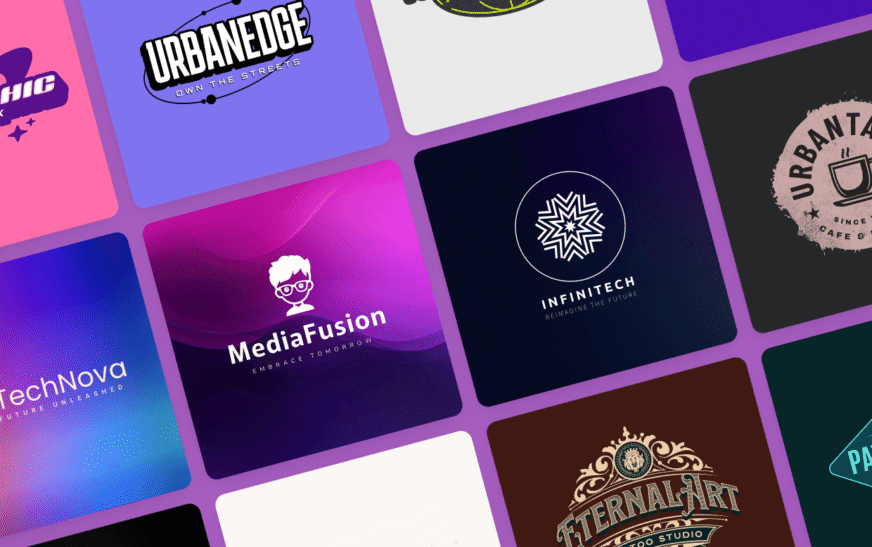
For example, a coffee shop might get warm earth tones and hand-drawn lettering, while a tech startup could see sleek geometric shapes and clean sans-serif fonts. The AI doesn’t just guess—it learns from real-world branding patterns to deliver relevant, professional results.
Plus, many platforms offer instant downloads in multiple formats (PNG, SVG, PDF), so you’re ready to use your logo on websites, social media, business cards, and packaging right away. No waiting, no revisions, no back-and-forth emails.
Top AI Logo Generators in 2024
Not all AI logo tools are created equal. Some focus on simplicity, others on advanced customization. Here are the top platforms that consistently deliver high-quality results for business owners:
- Looka: Combines AI with human-like design intuition. Offers full brand kits, including business cards and social media templates.
- Canva Logo Maker: Great for beginners. Drag-and-drop editing, thousands of templates, and seamless integration with Canva’s design suite.
- Hatchful by Shopify: Built for e-commerce. Industry-specific templates and mobile-optimized designs.
- LogoAI: Advanced AI that generates editable vector logos and suggests complementary brand colors.
- Brandmark: Focuses on modern, minimalist designs with strong typography and color palettes.
Each platform has a free tier or trial, so you can test them before committing. Most charge a one-time fee (typically $20–$60) for high-resolution files and commercial usage rights. Avoid “free forever” tools that watermark your logo or restrict file formats—these can hurt your brand’s credibility.
Step-by-Step Guide: How to Use AI to Create a Logo for Your Business
Step 1: Define Your Brand Identity
Before you start designing, clarify your brand’s core message. Ask yourself: What does my business stand for? Who is my target audience? What emotions should my logo evoke?
Write down 3–5 keywords that describe your brand—like “trustworthy,” “innovative,” or “eco-friendly.” These will guide your design choices. For instance, a sustainable fashion brand might prioritize green tones and organic shapes, while a financial advisor may lean toward navy blue and clean lines.
Step 2: Choose the Right AI Logo Tool
Pick a platform that matches your needs. If you want full brand assets, go with Looka. If you’re on a tight budget, Canva or Hatchful offer excellent free options. Check reviews, preview sample logos, and ensure the tool supports vector downloads (SVG or EPS) for scalability.
Step 3: Input Your Business Details
Most AI generators ask for your business name, tagline (optional), and industry. Be specific—instead of “retail,” choose “pet accessories” or “organic skincare.” This helps the AI suggest relevant icons and styles.
Some tools also let you select preferred colors or upload inspiration images. Use this feature to steer the AI toward your vision.
Step 4: Browse and Customize Logo Options
The AI will generate 10–50 logo variations. Scroll through them and shortlist 3–5 favorites. Look for clarity, uniqueness, and scalability—your logo should look great on a billboard and a smartphone screen.
Click on a design to customize it. Adjust fonts, colors, icon size, and layout. Many tools offer real-time previews on mockups (like laptops, mugs, or storefronts) so you can visualize how it looks in real life.
Step 5: Download and Use Your Logo
Once satisfied, purchase the logo package. Ensure it includes high-resolution PNG (for web), SVG (for scaling), and PDF (for print). Some platforms also offer transparent backgrounds and dark/light versions—essential for versatility.
Save your files in a secure folder and start using your logo across all platforms. Update your website, social profiles, email signatures, and marketing materials.
Tips to Make Your AI-Generated Logo Stand Out
AI gives you a strong foundation, but a few tweaks can elevate your logo from generic to memorable. Here’s how to refine your design:
- Keep it simple: Avoid clutter. A clean logo is easier to recognize and reproduce.
- Choose timeless fonts: Trendy typefaces fade. Opt for classic or custom fonts that reflect your brand’s personality.
- Test in black and white: Your logo should work in monochrome for fax, stamps, or low-color prints.
- Ensure scalability: Zoom in and out. If details disappear at small sizes, simplify the design.
- Check for uniqueness: Do a quick Google image search to ensure your logo isn’t too similar to competitors’.
Also, consider adding a subtle brand story element—like a hidden symbol or meaningful color. For example, a leaf in a coffee logo暗示sustainability, or a shield in a security brand暗示sprotection.
Common Mistakes to Avoid When Using AI Logo Generators
While AI logo tools are powerful, they’re not foolproof. Here are pitfalls to watch out for:
- Over-customizing: Adding too many elements can make your logo look busy. Stick to one icon and one font family.
- Ignoring copyright: Some free icons may be licensed. Always check usage rights before publishing.
- Choosing trendy over timeless: Neon gradients and 3D effects may look cool today but feel outdated in two years.
- Skipping mockups: A logo that looks great on screen might fail on a business card. Always preview in context.
- Forgetting mobile readability: Tiny text or intricate details disappear on small screens. Keep it legible at 50px wide.
Another mistake? Relying solely on AI without human feedback. Show your top 2–3 designs to friends, family, or customers. Ask: “What does this logo make you think of?” Their insights can reveal blind spots.
Can AI Replace Human Designers?
AI won’t replace top-tier designers—but it’s a game-changer for early-stage branding. Human designers excel at storytelling, emotional depth, and complex visual systems. They understand cultural nuances and can craft logos with strategic intent.
However, for most small businesses, AI offers 80% of the value at 20% of the cost. It’s perfect for MVP branding, testing ideas, or launching quickly. Once your business grows, you can always hire a designer to refine or reimagine your logo.
Think of AI as your creative co-pilot. It handles the heavy lifting—generating options, suggesting colors, formatting files—so you can focus on strategy and storytelling.
Key Takeaways
- You can use AI to create a logo for your business in under 15 minutes—no design skills needed.
- Top tools like Looka, Canva, and Hatchful combine speed, affordability, and customization.
- Start by defining your brand identity, then input details into an AI generator to get tailored options.
- Customize your logo for clarity, scalability, and uniqueness. Avoid overcomplicating the design.
- Always download high-resolution, vector-based files for professional use.
- AI is ideal for startups and small businesses, but human designers still add unmatched depth for established brands.
FAQ
Is it legal to use an AI-generated logo for my business?
Yes, as long as you purchase the commercial license. Most reputable AI logo platforms grant full rights to use, modify, and trademark your design. Always read the terms to confirm you own the final files.
Can I trademark an AI-made logo?
Absolutely. The U.S. Patent and Trademark Office (USPTO) accepts AI-generated logos as long as they’re original and not copied from existing trademarks. Conduct a trademark search before filing to avoid conflicts.
What if I don’t like the AI-generated options?
Try refining your inputs—change your industry, keywords, or color preferences. Many tools let you regenerate logos instantly. You can also combine elements from different designs or use the AI output as a starting point for further customization.
Final Thoughts
Using AI to create a logo for your business isn’t just convenient—it’s smart. It empowers entrepreneurs to launch with confidence, iterate quickly, and build a cohesive brand identity without breaking the bank. The technology has matured to the point where AI-generated logos can rival those made by humans in quality and relevance.
But remember: a logo is more than a pretty image. It’s the face of your brand. Take the time to choose colors and fonts that reflect your values, and test your design across real-world applications. With the right AI tool and a clear vision, you’ll have a professional logo that sets your business apart—fast.
Ready to get started? Pick a platform, define your brand, and let AI do the heavy lifting. Your future customers are waiting to recognize you.