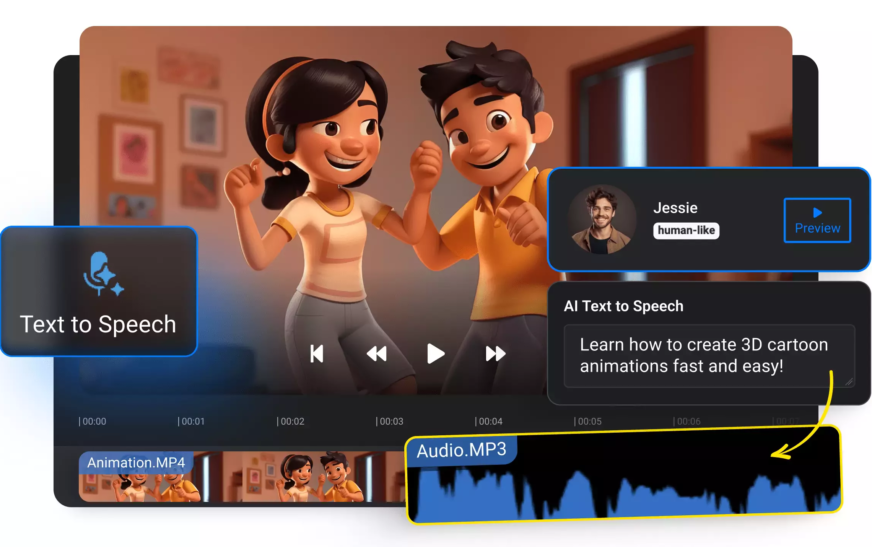
Imagine turning a simple blog post, script, or even a social media caption into a full-length, professional-quality video—in minutes. That’s exactly what AI tools to turn text into video can do for you. Whether you’re a content creator, marketer, educator, or small business owner, these tools are revolutionizing how we produce visual content. No cameras, no actors, no editing software—just your words and cutting-edge artificial intelligence.
Gone are the days when video production required expensive equipment and technical expertise. Today, AI-powered platforms analyze your text, generate realistic voiceovers, select relevant visuals, and even animate scenes—all automatically. The result? High-engagement videos that save time, reduce costs, and scale your content strategy effortlessly.
In this comprehensive guide, we’ll walk you through the entire process of using AI tools to turn text into video. From choosing the right platform to optimizing your output for SEO and engagement, you’ll learn everything you need to start creating stunning videos from your written content—fast.
Why Use AI to Convert Text into Video?
Video content dominates online platforms. According to recent studies, videos generate 48% more views than static images and are shared 1,200% more often. But producing video traditionally is time-consuming and costly. That’s where AI steps in.
AI tools to turn text into video solve three major pain points:
- Speed: Create videos in under 10 minutes instead of days.
- Cost: Eliminate the need for cameras, actors, or video editors.
- Scalability: Turn hundreds of blog posts or product descriptions into videos with minimal effort.
Moreover, AI-generated videos are highly customizable. You can adjust tone, language, visuals, and pacing to match your brand voice. Whether you’re creating explainer videos, social media reels, or training modules, AI makes it possible—even if you have zero video production experience.
Top AI Tools to Turn Text into Video in 2024
Not all AI video generators are created equal. Some specialize in short-form social content, while others are built for long-form educational or marketing videos. Here are the top platforms that consistently deliver high-quality results:
1. Pictory
Pictory is ideal for turning long-form content like blog posts or webinars into short, shareable videos. It automatically extracts key points, adds captions, and syncs voiceovers with relevant stock footage. Its AI also suggests scene transitions and background music, making it perfect for marketers and educators.
2. Synthesia
Known for its lifelike AI avatars, Synthesia lets you create videos with virtual presenters who speak your text in over 120 languages. Great for corporate training, product demos, and personalized customer messages. You can even customize the avatar’s appearance and tone.
3. HeyGen
HeyGen combines AI avatars with natural-sounding voice cloning. Upload a script, choose an avatar, and generate a video in under five minutes. It’s especially popular among YouTubers and digital course creators who want a human-like presence without appearing on camera.
4. Runway ML
For more creative control, Runway ML offers advanced AI video editing features. While it requires slightly more input, it allows you to generate custom animations, apply visual effects, and even create AI-generated footage from text prompts.
5. InVideo
InVideo blends AI automation with a user-friendly interface. It offers thousands of templates, stock media, and a smart editor that suggests improvements. Perfect for social media managers who need to produce consistent, branded content quickly.
Each of these tools has a free tier or trial, so you can test them before committing. Most operate on a subscription model, with pricing based on video length, resolution, and export options.
Step-by-Step: How to Turn Text into Video Using AI
Ready to create your first AI-generated video? Follow this simple, proven process to go from text to video in under 15 minutes.
Step 1: Prepare Your Text
Start with a clear, well-structured script. Whether it’s a blog post, product description, or social media caption, make sure your text is concise and focused. Remove jargon, break up long paragraphs, and highlight key messages.
Pro tip: Use bullet points or numbered lists in your text—AI tools often interpret these as scene breaks, improving video flow.
Step 2: Choose the Right AI Platform
Match your content type to the best tool. For example:
- Use Pictory for turning articles into短视频 (short videos).
- Use Synthesia or HeyGen for professional presenter-style videos.
- Use InVideo for branded social media content with templates.
Step 3: Input Your Text
Paste your script into the platform’s editor. Most tools allow you to upload a document or type directly. Some even let you import content via URL—ideal for converting blog posts instantly.
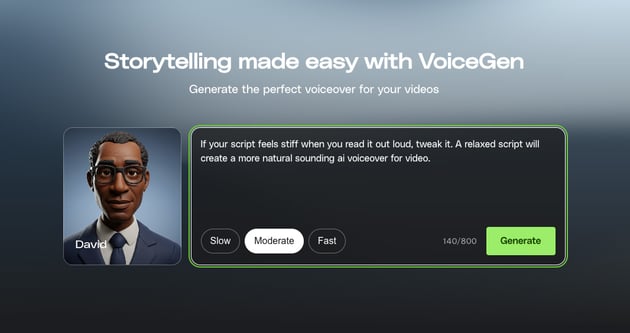
Step 4: Customize Voice and Avatar (If Applicable)
Select a voice that matches your brand tone—friendly, authoritative, or casual. Many platforms offer multiple accents and languages. If using an AI avatar, choose one that aligns with your audience (e.g., professional for B2B, youthful for Gen Z).
Step 5: Let AI Generate Visuals
The AI will analyze your text and suggest relevant images, video clips, or animations. You can accept these or manually replace them with your own media. Most tools pull from licensed stock libraries, ensuring copyright safety.
Step 6: Edit and Refine
Review the auto-generated video. Adjust timing, add captions, insert logos, or change background music. Some platforms offer AI-powered editing suggestions—like trimming silent pauses or enhancing contrast.
Step 7: Export and Share
Once satisfied, export your video in your preferred format (MP4, MOV, etc.) and resolution (up to 4K on premium plans). Download it directly or share to social platforms like YouTube, Instagram, or LinkedIn.
That’s it! You’ve just created a professional video from text—no filming, no editing, no stress.
Best Practices for High-Quality AI-Generated Videos
While AI tools are powerful, they’re not magic. To get the best results, follow these expert tips:
- Keep scripts under 500 words for short videos (ideal for social media).
- Use active voice—AI responds better to direct, engaging language.
- Add emotional cues in your text (e.g., “exciting,” “urgent,” “surprising”) to influence tone and visuals.
- Review auto-generated visuals—replace generic stock images with branded or niche-specific media when possible.
- Optimize for mobile—most viewers watch on phones, so ensure text is large and visuals are clear.
Also, always preview your video before publishing. AI can sometimes misinterpret context or generate awkward transitions. A quick review ensures your content looks polished and professional.
SEO Benefits of Using AI to Turn Text into Video
Did you know that videos can boost your SEO rankings? Search engines love multimedia content. Pages with videos are 53% more likely to rank on the first page of Google.
When you use AI tools to turn text into video, you’re not just creating content—you’re enhancing your digital presence. Here’s how:
- Increased dwell time: Visitors stay longer on pages with videos, signaling quality to search engines.
- Higher engagement: Videos encourage likes, shares, and comments—key social signals for SEO.
- Better accessibility: Add captions and transcripts to make your videos SEO-friendly and inclusive.
- Rich snippets: Videos can appear in Google’s video carousel, increasing visibility.
To maximize SEO impact, embed your AI-generated videos directly into blog posts or landing pages. Use descriptive file names (e.g., “how-to-use-ai-tools-text-to-video.mp4”) and include schema markup for videos.
Common Mistakes to Avoid
Even with the best tools, mistakes happen. Avoid these common pitfalls:
- Overloading with text: AI videos work best with concise scripts. Too much text leads to cluttered visuals.
- Ignoring branding: Use consistent colors, fonts, and logos to maintain brand identity.
- Skipping captions: 85% of social videos are watched without sound. Always add captions.
- Using low-quality audio: A clear voiceover is crucial. Test different AI voices to find the best fit.
- Publishing without review: AI isn’t perfect. Always watch the final video for errors or awkward transitions.
Remember: AI is a tool, not a replacement for human creativity. Use it to enhance your workflow, not replace your judgment.
Real-World Use Cases
AI text-to-video tools are being used across industries. Here are some inspiring examples:
E-Learning Platforms
Online course creators use Synthesia to generate lecture videos from written lesson plans. Students get consistent, high-quality instruction without the need for live recordings.
E-Commerce Brands
Retailers turn product descriptions into short demo videos. These are shared on Instagram, TikTok, and product pages—boosting conversions by up to 30%.
Content Marketers
Bloggers use Pictory to repurpose long articles into短视频 for YouTube Shorts and Reels. One post can now reach multiple audiences across platforms.
Nonprofits and Educators
Organizations create awareness campaigns using AI avatars speaking in local languages. This expands reach and improves accessibility.
The possibilities are endless. Whether you’re explaining a complex topic or promoting a new product, AI helps you communicate faster and more effectively.
Future of AI Text-to-Video Technology
The technology behind AI tools to turn text into video is advancing rapidly. In the near future, we can expect:
- More realistic avatars with emotional expressions.
- Real-time video generation from live text input.
- Improved multilingual support with regional dialects.
- Integration with AR/VR for immersive experiences.
As AI becomes more intuitive, the line between human and machine-generated content will blur. But one thing remains clear: the ability to turn ideas into visuals instantly will be a game-changer for content creators worldwide.
Key Takeaways
- AI tools to turn text into video save time, reduce costs, and scale content production.
- Top platforms include Pictory, Synthesia, HeyGen, Runway ML, and InVideo.
- Follow a 7-step process: prepare text, choose tool, input script, customize, generate, edit, export.
- Optimize for SEO by embedding videos, adding captions, and using descriptive metadata.
- Avoid common mistakes like overloading text or skipping reviews.
- Use cases span education, marketing, e-commerce, and nonprofit sectors.
FAQ
Can AI really create professional-quality videos from text?
Yes. Modern AI tools use advanced natural language processing and computer vision to generate high-resolution, engaging videos. While they may not replace Hollywood productions, they’re more than sufficient for marketing, education, and social media content.
Are AI-generated videos copyright-safe?
Most reputable platforms use licensed stock media and synthetic voices, ensuring your videos are safe to publish. Always check the terms of service to confirm usage rights, especially for commercial projects.
Do I need any technical skills to use these tools?
No. These platforms are designed for non-technical users. With a simple interface and guided workflows, anyone can create videos in minutes—no coding or video editing experience required.
Ready to transform your words into compelling visuals? Start experimenting with AI tools to turn text into video today. Your audience—and your content strategy—will thank you.