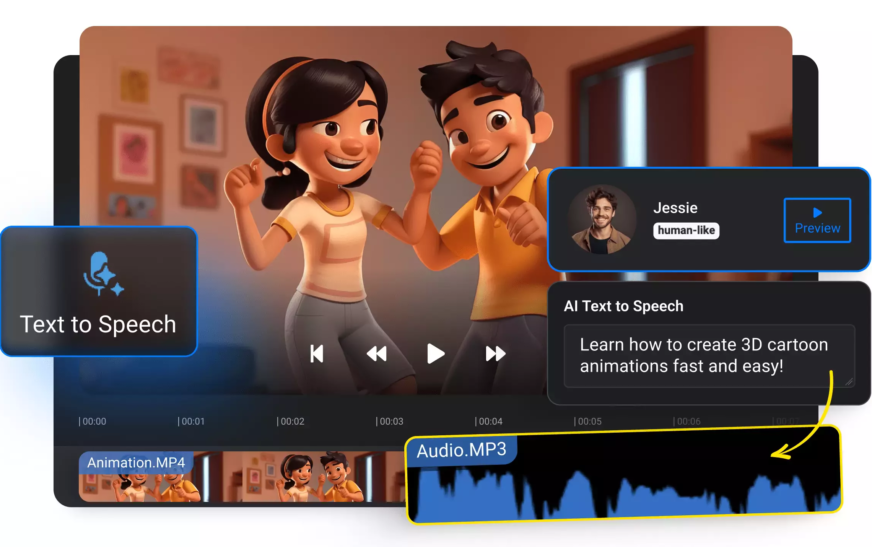
Imagine recording a professional-sounding voiceover in minutes—without hiring a voice actor, setting up a studio, or even speaking a word. That’s exactly what AI voiceover tools make possible today. Whether you’re a content creator, marketer, educator, or business owner, learning how to use AI to create voiceovers for videos can save you time, money, and effort while delivering high-quality audio that engages your audience.
AI-powered voice generation has evolved rapidly. Modern tools now offer natural-sounding voices in dozens of languages, with customizable tones, emotions, and speaking styles. From explainer videos and YouTube content to e-learning modules and social media ads, AI voiceovers are transforming how we produce video content. In this guide, you’ll discover step-by-step methods, top tools, best practices, and insider tips to help you master AI voiceover creation—efficiently and effectively.
Why Choose AI for Video Voiceovers?
Traditional voiceover production often involves booking talent, renting studio space, and spending hours on recording and editing. AI voiceovers eliminate most of these hurdles. They offer speed, scalability, and consistency—three critical factors in today’s fast-paced digital content landscape.
Here’s why more creators are turning to AI:
- Cost-effective: No need to pay per session or per word. Most AI tools operate on subscription or pay-as-you-go models.
- Time-saving: Generate a full voiceover in under 5 minutes.
- Multilingual support: Reach global audiences with voices in Spanish, French, Mandarin, Arabic, and more.
- Consistency: Use the same voice across multiple videos for brand uniformity.
- Customization: Adjust pitch, speed, emphasis, and emotional tone to match your video’s mood.
Whether you’re producing a 30-second TikTok ad or a 20-minute training course, AI voiceovers give you creative control without the logistical headaches.
Step-by-Step: How to Use AI to Create Voiceovers for Videos
Step 1: Choose the Right AI Voiceover Tool
Not all AI voice generators are created equal. Your choice depends on your needs—budget, language support, voice quality, and integration options. Here are some of the top platforms in 2024:
- Murf.ai: Known for ultra-realistic voices and a user-friendly interface. Offers voice cloning and studio-quality output.
- ElevenLabs: Excels in emotional depth and natural intonation. Great for storytelling and character-driven content.
- Play.ht: Ideal for bloggers and podcasters. Supports WordPress integration and bulk audio generation.
- Speechify: Originally a text-to-speech app, now offers high-quality voiceovers for videos.
- WellSaid Labs: Focused on professional narration with enterprise-grade security.
Most platforms offer free trials or demo voices. Test a few to see which one matches your tone and style.
Step 2: Write a Clear and Concise Script
The quality of your voiceover starts with your script. AI can’t improvise—it reads exactly what you give it. So, craft your text with care.
Follow these scripting tips:
- Use short, active sentences.
- Avoid jargon unless your audience understands it.
- Include natural pauses (use commas and periods strategically).
- Highlight key words with emphasis markers (some tools support SSML tags).
- Read it aloud yourself to check the flow.
Example: Instead of “The utilization of artificial intelligence facilitates the automation of voice generation,” say “AI helps you create voiceovers automatically.”
Step 3: Select the Perfect AI Voice
Most platforms offer a library of voices categorized by gender, age, accent, and language. Choose one that aligns with your video’s purpose and audience.
Consider these factors:
- Tone: Friendly, authoritative, calm, energetic?
- Accent: American, British, Australian, Indian?
- Language: Ensure the voice supports your target dialect (e.g., Latin American vs. European Spanish).
- Emotion: Some tools let you add excitement, sadness, or urgency.
For a corporate training video, a calm, professional male voice might work best. For a kids’ animated story, a cheerful, high-pitched voice could be ideal.
Step 4: Customize Voice Settings
Don’t settle for the default. Fine-tune your voiceover for maximum impact.
Key customization options include:
- Speed: Slow down for clarity, speed up for energy.
- Pitch: Raise for a youthful feel, lower for authority.
- Volume: Ensure it’s balanced with background music.
- Pronunciation: Correct tricky words or names using phonetic spelling.
- Pauses: Add breaks between sentences for natural rhythm.
Many tools support SSML (Speech Synthesis Markup Language), allowing advanced control over speech patterns. For example:
<prosody rate="slow" pitch="high">This is important.</prosody>
Experiment with these settings to match your video’s pacing and mood.
Step 5: Generate and Download the Audio
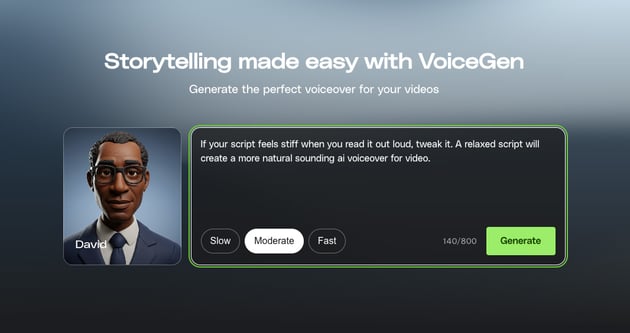
Once your script and settings are ready, click “Generate” or “Speak.” The AI will process your text and produce an audio file—usually in MP3 or WAV format.
Most platforms allow you to:
- Preview the voiceover before downloading.
- Make edits and regenerate instantly.
- Download multiple versions for A/B testing.
Save your project so you can reuse or update it later. Some tools also let you export directly to video editors like Adobe Premiere or Canva.
Step 6: Sync with Your Video
Now it’s time to bring your voiceover to life. Import the audio file into your video editing software.
Popular options include:
- DaVinci Resolve: Free and powerful, great for beginners and pros.
- Adobe Premiere Pro: Industry standard with advanced audio tools.
- CapCut: Mobile-friendly and perfect for social media videos.
- Canva: Simple drag-and-drop editor with built-in AI voiceover support.
Sync the voiceover with your visuals, add background music, and adjust audio levels. Use fade-ins and fade-outs to make transitions smooth.
Best Practices for High-Quality AI Voiceovers
Even the best AI tools need a human touch. Follow these best practices to ensure your voiceovers sound professional and engaging.
1. Match Voice to Content
A serious documentary shouldn’t use a cartoonish voice. Align your AI voice with your video’s genre and tone. A travel vlog? Go for upbeat and friendly. A financial explainer? Choose calm and trustworthy.
2. Use Background Music Wisely
Music enhances emotion but can clash with speech. Use low-volume, instrumental tracks that don’t compete with the voiceover. Tools like Epidemic Sound or Artlist offer royalty-free music perfect for video content.
3. Add Subtitles
Not everyone watches with sound. Subtitles improve accessibility and boost engagement, especially on mobile. Most video editors let you auto-generate captions from your audio.
4. Test on Multiple Devices
Play your video on phones, tablets, and desktop speakers. Audio that sounds great on headphones might be muffled on laptop speakers. Adjust levels accordingly.
5. Update and Iterate
AI voice technology improves constantly. Revisit old videos and re-generate voiceovers with newer, more natural-sounding models. Your content will stay fresh and professional.
Common Mistakes to Avoid
Even experienced creators make these errors. Avoid them to keep your voiceovers top-notch.
- Overloading the script: Too much text leads to rushed, unnatural speech. Keep it concise.
- Ignoring pronunciation: AI may mispronounce brand names or technical terms. Always check and correct.
- Using robotic voices: Some free tools sound synthetic. Invest in premium voices for credibility.
- Skipping audio cleanup: Remove background noise and normalize volume levels in post-production.
- Forgetting localization: A voiceover in English won’t resonate with a Japanese audience. Use native-sounding voices and culturally appropriate phrasing.
Advanced Tips: Elevate Your AI Voiceovers
Ready to go beyond the basics? Try these pro-level techniques.
Voice Cloning (Ethical Use Only)
Some platforms like ElevenLabs and Respeecher allow you to clone a real voice—yours or someone else’s. This is powerful for brand consistency or creating character voices.
⚠️ Important: Always get consent before cloning someone’s voice. Misuse can lead to legal and ethical issues.
Emotion and Expressiveness
Newer AI models can convey emotion. Use phrases like “excited,” “concerned,” or “whisper” in your script (if supported) to trigger emotional responses in the voice.
Multi-Voice Narration
Create dialogue or interviews by using different AI voices. Assign one voice to the host and another to the guest. This adds dynamism to your content.
Integration with Video Platforms
Tools like Descript and HeyGen combine AI voiceovers with video avatars. You can create talking-head videos without ever appearing on camera.
Key Takeaways
- AI voiceovers save time, money, and effort while delivering professional-quality audio.
- Choose the right tool based on voice quality, language support, and ease of use.
- Write clear, concise scripts and customize voice settings for natural delivery.
- Sync voiceovers with video using editing software and enhance with music and subtitles.
- Avoid common pitfalls like robotic voices and mispronunciations.
- Explore advanced features like voice cloning and emotional expression for premium results.
FAQ
Can AI voiceovers replace human voice actors?
AI voiceovers are excellent for many use cases—explainer videos, e-learning, social media—but may lack the emotional depth and authenticity of a skilled human actor. For high-stakes projects like commercials or audiobooks, a human voice might still be preferable. However, AI is rapidly closing the gap.
Are AI voiceovers free?
Many platforms offer free tiers with limited voices or word counts. For commercial use and higher quality, paid plans are recommended. Prices typically range from $10 to $50 per month, depending on features and usage.
Is it legal to use AI voiceovers in commercial videos?
Yes, as long as you comply with the tool’s terms of service. Most reputable platforms grant commercial usage rights. Avoid cloning real people without permission, and always credit the tool if required.
Final Thoughts
Learning how to use AI to create voiceovers for videos isn’t just a trend—it’s a smart strategy for modern content creation. With the right tools and techniques, you can produce studio-quality audio in minutes, scale your content output, and connect with global audiences like never before.
The future of video production is here, and it speaks with clarity, confidence, and creativity. Start experimenting today, and let AI amplify your voice.