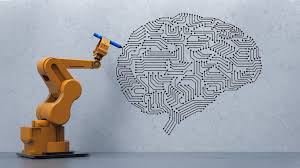
Struggling to keep up with endless to-do lists, tight deadlines, and information overload? You’re not alone. In today’s fast-paced work environment, staying productive isn’t just about working harder—it’s about working smarter. That’s where AI tools to improve productivity come in. These intelligent platforms automate routine tasks, streamline workflows, and help you focus on what truly matters. Whether you’re a freelancer, a team leader, or a busy professional, integrating AI into your daily routine can unlock significant time savings and efficiency gains. Let’s dive into how you can leverage these tools effectively—without getting lost in the tech buzz.
Why AI Tools Are Game-Changers for Productivity
Artificial intelligence has evolved from a futuristic concept to a practical ally in the workplace. Unlike traditional software that follows rigid rules, AI tools learn, adapt, and make decisions based on data. This means they can handle complex tasks like scheduling, content creation, data analysis, and even customer support—freeing you from repetitive work.
The real power of AI lies in its ability to reduce cognitive load. Instead of spending hours formatting reports or searching through emails, AI can do it in seconds. For example, tools like Notion AI can summarize meeting notes, while Otter.ai transcribes conversations in real time. These aren’t just time-savers—they’re focus-enhancers. When your brain isn’t bogged down by admin, you can channel energy into creative thinking and strategic planning.
Moreover, AI tools improve accuracy. Humans make mistakes—especially when tired or multitasking. AI, on the other hand, delivers consistent results. Whether it’s proofreading a document or analyzing sales trends, AI reduces errors and increases reliability. This reliability builds trust, both in your work and in your ability to deliver on time.
Key Benefits of Using AI for Productivity
- Automated Task Management: AI schedulers like Clockwise or Motion optimize your calendar by blocking focus time and rescheduling low-priority meetings.
- Enhanced Communication: Tools like GrammarlyGO and Jasper Chat help craft clear, professional messages in seconds.
- Data-Driven Insights: Platforms such as Microsoft Copilot or Tableau with AI turn raw data into actionable reports.
- Personalized Learning: AI-powered apps like Otter.ai or Fireflies.ai record and analyze meetings, helping you track decisions and action items.
Top AI Tools to Improve Productivity in 2024
Not all AI tools are created equal. The best ones are intuitive, integrate seamlessly with your existing workflow, and solve real problems. Here are some of the most effective AI tools to improve productivity across different areas of work:
1. AI Writing Assistants
Writing emails, reports, or social media content can eat up hours each week. AI writing tools like Jasper, Copy.ai, and Writesonic generate high-quality drafts in seconds. Simply input a prompt—like “Write a follow-up email after a client meeting”—and the AI delivers a polished version you can tweak and send.
These tools also help with tone adjustment. Need a message to sound more professional or friendly? Just select the desired tone, and the AI adapts. They’re especially useful for non-native English speakers, offering grammar checks and style suggestions in real time.
2. AI-Powered Scheduling and Calendar Tools
Back-and-forth emails to find meeting times? AI schedulers eliminate that hassle. Tools like Calendly with AI or Clara act as virtual assistants, negotiating meeting times based on your availability and preferences. They can even send reminders and follow-ups, so you never miss a deadline.
For team productivity, Clockwise uses AI to analyze your calendar and automatically block focus time, reduce meeting overload, and suggest optimal times for deep work. It’s like having a personal time optimizer.
3. AI for Note-Taking and Meeting Summaries
Meetings are essential, but taking notes and summarizing action items is tedious. AI tools like Otter.ai, Fireflies.ai, and Notion AI record, transcribe, and summarize meetings in real time. They can even highlight key decisions, assign tasks, and integrate with project management tools like Asana or Trello.
Imagine walking out of a 30-minute meeting with a full transcript, summary, and to-do list—all automatically generated. That’s the power of AI in note-taking.
4. AI for Task and Project Management
Managing projects across teams requires coordination, tracking, and constant updates. AI-enhanced project tools like ClickUp AI, Monday.com, and Asana with AI predict project timelines, flag potential delays, and suggest resource reallocations.
They can also auto-generate task descriptions, assign work based on team capacity, and send progress reports. This reduces manual oversight and keeps everyone aligned—without constant check-ins.
5. AI for Data Analysis and Reporting
Turning raw data into insights used to require hours of spreadsheet work. Now, AI tools like Microsoft Copilot for Excel, Google Duet AI, and Tableau Pulse analyze trends, create visualizations, and generate reports with natural language queries.
Ask a question like, “What were our top-performing products last quarter?” and the AI delivers a chart and summary in seconds. This speeds up decision-making and empowers non-technical users to access data insights.
How to Integrate AI Tools into Your Daily Workflow
Adopting AI tools isn’t about replacing human effort—it’s about augmenting it. The key is integration. You don’t need to overhaul your entire system overnight. Start small, test what works, and scale gradually.
Begin by identifying your biggest productivity bottlenecks. Is it email overload? Poor time management? Inefficient meetings? Once you pinpoint the issue, choose one AI tool that directly addresses it. For example, if you’re drowning in emails, try Superhuman or Shortwave, which use AI to prioritize messages and suggest quick replies.
Next, integrate the tool with apps you already use. Most AI productivity tools sync with Google Workspace, Microsoft 365, Slack, and Zoom. This ensures seamless data flow and reduces the need to switch between platforms.
Train your team. AI tools are only effective if people know how to use them. Host short training sessions, share quick tips, and encourage experimentation. Celebrate wins—like when a team member saves two hours a week using AI-generated reports.
Finally, review and refine. Track how much time you’re saving, whether communication has improved, and if stress levels have decreased. Use this feedback to adjust your toolset and workflow.
Step-by-Step Integration Plan
- Audit Your Workflow: List your daily tasks and identify time-wasters.
- Choose One AI Tool: Start with a single tool that solves your biggest pain point.
- Set Up Integrations: Connect the AI tool to your email, calendar, or project app.
- Train Your Team: Share tutorials and best practices.
- Monitor Results: Track time saved and productivity gains over 2–4 weeks.
- Expand Gradually: Add more AI tools as needed, based on performance.
Common Mistakes to Avoid When Using AI Tools
While AI tools offer immense benefits, misusing them can backfire. Here are common pitfalls to watch out for:
Over-Reliance on AI: AI is a tool, not a replacement for human judgment. Always review AI-generated content, especially for sensitive communications or strategic decisions. Blind trust can lead to errors or tone-deaf messaging.
Ignoring Data Privacy: Many AI tools require access to your emails, calendars, or documents. Choose tools with strong security protocols and transparent data policies. Avoid uploading confidential client information to unverified platforms.
Using Too Many Tools at Once: Jumping into five different AI apps simultaneously can cause confusion and integration issues. Stick to one or two tools initially, master them, then expand.
Neglecting Customization: Most AI tools allow personalization—like setting tone preferences or workflow rules. Don’t use them in default mode. Tailor them to your needs for better results.
Skipping Updates and Training: AI evolves rapidly. New features and improvements roll out frequently. Stay updated and retrain your team to maximize value.
Real-Life Examples: How Professionals Use AI to Boost Productivity
Let’s look at how real people are using AI tools to improve productivity in their daily work:
Sarah, Marketing Manager: Sarah used to spend hours writing social media captions and blog outlines. Now, she uses Jasper to generate 10 caption variations in under a minute. She picks the best one, tweaks it, and schedules it via Buffer. This saves her 5 hours a week—time she now uses for campaign strategy.
David, Freelance Designer: David struggled with client communication and project tracking. He adopted Notion AI to organize his portfolio, track deadlines, and draft client proposals. The AI summarizes client feedback and suggests revisions, cutting his admin time by 40%.
Lena, Startup Founder: Lena’s team was overwhelmed with meetings and follow-ups. She introduced Fireflies.ai to record and summarize all team calls. Action items are automatically assigned in Asana, and progress is tracked weekly. Team productivity increased, and meeting time dropped by 30%.
These examples show that AI tools aren’t just for tech giants—they’re accessible, practical, and transformative for individuals and small teams.
Future of AI in Productivity: What’s Next?
The future of AI in productivity is bright—and accelerating. We’re moving beyond task automation toward predictive intelligence. Soon, AI won’t just remind you of a deadline—it will predict when you’re likely to miss it and suggest solutions.
Imagine an AI assistant that analyzes your work patterns and recommends the best time to tackle creative projects based on your energy levels. Or a tool that drafts entire project plans by understanding your goals and past successes.
Voice-enabled AI will become more natural. Instead of typing commands, you’ll speak to your AI assistant like a colleague: “Reschedule my 3 PM meeting and draft a summary of yesterday’s client call.” Tools like Google’s Project Astra and Apple’s upgraded Siri are already heading in this direction.
AI will also become more collaborative. Future tools will work across teams, sharing insights and coordinating tasks without human input. For example, your marketing AI could sync with your sales AI to align campaigns with lead generation.
However, with great power comes responsibility. As AI becomes more embedded in our work, ethical use, transparency, and human oversight will be critical. The goal isn’t to replace people—but to empower them.
Key Takeaways
- AI tools to improve productivity automate repetitive tasks, enhance communication, and provide data-driven insights.
- Start with one tool that solves your biggest workflow bottleneck, then expand gradually.
- Top categories include AI writing assistants, schedulers, note-takers, project managers, and data analyzers.
- Successful integration requires training, customization, and regular review.
- Avoid over-reliance, data privacy risks, and tool overload.
- The future of AI in productivity includes predictive intelligence, voice interaction, and cross-team collaboration.
FAQ
What are the best free AI tools to improve productivity?
Several powerful AI tools offer free tiers. Otter.ai provides 300 minutes of transcription per month. Notion AI includes basic features in its free plan. Grammarly offers grammar and tone suggestions, and Google Duet AI is free for Google Workspace users. These are great starting points for individuals and small teams.
Can AI tools replace human workers?
No. AI tools are designed to assist, not replace, human workers. They handle repetitive, time-consuming tasks, allowing people to focus on creativity, strategy, and relationship-building—areas where humans excel. The goal is augmentation, not replacement.
How do I ensure my data is safe when using AI productivity tools?
Choose tools with strong encryption, clear privacy policies, and compliance with standards like GDPR or SOC 2. Avoid uploading sensitive or confidential information unless necessary. Regularly review app permissions and use two-factor authentication for added security.
AI tools to improve productivity are no longer optional—they’re essential. By embracing these intelligent assistants, you can reclaim your time, reduce stress, and achieve more in less time. The future of work isn’t about doing more—it’s about working smarter. And AI is your smartest co-worker yet.