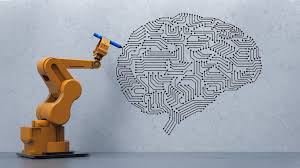
Imagine finishing your morning coffee before your inbox even loads—because your AI assistant already sorted, prioritized, and drafted replies to the most urgent messages. That’s not sci-fi. It’s what happens when you learn how to use AI tools to automate daily tasks. From scheduling meetings to managing expenses, AI can handle the repetitive, time-consuming chores that drain your energy. This guide shows you exactly how to integrate smart automation into your routine—without needing a tech degree.
Why Automate Daily Tasks with AI?
We all have 24 hours in a day, but most of us spend a chunk of it on low-value activities: replying to routine emails, logging expenses, rescheduling appointments, or hunting for misplaced files. These tasks aren’t hard—they’re just tedious. And that’s where AI shines. By automating daily tasks, you free up mental space, reduce decision fatigue, and focus on what truly moves the needle—creative work, strategic thinking, or simply enjoying life.
AI tools don’t just save time—they improve accuracy. Unlike humans, they don’t get tired, distracted, or forgetful. They follow rules consistently, learn from patterns, and adapt over time. Whether you’re a freelancer, a busy parent, or a corporate professional, automation can transform your productivity.
The Real Cost of Not Automating
- Lost hours: The average professional spends over 2 hours daily on administrative tasks.
- Increased stress: Constant context-switching between tasks leads to burnout.
- Missed opportunities: Time spent on busywork is time not spent on innovation or growth.
AI automation isn’t about replacing humans—it’s about empowering them to do more meaningful work.
Top AI Tools to Automate Daily Tasks
Not all AI tools are created equal. Some excel at communication, others at data processing or scheduling. Below are the most effective platforms for automating daily tasks, categorized by function.
1. Email & Communication Automation
Email overload is real. But tools like Superhuman, Front, and Mailbutler use AI to streamline your inbox.
- Smart sorting: AI categorizes emails by priority, sender, or topic.
- Auto-responses: Set rules to reply to common inquiries (e.g., “Thanks for reaching out—I’ll get back to you by Friday”).
- Scheduling assistance: Tools like Clara or x.ai act as virtual assistants, negotiating meeting times via email.
For example, Clara can join your email thread, propose time slots, and confirm meetings—all without you lifting a finger.
2. Task & Project Management
Keeping track of deadlines, subtasks, and team updates is exhausting. AI-powered project tools like ClickUp, Asana (with AI features), and Monday.com automate task assignment, progress tracking, and even risk prediction.
- Auto-task creation: Turn emails or voice notes into actionable to-dos.
- Smart reminders: AI learns your work habits and nudges you before deadlines.
- Workflow automation: Set triggers—e.g., “When a task is marked ‘done,’ notify the client and archive the file.”
Imagine your project board updating itself as team members complete tasks—no manual input needed.
3. Calendar & Scheduling
Back-and-forth emails to find a meeting time? Gone. Tools like Calendly, Clockwise, and Reclaim.ai use AI to optimize your calendar.
- Smart scheduling: Share your availability link; AI books meetings in free slots.
- Time blocking: Automatically reserves focus time based on your priorities.
- Conflict resolution: Detects double-bookings and suggests alternatives.
Reclaim.ai even reschedules low-priority meetings if a high-impact task comes up—keeping your day aligned with your goals.
4. Document & File Management
Lost a contract? Can’t find that invoice from March? AI tools like Notion AI, Google Workspace (with Duet AI), and Dropbox Smart Sync bring order to digital chaos.
- Auto-tagging: AI scans and labels documents by content (e.g., “invoice,” “proposal”).
- Smart search: Find files using natural language (“Show me the Q2 budget report”).
- Version control: Tracks changes and suggests the latest version.
With AI, your digital workspace becomes a self-organizing system.
5. Personal Finance & Expense Tracking
Managing money shouldn’t require a spreadsheet PhD. Apps like YNAB (You Need A Budget), Copilot, and Rocket Money use AI to automate budgeting and expense tracking.
- Auto-categorization: Transactions are sorted into budgets (e.g., “groceries,” “entertainment”).
- Spending alerts: Get notified when you’re close to your limit.
- Bills negotiation: Rocket Money can even negotiate lower rates on subscriptions.
One user saved $300/month just by letting AI analyze and optimize their recurring bills.
Step-by-Step: How to Start Automating Your Daily Tasks
Ready to dive in? Follow this practical roadmap to automate your routine—without overwhelm.
Step 1: Audit Your Daily Routine
Track your activities for 3–5 days. Note everything you do—especially repetitive tasks. Ask:
- What takes more than 10 minutes daily?
- What could be done by a rule-based system?
- What tasks cause the most frustration?
Common candidates: email sorting, meeting scheduling, expense logging, social media posting.
Step 2: Prioritize High-Impact Tasks
Not all tasks are worth automating. Focus on those that:
- Take significant time.
- Are repetitive and rule-based.
- Have clear inputs and outputs.
For example, automating email triage saves more time than automating your morning weather check.
Step 3: Choose the Right AI Tool
Match your task to the best tool. Don’t overcomplicate—start simple.
| Task | Recommended AI Tool |
|---|---|
| Email management | Superhuman, Mailbutler |
| Meeting scheduling | Calendly, x.ai |
| Task automation | Zapier, Make (Integromat) |
| Document organization | Notion AI, Google Duet |
| Expense tracking | Rocket Money, Copilot |
Step 4: Set Up Automation Rules
Most AI tools use “if-this-then-that” logic. Examples:
- If an email contains “invoice,” then move it to the “Finance” folder and notify the accountant.
- If a calendar event is marked “focus time,” then block notifications and decline new invites.
- If a receipt is uploaded, then extract the amount, date, and vendor, and log it in the expense tracker.
Start with 1–2 rules. Test them. Refine. Then expand.
Step 5: Monitor and Optimize
AI isn’t set-and-forget. Review your automations weekly:
- Are they working as intended?
- Are there false positives or missed actions?
- Can they be improved or combined?
For instance, you might combine email sorting + task creation: “When an email from your boss says ‘urgent,’ create a high-priority task in ClickUp.”
Advanced Automation: Combining AI Tools
The real magic happens when tools work together. Use integration platforms like Zapier or Make to connect your apps.
Example Workflow: Client Onboarding
Imagine this automated sequence:
- A new client fills out a form on your website.
- Zapier triggers: creates a client folder in Google Drive, adds them to your CRM, and sends a welcome email via Mailchimp.
- Calendly sends a scheduling link for the kickoff call.
- After the call, AI transcribes the meeting (using Fireflies.ai) and summarizes action items in Notion.
- Tasks are auto-assigned in Asana with deadlines.
What used to take hours now happens in minutes—fully automated.
Voice & Chat Automation
AI isn’t just for screens. Use voice assistants like Google Assistant, Siri, or Alexa to automate hands-free tasks:
- “Add milk to my shopping list.”
- “Schedule a reminder to call Mom at 7 PM.”
- “Read my unread emails.”
Chatbots on your website can qualify leads, book demos, and answer FAQs—24/7.
Common Pitfalls (and How to Avoid Them)
Automation isn’t foolproof. Here’s how to stay in control.
1. Over-Automating
Not everything should be automated. Personal touches—like a handwritten thank-you note—build relationships. Use AI for efficiency, not to eliminate humanity.
2. Ignoring Privacy
AI tools process your data. Always check:
- Where is your data stored?
- Is it encrypted?
- Does the tool comply with GDPR or CCPA?
Stick to reputable platforms with clear privacy policies.
3. Forgetting to Review
AI can make mistakes. A misclassified email might land in spam. A budget rule might miscategorize a purchase. Schedule weekly check-ins to audit your automations.
4. Tool Overload
Using 10 tools for 10 tasks creates chaos. Aim for consolidation. Can one tool handle multiple jobs? For example, Notion can replace Trello, Evernote, and Google Docs for many users.
Key Takeaways
- AI automation saves time and reduces stress by handling repetitive daily tasks.
- Start small: Audit your routine, pick high-impact tasks, and use the right tools.
- Combine tools with platforms like Zapier for powerful workflows.
- Monitor and refine your automations regularly to ensure accuracy.
- Balance efficiency with humanity—don’t let automation replace personal connection.
FAQ: How to Use AI Tools to Automate Daily Tasks
Q1: Do I need to be tech-savvy to use AI automation tools?
Not at all. Most AI tools are designed for everyday users. Platforms like Calendly, Zapier, and Notion offer intuitive interfaces, tutorials, and templates. Start with one tool, learn it well, then expand.
Q2: Are AI automation tools safe for sensitive data?
Reputable tools use encryption, secure servers, and comply with data protection laws. Always read privacy policies, enable two-factor authentication, and avoid sharing highly sensitive info (like passwords) in automated workflows.
Q3: Can AI really replace human decision-making?
AI excels at rule-based, repetitive tasks—but it doesn’t understand context, emotion, or ethics like humans do. Use AI to handle routine work, but keep human oversight for complex or sensitive decisions.
Final Thoughts: Work Smarter, Not Harder
Learning how to use AI tools to automate daily tasks isn’t about laziness—it’s about leverage. It’s about redirecting your energy from mundane chores to high-value activities that only you can do. Whether you’re growing a business, raising a family, or pursuing a passion, automation gives you the gift of time.
Start today. Pick one task—just one—and automate it. Feel the difference. Then keep going. Before you know it, your days will feel lighter, your focus sharper, and your productivity soaring.
The future of work isn’t more hours—it’s smarter systems. And AI is your co-pilot.