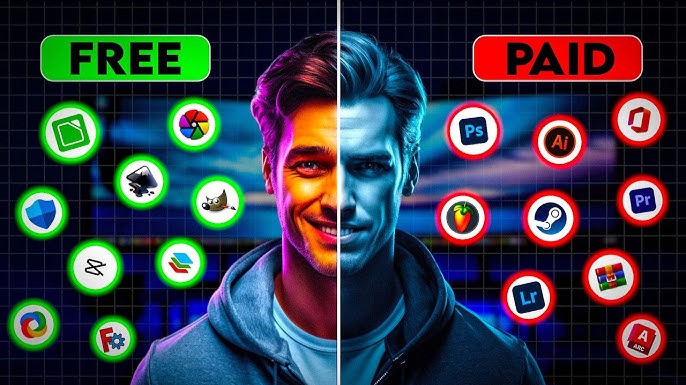
Are you tired of paying hundreds—or even thousands—of dollars every year for software that claims to be “essential”? You’re not alone. Whether you’re a student, freelancer, small business owner, or just someone trying to save money, there’s no need to break the bank for powerful tools. The truth is, many of the most expensive software suites have excellent free alternatives that deliver comparable features, performance, and reliability. In this comprehensive guide, we’ve compiled the best free alternatives to expensive software across every major category—from design and productivity to video editing and project management.
This isn’t just a list of random free tools. Every recommendation here has been tested for usability, feature depth, and real-world performance. We’ve focused on solutions that truly replace their paid counterparts—not just stripped-down versions with limited functionality. Whether you’re looking for a Photoshop killer, a Microsoft Office alternative, or a professional-grade video editor that won’t cost you a dime, you’ll find it here.
Why Free Software Isn’t Just for Beginners
Many people assume that free software means lower quality—but that myth is outdated. Open-source development and community-driven innovation have led to tools that rival, and sometimes surpass, their commercial competitors. Companies like Adobe, Microsoft, and Autodesk charge premium prices not always because their software is superior, but because of brand recognition and legacy user bases.
Free alternatives often benefit from faster updates, greater transparency, and strong community support. Plus, they’re usually cross-platform, meaning they work on Windows, macOS, and Linux without extra cost. For individuals and small teams, this can mean massive savings without sacrificing capability.
Key Benefits of Using Free Software Alternatives:
- Zero cost—no subscriptions, no hidden fees
- No vendor lock-in—you own your data and workflows
- Customizable and open-source—modify tools to fit your needs
- Regular updates—driven by active developer communities
- Lightweight performance—many run faster than bloated paid apps
Top Free Alternatives to Expensive Design Software
Graphic design doesn’t have to come with a $50/month price tag. Whether you’re creating logos, social media graphics, or print layouts, these free tools offer professional-grade features.
GIMP – The Photoshop Alternative
If you’ve ever used Adobe Photoshop, you’ll feel right at home with GIMP (GNU Image Manipulation Program). This powerful raster graphics editor supports layers, masks, advanced brushes, and even plugin extensions. It’s perfect for photo retouching, digital painting, and complex image editing.
- Supports PSD files (with some limitations)
- Available on Windows, macOS, and Linux
- Active community with tutorials and plugins
While the interface may feel dated at first, GIMP’s capabilities are anything but. With practice, it can handle nearly any Photoshop task—without the subscription.
Inkscape – The Illustrator Replacement
For vector graphics, Inkscape is the go-to free alternative to Adobe Illustrator. It supports SVG, EPS, PDF, and AI file formats, making it ideal for logos, icons, infographics, and scalable designs.
- Bezier curves, node editing, and gradient tools
- Text-on-path and boolean operations
- Export to multiple formats including PNG and PDF
Inkscape is especially popular among open-source designers and educators. Its learning curve is gentle, and the toolset is surprisingly robust for a free app.
Krita – For Digital Artists and Illustrators
Originally designed for digital painting, Krita has evolved into a full-featured creative suite. It’s perfect for concept art, comics, and texture painting—offering brush engines, animation tools, and HDR support.
- Over 100 preloaded brushes with customization
- Animation timeline for frame-by-frame work
- Canvas-only mode for distraction-free painting
Krita is developed by artists, for artists. It’s free, open-source, and constantly improving—making it a favorite among illustrators who can’t afford Clip Studio Paint or Photoshop.
Free Office Suites That Replace Microsoft 365
Microsoft Office dominates the productivity space, but you don’t need to pay $70/year for Word, Excel, and PowerPoint. These free office suites offer full compatibility and powerful features.
LibreOffice – The Complete Microsoft Office Alternative
LibreOffice is arguably the most mature and feature-rich free office suite available. It includes Writer (word processing), Calc (spreadsheets), Impress (presentations), Draw (vector graphics), Base (databases), and Math (formula editing).
- Opens and saves in .docx, .xlsx, and .pptx formats
- Macro support and extension library
- Available in over 100 languages
LibreOffice is used by governments, schools, and businesses worldwide. It’s stable, reliable, and regularly updated—making it a true replacement for Microsoft 365.
OnlyOffice – Sleek, Modern, and Cloud-Ready
If you prefer a more modern interface, OnlyOffice offers a clean, intuitive design similar to Google Docs but with offline functionality. It’s great for teams needing document collaboration without the cloud dependency.
- Real-time co-editing (with server setup)
- Integrates with Nextcloud and ownCloud
- Strong compatibility with Microsoft formats
OnlyOffice is ideal for users who want a Google Workspace alternative with more control over their data.
Free Video Editing Software That Rivals Paid Tools
Video editing used to require expensive software like Adobe Premiere Pro or Final Cut Pro. Today, free tools can handle 4K editing, color grading, and audio syncing—all without cost.
DaVinci Resolve – Hollywood-Grade Editing for Free
DaVinci Resolve is arguably the most powerful free video editor available. Used by professional filmmakers, it includes advanced color correction, visual effects (via Fusion), audio post-production (Fairlight), and motion graphics.
- Supports 4K, HDR, and 360° video
- Multi-user collaboration (in Studio version)
- GPU-accelerated performance
The free version lacks only a few premium features like noise reduction and cloud collaboration. For most users, it’s more than enough to produce broadcast-quality content.
Shotcut – Simple, Fast, and Open-Source
For a lighter, more beginner-friendly option, Shotcut offers a clean interface with powerful features. It supports a wide range of formats and codecs without requiring conversion.
- Native timeline editing with keyframes
- 3D title templates and audio filters
- No watermarks or time limits
Shotcut is perfect for YouTubers, educators, and hobbyists who need reliable editing without complexity.
OpenShot – User-Friendly for Beginners
If you’re new to video editing, OpenShot provides a drag-and-drop interface that’s easy to learn. It’s great for simple cuts, transitions, and title animations.
- Supports drag-and-drop media import
- Animated titles and credit rolls
- Cross-platform with regular updates
While not as advanced as DaVinci Resolve, OpenShot is ideal for quick edits and personal projects.
Free Alternatives for Project Management and Collaboration
Tools like Asana, Trello, and Monday.com can cost teams hundreds per month. But free alternatives offer robust task tracking, team collaboration, and workflow automation.
ClickUp – All-in-One Workspace (Free Forever)
ClickUp offers a generous free plan that includes tasks, docs, goals, time tracking, and even whiteboards. It’s one of the most feature-rich free project management tools available.
- Unlimited tasks and members
- Custom views (list, board, calendar, Gantt)
- Integrations with Slack, Google Drive, and Zoom
The free tier supports up to 100MB of storage and basic dashboards—perfect for small teams and startups.
Notion – The Ultimate Digital Notebook
While Notion has a paid tier, its free plan is incredibly powerful. You can build wikis, databases, task lists, and even personal websites—all in one place.
- Blocks-based editing for flexible layouts
- Templates for project planning, meeting notes, and more
- Real-time collaboration with sharing controls
Notion is ideal for knowledge workers, students, and remote teams who want a centralized workspace.
Trello – Simple Kanban Boards (Free for Basic Use)
Although Trello is owned by Atlassian, its free plan remains one of the best for visual task management. You get unlimited personal boards, cards, and lists—plus Power-Ups for added functionality.
- Drag-and-drop interface
- Due dates, checklists, and attachments
- Mobile apps for on-the-go access
Trello is perfect for small teams or individuals managing simple workflows.
Free Audio and Music Production Tools
Music creation doesn’t require expensive DAWs (Digital Audio Workstations). These free tools offer professional sound design, recording, and mixing capabilities.
Audacity – The Gold Standard for Audio Editing
Audacity has been the go-to free audio editor for over two decades. It supports multi-track recording, noise reduction, effects, and plugin support (VST, LV2).
- Record live audio or import files
- Apply filters like reverb, echo, and equalization
- Export to MP3, WAV, FLAC, and more
Audacity is used by podcasters, musicians, and educators worldwide. It’s simple enough for beginners but powerful enough for pros.
LMMS – Free Music Production Software
LMMS (Linux MultiMedia Studio) is a free DAW for creating electronic music. It includes synthesizers, samples, beat tracks, and MIDI support.
- Pattern and song editors
- VST plugin compatibility
- Export to WAV, MP3, or OGG
LMMS is a great alternative to FL Studio or Ableton Live for beatmakers and electronic artists on a budget.
Free Alternatives for Web Development and Coding
Developers don’t need to pay for IDEs or code editors. These free tools offer syntax highlighting, debugging, and version control integration.
Visual Studio Code – The Best Free Code Editor
Visual Studio Code (VS Code) by Microsoft is lightweight, fast, and endlessly customizable. With extensions, it supports nearly every programming language and framework.
- IntelliSense for smart code completion
- Built-in Git support
- Terminal integration and debugging tools
VS Code is used by millions of developers and is the default choice for web, mobile, and backend development.
Brackets – Web Design Made Simple
Created by Adobe, Brackets is a free editor focused on web design. It offers live preview, inline editing, and preprocessor support (Sass, Less).
- Real-time browser preview
- Visual tools for CSS and HTML
- Lightweight and fast
Brackets is ideal for front-end developers who want a streamlined, design-focused editor.
Key Takeaways
- You don’t need to pay for software to get professional results.
- Free alternatives often match or exceed paid tools in features and performance.
- Open-source tools offer transparency, customization, and community support.
- Many free apps are cross-platform and regularly updated.
- Switching to free software can save individuals and businesses thousands annually.
FAQ: Free Software Alternatives
Are free software alternatives safe to use?
Yes—most reputable free software is open-source and developed by trusted communities. Always download from official websites and check user reviews. Avoid pirated or modified versions.
Can free tools really replace expensive software?
Absolutely. Tools like GIMP, DaVinci Resolve, and LibreOffice offer professional-grade features. While they may have a learning curve, they can fully replace paid software for most users.
Do free alternatives lack customer support?
Not necessarily. Many free tools have active forums, documentation, and community support. Some even offer paid support plans for businesses needing guaranteed assistance.
Switching to free software isn’t about settling for less—it’s about choosing smarter. With the right tools, you can achieve the same results as expensive suites, keep more money in your pocket, and support open innovation. Whether you’re editing videos, managing projects, or designing graphics, there’s a free alternative that fits your needs. Start exploring today—your wallet (and your creativity) will thank you.