Imagine spending hours cleaning spreadsheets, running complex formulas, and manually spotting trends—only to realize the same insights could’ve been delivered in minutes. That’s the reality for many professionals still relying on traditional data analysis methods. But what if you could automate data analysis with AI tools that learn, adapt, and deliver actionable results faster than any human team? The good news is, you can. AI-powered platforms are no longer futuristic concepts—they’re here, accessible, and transforming how businesses interpret data.
Whether you’re a marketer tracking campaign performance, a finance analyst forecasting revenue, or a startup founder measuring user engagement, using AI tools to automate data analysis saves time, reduces errors, and uncovers hidden patterns. This guide walks you through exactly how to do it—step by step, tool by tool, use case by use case.
Why Automate Data Analysis with AI?
Manual data analysis is prone to human error, slow, and often reactive. You’re always playing catch-up. AI flips the script. It processes vast datasets in seconds, identifies anomalies, predicts trends, and even suggests next steps—all without coffee breaks or spreadsheets crashing.
The shift toward automation isn’t just about efficiency. It’s about scalable intelligence. AI tools don’t just crunch numbers—they learn from them. Over time, they improve accuracy, adapt to new data sources, and integrate seamlessly into your workflow. From detecting fraud in real time to forecasting customer churn, AI-driven analysis empowers smarter, faster decisions.
And here’s the kicker: you don’t need a PhD in machine learning to use these tools. Many platforms are designed for non-technical users, offering drag-and-drop interfaces, natural language queries, and automated reporting.
Top AI Tools to Automate Data Analysis
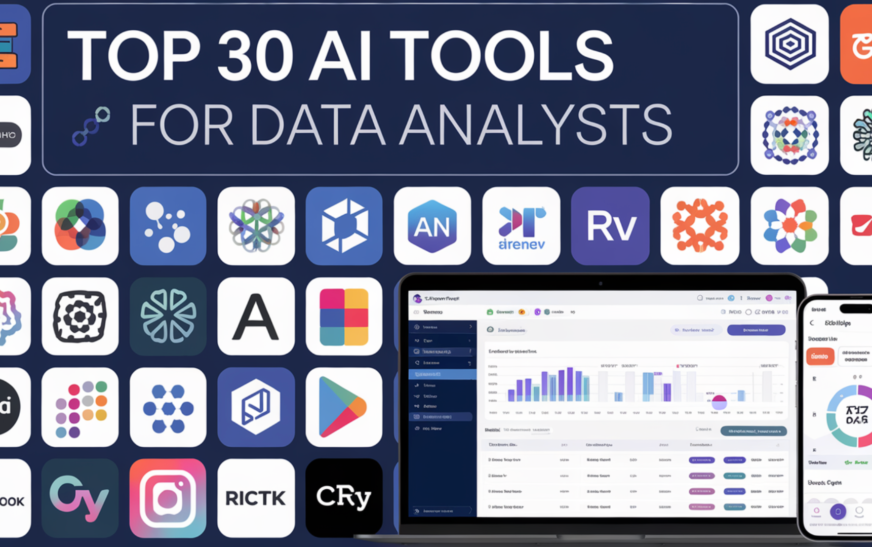
Let’s cut through the noise. Not all AI tools are created equal. Some specialize in visualization, others in predictive modeling or natural language processing. Here are the most effective platforms for automating data analysis across industries.
1. Microsoft Power BI with AI Insights
Power BI isn’t just a dashboard tool—it’s a powerhouse for automated analytics. With built-in AI capabilities, it can automatically detect trends, generate forecasts, and highlight outliers in your data. Its Quick Insights feature scans datasets and surfaces meaningful patterns without any coding.
For example, upload a sales dataset, and Power BI might instantly reveal that weekend sales spike in coastal regions—insights that could take days to uncover manually. It also integrates with Azure Machine Learning for advanced predictive modeling.
2. Tableau with Einstein Analytics
Tableau’s integration with Salesforce’s Einstein AI brings intelligent automation to data visualization. Einstein can automatically classify data, suggest relevant visualizations, and even answer questions in plain English (e.g., “Show me last quarter’s revenue by region”).
Its Ask Data feature lets users query datasets using natural language, making it ideal for teams without SQL expertise. Plus, automated alerts notify you when KPIs deviate from expected ranges.
3. Google Cloud’s BigQuery ML
BigQuery ML allows you to build and deploy machine learning models directly in Google Cloud using simple SQL. No need to export data or manage separate ML environments. You can create regression models, classification algorithms, and even time-series forecasts with just a few lines of code.
For instance, a retail company could use BigQuery ML to predict inventory demand based on historical sales, weather data, and promotional calendars—all within the same platform where their data lives.
4. MonkeyLearn for Text Analysis
If your data includes customer reviews, support tickets, or social media comments, MonkeyLearn automates sentiment analysis, topic classification, and intent detection. Upload a CSV of feedback, and the AI categorizes it by emotion (positive, negative, neutral) and theme (billing, product quality, shipping).
This is invaluable for customer experience teams who need to scale qualitative insights without hiring a small army of analysts.
5. Akkio for No-Code Predictive Analytics
Akkio is built for business users who want predictive power without coding. Upload your dataset, select a target variable (like “will this customer churn?”), and Akkio builds a model in under a minute. It even explains which factors most influence the outcome.
Marketing teams use Akkio to score leads, HR departments to predict employee turnover, and e-commerce brands to forecast sales—all with zero technical setup.
Step-by-Step: How to Automate Data Analysis with AI
Ready to get started? Follow this practical roadmap to integrate AI into your data workflow.
Step 1: Define Your Objective
Before choosing a tool, ask: What problem am I solving? Are you trying to reduce customer churn? Optimize ad spend? Detect fraud? Clear goals guide tool selection and ensure your AI efforts deliver ROI.
For example, if your goal is to improve email open rates, your AI analysis might focus on subject line sentiment, send time optimization, and audience segmentation.
Step 2: Clean and Prepare Your Data
AI is only as good as the data you feed it. Garbage in, garbage out. Use tools like Trifacta or OpenRefine to automate data cleaning—removing duplicates, standardizing formats, and filling missing values.
Many AI platforms now include built-in data prep features. Power BI, for instance, uses AI to suggest transformations and detect inconsistencies during import.
Step 3: Choose the Right AI Tool
Match your objective to the tool’s strengths. Need real-time dashboards? Go with Power BI or Tableau. Building predictive models? Try BigQuery ML or Akkio. Analyzing text? MonkeyLearn is your best bet.
Consider integration capabilities too. Can the tool connect to your CRM, ERP, or marketing platforms? Seamless data flow reduces manual exports and ensures up-to-date analysis.
Step 4: Train and Validate Your Model
If you’re using predictive AI, split your data into training and testing sets. Let the model learn from historical data, then validate its accuracy on unseen data. Most platforms provide confidence scores and error metrics.
For example, if your churn prediction model is 85% accurate, you can trust it to flag at-risk customers—but still review edge cases manually.
Step 5: Automate Reporting and Alerts
The real power of AI lies in automation. Set up scheduled reports that deliver insights to stakeholders via email or Slack. Use anomaly detection to trigger alerts when metrics fall outside normal ranges.
Imagine getting a notification the moment website traffic drops by 20%—before your team even notices. That’s proactive decision-making powered by AI.
Step 6: Monitor and Iterate
AI models degrade over time as data patterns change. Regularly review performance, retrain models with new data, and refine your analysis pipeline. Treat automation as a living system, not a one-time setup.
Real-World Use Cases of AI-Powered Data Analysis
Theory is great, but results matter. Here’s how companies are using AI to automate data analysis—and seeing real impact.
E-Commerce: Dynamic Pricing Optimization
Online retailers use AI to analyze competitor pricing, demand fluctuations, and inventory levels in real time. Tools like Pros or Competera automatically adjust prices to maximize profit without manual oversight.
One fashion brand increased margins by 12% after automating price adjustments based on AI-driven demand forecasts.
Healthcare: Predictive Patient Risk Scoring
Hospitals leverage AI to analyze electronic health records and predict which patients are at risk of readmission. By flagging high-risk individuals early, care teams can intervene proactively.
For example, a clinic reduced 30-day readmissions by 18% using an AI model that analyzed lab results, medication history, and social determinants of health.
Finance: Fraud Detection in Real Time
Banks process millions of transactions daily. AI tools like Feedzai or SAS Fraud Management analyze transaction patterns to detect anomalies—like a sudden large withdrawal from a new location—and block fraud before it happens.
One credit union prevented $2.3 million in losses in six months using AI-driven fraud detection.
Marketing: Campaign Performance Optimization
Marketers use AI to analyze ad performance across channels, automatically reallocating budgets to top-performing campaigns. Platforms like Google Ads and Meta Advantage+ use machine learning to optimize bids and audiences.
A SaaS company increased lead conversion by 34% by letting AI manage its paid ad spend across Google and LinkedIn.
Overcoming Common Challenges
AI isn’t magic. It comes with hurdles. But they’re solvable.
Data Quality Issues
Incomplete, inconsistent, or outdated data derails AI models. Solution: Invest in data governance. Assign data stewards, standardize formats, and use automated cleaning tools.
Lack of Trust in AI Outputs
Stakeholders may distrust “black box” decisions. Combat this with explainable AI (XAI) tools that show how conclusions were reached. Akkio and Tableau both offer model interpretability features.
Integration Complexity
Connecting AI tools to legacy systems can be tough. Start small. Use APIs or middleware like Zapier to bridge platforms. Prioritize tools with native integrations.
Skill Gaps
Not everyone knows how to use AI. Provide training, hire data translators, or choose no-code platforms that empower non-technical teams.
Key Takeaways
- Automating data analysis with AI saves time, reduces errors, and uncovers deeper insights than manual methods.
- Top tools include Power BI, Tableau, BigQuery ML, MonkeyLearn, and Akkio—each suited for different use cases.
- Success starts with clear goals, clean data, and the right tool selection.
- Real-world applications span pricing, healthcare, fraud detection, and marketing optimization.
- Challenges like data quality and trust can be overcome with governance, transparency, and training.
FAQ
What is the best AI tool for beginners to automate data analysis?
For non-technical users, Akkio and MonkeyLearn are excellent starting points. Both offer no-code interfaces, fast model training, and clear explanations of results. Power BI is also beginner-friendly if you’re already in the Microsoft ecosystem.
Can AI tools replace human data analysts?
Not entirely. AI excels at processing data and identifying patterns, but humans are still needed to define problems, interpret context, and make ethical decisions. Think of AI as a co-pilot—enhancing, not replacing, human expertise.
How much does it cost to implement AI for data analysis?
Costs vary widely. Some tools like Google BigQuery ML charge based on data usage, while others like Akkio offer subscription plans starting at $50/month. Many platforms provide free tiers for small datasets, making it easy to test before scaling.
Final Thoughts
The future of data analysis isn’t manual—it’s automated, intelligent, and accessible. By using AI tools to automate data analysis, you’re not just keeping up with the competition; you’re staying ahead. Whether you’re a solopreneur or part of a Fortune 500 team, AI levels the playing field.
Start small. Pick one process—like monthly reporting or customer segmentation—and automate it. Measure the impact. Then expand. The goal isn’t to replace your team, but to free them from repetitive tasks so they can focus on strategy, creativity, and growth.
Data is your most valuable asset. Don’t let it sit idle. Let AI turn it into action—faster, smarter, and at scale.