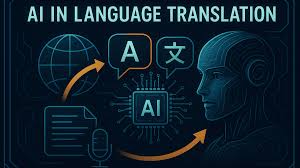
Imagine reaching millions of new customers overnight—without hiring a team of translators or spending months on localization. That’s the power of using AI tools to translate content into multiple languages. Whether you run a blog, an e-commerce store, or a SaaS platform, AI translation is no longer a futuristic dream—it’s today’s most efficient way to go global. In this guide, we’ll walk you through exactly how to use AI tools to translate your content accurately, affordably, and at scale.
Why AI Translation Is a Game-Changer for Global Reach
Gone are the days when multilingual content meant massive budgets and long turnaround times. With AI-powered translation tools, businesses of all sizes can now deliver high-quality, localized content in seconds. These tools don’t just convert words—they understand context, tone, and cultural nuances to produce natural-sounding translations.
The rise of neural machine translation (NMT) has dramatically improved accuracy. Unlike older rule-based systems, modern AI models learn from vast datasets of human-translated content, enabling them to handle idioms, slang, and industry-specific jargon with surprising fluency.
From product descriptions to blog posts, customer support chats to legal documents, AI translation tools can handle it all—making global expansion faster, smarter, and more cost-effective than ever.
Top AI Tools to Translate Content Into Multiple Languages
Not all AI translation tools are created equal. Some excel at speed, others at accuracy or integration. Here are the best AI-powered platforms currently transforming how content is translated across languages.
1. Google Translate API
One of the most widely used AI translation tools, Google Translate leverages deep learning models to support over 130 languages. Its API allows seamless integration into websites, apps, and content management systems.
- Best for: Quick translations, real-time chat support, and multilingual website localization
- Strengths: High accuracy for common language pairs, fast processing, and extensive language coverage
- Limitations: May struggle with highly technical or creative content
2. DeepL Pro
Often praised for producing the most human-like translations, DeepL uses advanced AI to understand sentence structure and context. It’s a favorite among professionals and content creators.
- Best for: Marketing copy, blog articles, and customer communications
- Strengths: Superior fluency, tone preservation, and support for 31 languages
- Limitations: Fewer languages than Google, higher cost for enterprise use
3. Microsoft Translator
Integrated with Azure and Microsoft 365, this tool offers robust API access and real-time speech translation. It’s ideal for businesses already using Microsoft ecosystems.
- Best for: Enterprise applications, live events, and multilingual customer service
- Strengths: Strong integration capabilities, customizable models, and support for 100+ languages
- Limitations: Interface can be complex for beginners
4. Smartling
Smartling combines AI translation with human review workflows, making it perfect for brands that need both speed and precision.
- Best for: E-commerce, SaaS, and content-heavy websites
- Strengths: Translation memory, glossary support, and in-context editing
- Limitations: Pricing may be high for small businesses
5. Lokalise
Designed for developers and product teams, Lokalise streamlines localization with AI-powered suggestions and collaborative features.
- Best for: Mobile apps, software, and tech startups
- Strengths: GitHub integration, automated workflows, and real-time previews
- Limitations: Less suited for long-form content like blogs
Step-by-Step Guide: How to Use AI Tools to Translate Content
Ready to start translating? Follow this practical, step-by-step process to ensure your content resonates across languages—without losing its original intent.
Step 1: Audit Your Content
Before translating, identify which content needs localization. Prioritize high-traffic pages, product listings, and customer-facing materials. Not everything needs to be translated—focus on what drives engagement and conversions.
Use tools like Google Analytics to see which regions generate the most traffic. This helps you choose the right languages to target first.
Step 2: Choose the Right AI Tool
Match your content type and goals to the best AI platform. For example:
- Use DeepL for marketing blogs and emails
- Use Google Translate API for real-time chat or FAQs
- Use Smartling for e-commerce product descriptions
Many tools offer free trials—test a few to see which delivers the most natural-sounding results.
Step 3: Prepare Your Source Content
Clean, well-structured content translates better. Avoid slang, idioms, or culturally specific references that may not carry over. Use simple sentences and active voice.
Export your content in a compatible format (e.g., CSV, JSON, or XML) for bulk upload. Most AI tools support batch processing, saving hours of manual work.
Step 4: Run the AI Translation
Upload your content to the chosen platform and select target languages. Enable features like “context-aware translation” or “tone adjustment” if available.
For best results, use glossaries or custom dictionaries to ensure brand names, product terms, and key phrases are translated consistently.
Step 5: Review and Edit
AI is powerful, but it’s not perfect. Always review translations for accuracy, tone, and cultural appropriateness. Pay special attention to:
- Product names and slogans
- Legal disclaimers and compliance text
- Humor, metaphors, and emotional tone
Consider hiring a native speaker for post-editing, especially for high-stakes content.
Step 6: Publish and Monitor
Once finalized, publish your translated content. Use hreflang tags to tell search engines which language version to show to users.
Track performance with analytics. Are bounce rates lower in new markets? Are conversions increasing? Use this data to refine your strategy.
Best Practices for High-Quality AI Translation
Even the best AI tools need smart usage. Follow these best practices to maximize accuracy and impact.
Use Translation Memory
Translation memory stores previously translated phrases, ensuring consistency across documents. This is especially useful for recurring terms like “Add to Cart” or “Contact Us.”
Most enterprise tools like Smartling and Lokalise include this feature by default.
Leverage Glossaries and Style Guides
Upload a custom glossary to define how specific terms should be translated. For example, decide whether “cloud storage” becomes “almacenamiento en la nube” (Spanish) or “stockage cloud” (French).
Include tone guidelines—should the translation be formal, friendly, or technical? This helps AI maintain brand voice.
Optimize for SEO in Each Language
Translating content isn’t enough—you must also localize it for search engines. Use keyword research tools like Ahrefs or SEMrush to find high-volume, low-competition keywords in each target language.
Don’t just translate keywords—adapt them. For example, “best running shoes” in English might become “meilleures chaussures de course” in French, but local users might search for “chaussures running confortables.”
Test with Native Speakers
AI can miss subtle cultural cues. Run A/B tests with native speakers to see which translations perform better. Ask questions like:
- Does this sound natural?
- Is the tone appropriate for our audience?
- Would you trust this brand based on this content?
Feedback loops improve future translations and build trust with local audiences.
Common Pitfalls to Avoid When Using AI Translation
AI translation is powerful, but it’s not magic. Avoid these common mistakes to prevent embarrassing errors or lost opportunities.
Over-Reliance on Automation
Never publish AI translations without review. Machines can misinterpret sarcasm, double meanings, or regional dialects. A mistranslated slogan can go viral—for all the wrong reasons.
Ignoring Cultural Context
Language is deeply tied to culture. Colors, symbols, and gestures have different meanings across regions. For example, white symbolizes purity in the West but mourning in parts of Asia.
Always research cultural norms before launching content in a new market.
Translating Everything at Once
Don’t rush. Start with one language, test the results, then scale. This reduces risk and allows you to refine your process.
Focus on quality over quantity—better to have 5 perfectly translated pages than 50 that confuse users.
Forgetting Mobile Optimization
Translated content must look great on all devices. Long German words or right-to-left scripts (like Arabic) can break layouts. Test responsiveness before going live.
Real-World Examples of AI Translation Success
Companies across industries are using AI to break language barriers and grow globally.
Case Study: Shopify
Shopify uses AI-powered translation to help merchants sell in multiple languages. Their integration with DeepL and Smartling allows store owners to auto-translate product pages, boosting international sales by up to 40%.
Case Study: Duolingo
The language-learning app uses AI not just to teach languages but to translate its own content. By automating translations for lessons and app interfaces, Duolingo expanded to 40+ languages with minimal overhead.
Case Study: Airbnb
Airbnb leverages AI translation to localize listings and support messages. Hosts can describe their homes in their native language, and guests receive accurate translations—building trust and increasing bookings.
Future of AI Translation: What’s Next?
The future of AI translation is brighter—and faster—than ever. Emerging trends include:
- Real-time voice translation: Imagine live conversations across languages with no delay.
- Emotion-aware AI: Tools that detect and preserve emotional tone in translations.
- Multimodal translation: AI that translates text, audio, and video simultaneously.
- Personalized localization: Content that adapts not just to language, but to user preferences and behavior.
As AI models grow smarter, the line between machine and human translation will continue to blur—making global communication more seamless than ever.
Key Takeaways
- AI tools make it faster and cheaper to translate content into multiple languages.
- Top platforms include Google Translate, DeepL, Microsoft Translator, Smartling, and Lokalise.
- Always review AI translations for accuracy, tone, and cultural relevance.
- Use glossaries, translation memory, and SEO localization for best results.
- Start small, test with native speakers, and scale gradually.
- The future of AI translation includes real-time, emotion-aware, and multimodal capabilities.
FAQ
Can AI tools translate content as well as human translators?
AI has made huge strides and can match human quality for many types of content—especially straightforward, repetitive text. However, for creative, legal, or highly nuanced content, human review is still essential. The best approach is a hybrid: AI for speed, humans for refinement.
How much does it cost to use AI translation tools?
Costs vary. Google Translate API charges per character, starting at around $20 per million characters. DeepL Pro offers monthly plans from $10 to $300+. Enterprise tools like Smartling charge based on usage and features, often starting at $500/month. Many platforms offer free tiers for small-scale use.
Will translated content hurt my SEO?
Not if done correctly. Properly localized content with hreflang tags, localized keywords, and high-quality translations can boost SEO in target regions. Avoid duplicate content issues by ensuring each language version is unique and optimized for local search intent.
Final Thoughts
Using AI tools to translate content into multiple languages is no longer optional—it’s essential for growth in today’s connected world. With the right strategy, you can reach new audiences, build trust, and scale your brand globally—without breaking the bank.
Start small, choose the right tool, and always prioritize quality. The world is waiting to hear your message—in their language.