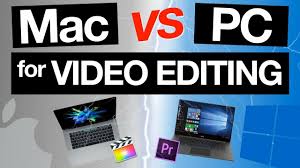
Choosing between a Mac and a PC for video editing in 2026 isn’t just about brand loyalty—it’s about performance, workflow efficiency, and future-proofing your creative setup. Whether you’re a freelance editor, a YouTuber, or running a full-scale production studio, the right machine can make or break your project timeline. In this head-to-head comparison, we break down the real differences in hardware, software, cost, and long-term value to help you decide: Mac vs. PC for video editing in 2026—which platform truly delivers?
By 2026, both Apple and Windows ecosystems have evolved dramatically. Apple’s M-series chips continue to push the envelope in power efficiency and raw performance, while high-end PCs now leverage next-gen Intel Core Ultra and AMD Ryzen 9000 processors, paired with NVIDIA’s RTX 50-series GPUs. But raw specs only tell part of the story. The real battle lies in ecosystem integration, software optimization, upgrade flexibility, and total cost of ownership.
Performance Showdown: Raw Power in 2026
When it comes to video editing, performance is king. In 2026, both Macs and PCs offer impressive capabilities, but they take different paths to get there.
Apple Silicon: Efficiency Meets Optimization
Apple’s M4 Pro and M4 Max chips, expected to debut in late 2025 and roll out through 2026, bring even greater gains in CPU and GPU performance. These chips are built on a 3nm+ process, delivering higher clock speeds, improved neural engine capabilities, and better thermal management. For video editors, this means smoother 8K timeline playback, faster rendering in Final Cut Pro, and near-instant effects processing—all while sipping power.
One of the biggest advantages of Apple Silicon is its unified memory architecture. With up to 128GB of unified RAM in the M4 Max, editors can work with massive 6K and 8K RAW files without constant swapping. This architecture reduces latency and boosts real-time performance, especially in color grading and multi-cam editing.
PC Powerhouses: Customization and GPU Dominance
On the PC side, the game has changed. Intel’s Core Ultra 200 series and AMD’s Ryzen 9000 CPUs now feature advanced AI accelerators and hybrid core designs, optimized for multitasking and media workloads. But the real star for video editors is NVIDIA’s RTX 5090, expected in mid-2026. With over 32GB of GDDR7 VRAM and support for AV1 encoding, this GPU delivers unmatched performance in GPU-accelerated tasks like DaVinci Resolve, Adobe Premiere Pro, and After Effects.
PCs also win in upgradeability. Unlike Macs, where most components are soldered, high-end desktops like the Dell XPS, HP Z8, or custom-built rigs allow you to swap GPUs, add more RAM, or install additional NVMe storage. This flexibility is crucial for editors who need to scale their systems over time.
Software Ecosystem: Which Platform Plays Nicer with Your Tools?
Hardware is only half the battle. The software you use daily defines your editing experience.
Final Cut Pro: Apple’s Secret Weapon
Final Cut Pro remains one of the most optimized video editing applications on the market—especially on Apple Silicon. In 2026, FCP continues to leverage MetalFX upscaling and hardware-accelerated ProRes encoding, making it incredibly fast for Mac users. The app’s magnetic timeline and background rendering also reduce lag during complex edits.
However, Final Cut Pro is macOS-exclusive. If you rely on Adobe Creative Cloud, DaVinci Resolve, or Avid Media Composer, you’re not locked out—but you won’t get the same level of native optimization.
Adobe & DaVinci Resolve: The PC Advantage
Adobe Premiere Pro and DaVinci Resolve are the go-to tools for most professional editors—and they run exceptionally well on high-end PCs. In 2026, both apps fully support GPU acceleration via CUDA and OpenCL, meaning RTX 50-series cards deliver blistering render times.
DaVinci Resolve, in particular, benefits from PC flexibility. Its Fusion visual effects module and Fairlight audio engine scale beautifully with multi-GPU setups—something Macs still can’t match. Plus, Resolve Studio is a one-time purchase, unlike Adobe’s subscription model, making it a favorite among budget-conscious pros.
Cross-Platform Compatibility
Most major editing software now supports both platforms, but performance varies. For example, Premiere Pro runs well on M4 Macs, but complex timelines with heavy effects still lag behind同等配置的PC with a high-end GPU. Meanwhile, Mac users enjoy better out-of-the-box color accuracy and display calibration, thanks to Apple’s tight control over hardware and software.
Display & Color Accuracy: The Visual Edge
Video editing demands precise color reproduction. In 2026, both Macs and PCs offer excellent displays—but with different philosophies.
Mac: Built-In Excellence
Apple’s MacBook Pro and Studio Display continue to lead in color accuracy. The Liquid Retina XDR display supports P3 wide color gamut, 1000 nits sustained brightness, and True Tone for ambient light adjustment. For editors working in HDR, this is a game-changer.
Macs also benefit from consistent calibration across devices. Whether you’re editing on a MacBook Pro or an iMac, color profiles remain uniform—critical for broadcast and film work.
PC: Flexibility and Choice
PCs offer more variety. You can pair a high-end workstation with a professional-grade monitor like the Dell UltraSharp U3225QE, LG UltraFine OLED, or ASUS ProArt PA32DC. These displays offer 4K/8K resolution, 10-bit color, and hardware calibration—often at a lower price than Apple’s Studio Display.
However, achieving consistent color across different PC brands and models requires manual calibration. For studios with multiple editors, this can be a logistical challenge.
Storage & Expandability: Future-Proofing Your Workflow
Video files are getting larger. 8K RAW footage from cameras like the RED V-RAPTOR or ARRI ALEXA 35 can consume terabytes per project. Storage speed and capacity are non-negotiable.
Mac: Fast but Fixed
Macs offer blazing-fast SSD speeds—up to 7.4 GB/s on the M4 Max—ideal for scrubbing through high-res timelines. However, storage is soldered and non-upgradeable on most models. If you buy a 1TB MacBook Pro, you’re stuck with 1TB unless you use external drives.
Apple’s Thunderbolt 5 ports (expected in 2026 models) will support 120 Gbps speeds, enabling ultra-fast external SSD arrays. But high-capacity Thunderbolt enclosures remain expensive.
PC: Room to Grow
PCs dominate in storage flexibility. Most desktops support multiple M.2 NVMe slots, SATA bays, and even U.2 drives. You can start with a 2TB SSD and expand to 20TB+ as needed. Laptops like the MSI Creator Z17 or Lenovo ThinkPad P16 offer dual SSD slots and easy access panels.
This makes PCs ideal for editors who work with large media libraries or need to archive projects locally. Plus, external storage is generally cheaper and more varied on the Windows side.
Cost Comparison: Bang for Your Buck in 2026
Let’s talk money. Both platforms can be expensive, but your budget determines what you get.
Mac: Premium Pricing, Premium Experience
A fully loaded MacBook Pro with M4 Max, 128GB RAM, and 8TB SSD will cost upwards of $6,500 in 2026. The Mac Studio with similar specs starts around $5,000. You’re paying for integration, build quality, and software optimization.
But Macs hold their value better. A 2024 MacBook Pro will still fetch 60–70% of its original price after two years, thanks to strong resale demand.
PC: More Options, Better Value
You can build a high-end PC for video editing for $3,000–$4,000 that rivals or exceeds a $6,000 Mac. A custom rig with an AMD Ryzen 9 9950X, RTX 5090, 128GB DDR5, and 4TB NVMe storage delivers top-tier performance at a lower cost.
Prebuilt options like the HP Z8 G5 or Dell Precision 7875 offer enterprise-grade reliability and support, though they’re pricier than DIY builds. Laptops like the Razer Blade 18 or ASUS ROG Zephyrus Duo provide powerful mobile editing solutions, often with better cooling than MacBooks.
Portability & Form Factor: Editing on the Go
Not all editors work from a studio. Mobility matters.
MacBook Pro: The Editor’s Laptop
The 16-inch MacBook Pro with M4 Max is still the gold standard for mobile editing. It delivers desktop-class performance in a sleek, fanless (in lower configs) design. Battery life remains unmatched—up to 22 hours of video playback—making it ideal for travel or on-location shoots.
The built-in speakers and microphone array are also surprisingly good for quick voiceovers or client reviews.
PC Laptops: Power with Trade-Offs
High-end Windows laptops like the MSI Creator Z17 or Lenovo ThinkPad P16 offer similar performance but are heavier and louder under load. Most require active cooling, which means fans kick in during rendering.
However, many PC laptops offer more ports (HDMI 2.1, SD card readers, Ethernet) without dongles—a real advantage for field editors.
Key Takeaways: Mac vs. PC for Video Editing in 2026
- Choose Mac if: You prioritize battery life, color accuracy, Final Cut Pro, and a seamless ecosystem. Ideal for solo creators, YouTubers, and Apple loyalists.
- Choose PC if: You need maximum GPU power, upgradeability, DaVinci Resolve performance, and lower long-term costs. Best for studios, colorists, and multi-software workflows.
- Performance: PCs edge out Macs in GPU-heavy tasks; Macs lead in efficiency and ProRes workflows.
- Software: Final Cut Pro favors Mac; Adobe and DaVinci Resolve shine on PC.
- Cost: PCs offer better value for high-end builds; Macs retain resale value.
- Future-Proofing: PCs win in upgradeability; Macs win in longevity and support.
FAQ: Mac vs. PC for Video Editing in 2026
Is a Mac better for video editing than a PC in 2026?
It depends on your workflow. Macs excel in Final Cut Pro, battery life, and color accuracy. PCs dominate in GPU performance, upgradeability, and software flexibility. For most professionals, the choice comes down to software preference and budget.
Can I edit 8K video on a MacBook Pro in 2026?
Yes. The M4 Max MacBook Pro handles 8K timelines smoothly in Final Cut Pro and Premiere Pro, especially with optimized media. However, complex effects and multi-cam edits may require proxy workflows or external GPU support—something Macs still lack.
Are PCs more future-proof than Macs for video editing?
Generally, yes. PCs allow you to upgrade GPUs, RAM, and storage over time. Macs, especially laptops, have soldered components. However, Apple’s long software support (5–7 years of macOS updates) ensures Macs remain usable longer than many Windows machines.
Final Verdict: Which Should You Choose?
The Mac vs. PC for video editing in 2026 debate doesn’t have a one-size-fits-all answer. If you’re deeply invested in the Apple ecosystem, love Final Cut Pro, and value portability and battery life, a Mac—especially the MacBook Pro or Mac Studio—is hard to beat.
But if you demand raw GPU power, use DaVinci Resolve or Adobe Suite extensively, or need a system you can upgrade for years, a high-end PC is the smarter investment. With the right build, you’ll get more performance per dollar and greater long-term flexibility.
Ultimately, the best machine is the one that fits your workflow, budget, and creative vision. Whether you go Mac or PC in 2026, the tools are better than ever—and the only limit is your imagination.