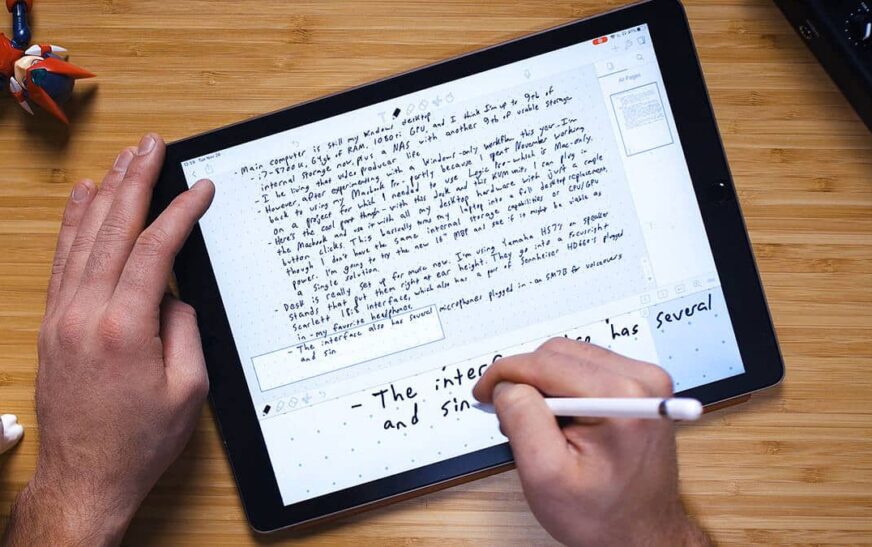
Are you a designer, writer, illustrator, or creative professional drowning in scattered ideas, mood boards, and half-finished sketches? You’re not alone. Creatives thrive on inspiration—but without the right tools, those brilliant flashes can vanish before they’re captured. That’s why choosing the best note-taking apps for creatives isn’t just helpful—it’s essential.
In this ranked guide, we’ve tested, compared, and handpicked the top five note-taking apps tailored specifically for creative minds. Whether you’re sketching concepts on an iPad, organizing research for a novel, or building visual storyboards, these apps blend flexibility, aesthetics, and functionality to match your workflow. No fluff, no generic lists—just real tools used by artists, writers, and innovators every day.
Why Standard Note-Taking Apps Fall Short for Creatives
Most note-taking apps are built for linear thinkers—students, executives, or researchers who thrive on bullet points and structured outlines. But creatives think in layers: images, voice memos, handwritten scribbles, color palettes, and nonlinear connections. A plain text editor just won’t cut it.
Creative work demands tools that support:
- Visual input – sketching, drawing, photo embedding
- Multimedia integration – audio, video, links, files
- Flexible organization – tags, folders, canvases, or mind maps
- Cross-device sync – seamless access across phone, tablet, and desktop
- Aesthetic customization – themes, fonts, layouts that inspire
That’s why generic apps like basic Notepad or even Google Keep often leave creatives feeling boxed in. The right app should feel like a digital sketchbook—intuitive, expressive, and endlessly adaptable.
#5 – Google Keep: Simple, Fast, But Limited for Deep Creative Work
Google Keep earns its spot on this list for one reason: speed. If you need to jot down a quick idea, snap a photo of a color swatch, or record a voice memo while walking, Keep is lightning-fast and always available.
Its strengths include:
- Instant access across all Google devices
- Color-coded notes and basic labeling
- Voice-to-text and image OCR (optical character recognition)
- Collaboration features for team projects
However, Keep lacks depth. There’s no support for drawing, no canvas-based layout, and minimal formatting options. It’s great for sticky-note-style reminders but falls short when you need to build a full creative project—like a brand mood board or character development sheet.
Verdict: Ideal for quick captures, but not a long-term creative companion.
#4 – Notion: The All-in-One Workspace (With a Learning Curve)
Notion has exploded in popularity—and for good reason. It’s a powerhouse for organizing projects, databases, tasks, and notes in one place. For creatives managing multiple clients, deadlines, and ideas, Notion offers unmatched structure.
You can build:
- Visual project timelines
- Client mood boards with embedded images
- Character profiles with linked databases
- Writing sprint trackers and idea repositories
But here’s the catch: Notion isn’t built for freeform creativity. It’s block-based, meaning every element—text, image, video—is a separate block. While this offers control, it can feel rigid when you just want to doodle or sketch freely.
Plus, the learning curve is steep. Setting up templates, databases, and relations takes time—time many creatives would rather spend making art. And while Notion supports basic drawing via third-party embeds, it’s not native or smooth.
Verdict: Excellent for organized creatives who love systems—but overkill for those who just want to capture inspiration fast.
#3 – Evernote: The Veteran with Strong Search & Scanning
Evernote has been around for over a decade, and it’s still one of the most reliable note-taking apps for research-heavy creatives—writers, journalists, designers sourcing inspiration.
Its standout features include:
- Powerful OCR that scans text inside images and PDFs
- Web clipper for saving articles, inspiration, or reference links
- Audio notes and file attachments
- Tag-based organization with nested notebooks
For example, a fashion designer can clip runway photos, tag them by season and color, and attach fabric swatch scans—all searchable later by keyword. A novelist can save interview transcripts, character sketches, and location photos in one searchable vault.
However, Evernote’s interface feels dated compared to newer apps. The free version limits device sync, and the mobile app can lag. Also, while you can add sketches, the drawing tools are basic—no pressure sensitivity or advanced brushes.
Verdict: A solid choice for research-driven creatives, but not ideal for visual-first workflows.
#2 – OneNote: Microsoft’s Hidden Gem for Visual Thinkers
Often overlooked, Microsoft OneNote is a powerhouse for creatives who think in pages, not paragraphs. Imagine a digital notebook where every page is a blank canvas—you can type, draw, paste images, record audio, and even embed Excel sheets or PowerPoint slides.
OneNote shines with:
- Freeform canvas layout—drag and drop content anywhere
- Advanced inking with pressure sensitivity (great for stylus users)
- Seamless integration with Office apps and Outlook
- Offline access and cross-platform sync
- Section-based organization (like a real binder)
For illustrators, OneNote acts like a digital sketchbook. You can create a “Character Design” section, fill it with hand-drawn sketches, reference images, and color palettes—all in one place. Writers can build chapter outlines with embedded research, voice notes, and mood images.
It’s also free with a Microsoft account, and the mobile app is surprisingly robust. The only downside? It’s not as visually polished as some competitors, and collaboration features aren’t as smooth as Google Workspace.
Verdict: A top-tier choice for creatives who value flexibility and freeform expression.
#1 – Obsidian: The Ultimate Note-Taking App for Creative Thinkers
If you’re a creative who thinks in connections—where a character’s backstory links to a color palette, which inspires a logo design—Obsidian is your new best friend. This app isn’t just for notes; it’s a second brain built for nonlinear, idea-driven work.
Obsidian uses a system called “linked thinking”, where every note can connect to others via backlinks. Imagine writing about a fictional city, then linking to notes on its architecture, climate, and key characters—all visualized in a dynamic graph.
Key features include:
- Markdown-based editing (clean, fast, and portable)
- Bidirectional linking between notes
- Graph view to visualize idea networks
- Plugins for drawing, kanban boards, calendars, and more
- Local storage—your data stays on your device
- Dark mode, themes, and full customization
For example, a game designer can create a “Worldbuilding” vault with notes on lore, maps, NPCs, and soundtracks—all interconnected. A filmmaker can link script scenes to mood boards, location photos, and soundtrack ideas.
Obsidian also supports plugins like Excalidraw for hand-drawn diagrams and Media Extended for embedding videos and audio. While it doesn’t have native drawing tools, the plugin ecosystem fills the gap beautifully.
The learning curve is moderate, but the payoff is immense. Once you master linking and tagging, your creative process becomes faster, deeper, and more intuitive.
Verdict: The #1 note-taking app for creatives who think in webs, not lists.
How We Ranked These Apps: Our Criteria
We didn’t just pick popular apps—we evaluated each based on what creatives actually need. Here’s how we scored them:
1. Flexibility & Creativity Support
Can you sketch, embed media, and organize non-linearly? Apps like Obsidian and OneNote scored highest here.
2. Cross-Platform Sync & Accessibility
Your ideas shouldn’t be trapped on one device. All top apps offer iOS, Android, and desktop support.
3. Search & Organization
Finding that one sketch from six months ago shouldn’t take hours. Evernote and Obsidian excel in searchability.
4. Aesthetic & Customization
Creative tools should inspire, not bore. Obsidian’s themes and OneNote’s canvas layout stand out.
5. Collaboration Features
For team projects, sharing and real-time editing matter. Notion and Google Keep lead here.
6. Price & Value
Most apps offer free tiers, but premium features vary. OneNote and Obsidian offer exceptional value for free.
Key Takeaways: Which App Is Right for You?
Choosing the right note-taking app depends on your creative style. Here’s a quick guide:
- For visual artists & illustrators: OneNote (freeform canvas) or Obsidian + Excalidraw plugin (linked sketches)
- For writers & storytellers: Obsidian (nonlinear plotting) or Evernote (research-heavy)
- For designers & mood board creators: OneNote (drag-and-drop visuals) or Notion (structured boards)
- For quick idea capture: Google Keep (speed and simplicity)
- For system-loving creatives: Notion (databases and templates)
Remember: the best app is the one you’ll actually use. Try the free versions, test them in your workflow, and see which feels like an extension of your creativity—not a constraint.
FAQ: Your Questions About Note-Taking Apps for Creatives
Q: Can I use these apps offline?
Yes—most do. OneNote, Obsidian, and Evernote allow full offline access. Google Keep and Notion require internet for initial sync but work offline once loaded.
Q: Are these apps safe for storing sensitive creative work?
Obsidian stores data locally by default—ideal for privacy. OneNote and Evernote use cloud sync with encryption. Avoid public Wi-Fi when uploading sensitive projects.
Q: Can I collaborate with my team using these apps?
Absolutely. Notion and Google Keep offer real-time collaboration. OneNote allows shared notebooks, and Obsidian supports team vaults via plugins or cloud sync (like Dropbox).
Final Thoughts: Your Creativity Deserves the Right Tools
The right note-taking app doesn’t just store ideas—it amplifies them. Whether you’re sketching a logo, drafting a novel, or building a brand, your tool should feel like a natural extension of your mind.
From the freeform freedom of OneNote to the interconnected brilliance of Obsidian, each app on this list serves a different creative need. Don’t settle for a generic tool that fights your workflow. Invest in one that flows with it.
Try the top contenders, test them in real projects, and let your creativity lead the way. Because when your tools work for you, inspiration doesn’t just strike—it sticks.