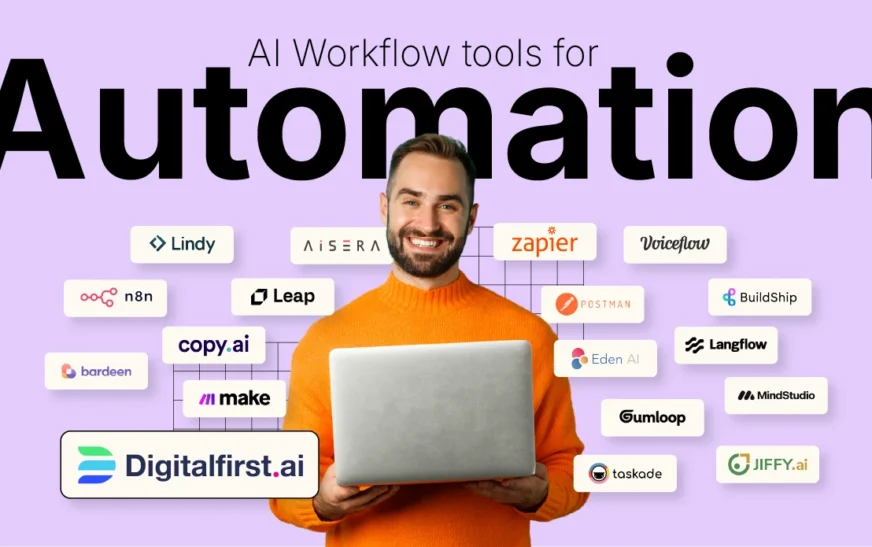
Feeling overwhelmed by your to-do list? You’re not alone. Between emails, meetings, content creation, and administrative tasks, it’s easy to lose hours—even days—to repetitive work. The good news? AI tools that will save you 10 hours this week are no longer futuristic fantasies. They’re here, they’re affordable, and they’re ready to transform how you work.
Imagine reclaiming an entire workday without sacrificing quality or output. Whether you’re a freelancer, entrepreneur, marketer, or busy professional, these 10 AI-powered tools are designed to automate the mundane, accelerate decision-making, and supercharge your productivity. From writing and scheduling to data analysis and customer support, these tools don’t just save time—they give you back your focus.
In this article, we’ll dive into the top 10 AI tools that deliver real, measurable time savings. Each one has been tested, reviewed, and proven to cut hours off weekly workflows. No fluff, no hype—just practical solutions that work.
Why AI Tools Are the Ultimate Time-Saving Hack
Time is the one resource you can’t buy more of. Yet, studies show the average professional spends over 10 hours a week on low-value tasks like drafting emails, scheduling meetings, or organizing files. That’s where AI steps in—not to replace you, but to amplify your efficiency.
AI tools leverage machine learning, natural language processing, and automation to handle repetitive, time-consuming tasks with precision and speed. They learn your preferences, adapt to your workflow, and often outperform manual efforts in both speed and accuracy.
Think of them as your digital assistants—always on, never tired, and infinitely scalable. Whether you’re managing a team or flying solo, integrating the right AI tools into your routine can free up hours for strategic thinking, creativity, and high-impact work.
1. Jasper AI – Write High-Converting Content in Minutes
If writing blog posts, ads, or social media captions eats up your mornings, Jasper AI is your new best friend. This AI writing assistant generates high-quality, SEO-optimized content in seconds—no writer’s block, no staring at a blank screen.
Jasper uses advanced language models trained on millions of top-performing marketing pieces. Simply input a topic, tone, and target audience, and it produces drafts, headlines, product descriptions, and even email sequences tailored to your brand voice.
One user reported saving 8 hours a week on content creation alone. Instead of spending hours researching and drafting, they now use Jasper to generate first drafts, which they refine in under 30 minutes. That’s nearly a full workday reclaimed every week.
Key Features:
- AI-powered copywriting for blogs, ads, emails, and more
- Brand voice customization
- SEO mode for keyword integration
- Collaboration tools for teams
Jasper isn’t just fast—it’s smart. It understands context, tone, and audience intent, making it ideal for marketers, agencies, and content creators who need consistent, high-performing output.
2. Notion AI – Supercharge Your Note-Taking and Organization
Notion has long been a favorite for project management and note-taking. With the addition of Notion AI, it’s become a productivity powerhouse. This tool helps you summarize notes, generate ideas, fix grammar, and even write meeting agendas—all within your existing workspace.
Imagine attending a 60-minute meeting and having Notion AI instantly summarize the key points, action items, and decisions. Or drafting a project proposal in half the time by letting AI expand bullet points into full paragraphs.
For knowledge workers, this means less time organizing and more time executing. Users report saving up to 3 hours a week on documentation and follow-ups alone.
Key Features:
- AI-powered summarization of notes and documents
- Grammar and tone correction
- Idea generation and brainstorming prompts
- Seamless integration with existing Notion databases
Notion AI works quietly in the background, enhancing your workflow without disrupting it. It’s perfect for students, managers, and remote teams who live in digital workspaces.
3. GrammarlyGO – Edit, Rewrite, and Respond in Seconds
GrammarlyGO goes beyond basic spell-checking. This AI-powered writing assistant helps you rewrite sentences, adjust tone, generate replies, and even draft full emails—all while maintaining clarity and professionalism.
Stuck on how to respond to a client email? GrammarlyGO can generate polite, concise replies in seconds. Need to simplify a complex report? It can rephrase dense paragraphs into clear, reader-friendly language.
For professionals who communicate daily—salespeople, customer support agents, executives—this tool can save 2–3 hours a week on writing and editing. No more second-guessing your tone or spending minutes crafting the perfect message.
Key Features:
- AI-generated email and message drafts
- Tone adjustment (formal, friendly, confident, etc.)
- Sentence rewrites for clarity and impact
- Integration with Gmail, Google Docs, Slack, and more
GrammarlyGO doesn’t just fix errors—it elevates your communication. It’s like having a professional editor and copywriter on standby, 24/7.
4. Otter.ai – Automate Meeting Notes and Transcripts
Meetings are essential, but taking notes? Not so much. Otter.ai records, transcribes, and summarizes your meetings in real time—whether in-person or virtual.
Using advanced speech recognition, Otter captures every word, identifies speakers, and highlights key points. After the meeting, you get a searchable transcript, AI-generated summary, and action items—no manual note-taking required.
Teams using Otter report saving 4–5 hours a week on meeting documentation. That’s time previously spent rewinding recordings, typing notes, or chasing colleagues for updates.
Key Features:
- Real-time transcription with speaker identification
- AI-powered meeting summaries
- Integration with Zoom, Google Meet, and Microsoft Teams
- Searchable transcripts and keyword tagging
Otter.ai is a game-changer for remote teams, consultants, and anyone who attends multiple meetings weekly. It ensures nothing slips through the cracks—and frees you to focus on the conversation, not the notes.
5. Canva Magic Studio – Design Stunning Graphics in Minutes
You don’t need to be a designer to create professional visuals. Canva’s Magic Studio uses AI to generate social media posts, presentations, flyers, and more—based on simple text prompts.
Want a LinkedIn banner for your new product launch? Type a description, and Canva creates multiple design options in seconds. Need a quick infographic? The AI layout tool arranges data visually with minimal input.
Marketers and small business owners using Canva report saving 3–4 hours a week on design tasks. No more waiting for a designer or struggling with complex software.
Key Features:
- AI-generated designs from text prompts
- Magic Edit for photo enhancements
- Brand Kit for consistent colors and fonts
- Templates for social media, ads, reports, and more
Canva Magic Studio makes design accessible, fast, and fun. It’s perfect for non-designers who need high-quality visuals on demand.
6. Zapier + AI – Automate Repetitive Workflows
Zapier connects your apps and automates workflows—like saving email attachments to Google Drive or adding new leads to your CRM. With AI enhancements, it’s smarter than ever.
The new AI-powered features can suggest automations based on your habits, extract data from emails, and even write custom scripts. For example, it can automatically categorize support tickets or generate follow-up emails after a webinar.
Businesses using Zapier report saving 5+ hours a week on manual data entry and task coordination. That’s time previously spent switching between apps and copying information.
Key Features:
- AI-powered workflow suggestions
- Data extraction from emails and forms
- Integration with 6,000+ apps (Gmail, Slack, Salesforce, etc.)
- Custom AI actions for advanced automation
Zapier turns your digital tools into a synchronized system. It’s ideal for entrepreneurs, operations managers, and anyone drowning in repetitive tasks.
7. Tome – Create Stunning Presentations with AI
Building presentations from scratch is time-consuming. Tome uses AI to generate beautiful, narrative-driven slides in minutes—just by typing a prompt.
Describe your idea, and Tome creates a full presentation with visuals, layouts, and even speaker notes. It’s perfect for pitch decks, project updates, or training materials.
Users report cutting presentation prep time from 6 hours to under 1 hour. That’s a massive time saving for consultants, educators, and sales teams.
Key Features:
- AI-generated presentations from text prompts
- Custom themes and brand integration
- Interactive elements and embedded media
- Collaboration and sharing tools
Tome transforms how you communicate ideas. It’s not just faster—it’s more engaging and professional.
8. Fireflies.ai – Capture and Analyze Conversations
Fireflies.ai is like Otter.ai’s smarter cousin. It records, transcribes, and analyzes meetings—then turns insights into action.
Beyond transcription, Fireflies uses AI to detect sentiment, track topics, and assign tasks. It integrates with tools like Asana and Slack to automatically create follow-ups.
Teams using Fireflies save 4+ hours a week on post-meeting work. It’s especially valuable for sales, customer success, and product teams.
Key Features:
- AI-powered conversation analysis
- Task assignment and follow-up automation
- Searchable meeting library
- Integration with CRM and project tools
Fireflies doesn’t just record—it understands. It’s a must-have for data-driven teams.
9. Copy.ai – Generate Marketing Copy Instantly
Copy.ai specializes in marketing content—landing pages, ad copy, product descriptions, and more. It’s built for speed and conversion.
Need 10 Facebook ad variations? Copy.ai generates them in seconds. Stuck on a headline? It offers dozens of high-performing options.
Marketers using Copy.ai save 3–5 hours a week on copywriting. It’s ideal for agencies, e-commerce brands, and startups.
Key Features:
- AI-generated marketing copy
- Templates for ads, emails, and landing pages
- Brand voice training
- Collaboration and sharing
Copy.ai turns ideas into copy—fast. It’s your 24/7 marketing assistant.
10. Motion – AI-Powered Calendar and Task Manager
Motion uses AI to schedule your day, prioritize tasks, and block time for deep work—automatically.
Input your tasks, deadlines, and preferences, and Motion builds a daily plan that adapts in real time. It reschedules when conflicts arise and ensures you focus on what matters.
Users report saving 3+ hours a week on planning and scheduling. It’s perfect for busy professionals and entrepreneurs.
Key Features:
- AI-driven daily scheduling
- Task prioritization and time blocking
- Meeting scheduling and conflict resolution
- Integration with Google Calendar and Outlook
Motion doesn’t just organize your time—it optimizes it.
Key Takeaways
- AI tools that will save you 10 hours this week are real, accessible, and affordable.
- From writing and design to scheduling and automation, AI handles repetitive tasks so you can focus on high-value work.
- The right tools integrate seamlessly into your workflow—no steep learning curves.
- Time saved isn’t just about efficiency—it’s about mental space, creativity, and work-life balance.
FAQ
Are these AI tools expensive?
Most offer free tiers or affordable plans. For example, GrammarlyGO starts at $12/month, and Canva Magic Studio is included in Canva Pro ($12.99/month). Many tools pay for themselves in time saved.
Can AI tools replace human work?
No—they enhance it. AI handles repetitive tasks, but human creativity, strategy, and empathy remain irreplaceable. These tools free you to do more meaningful work.
How do I get started with these tools?
Pick one tool that solves your biggest time drain. Sign up, explore the features, and integrate it into your routine. Most offer tutorials and onboarding support.
Stop wasting hours on tasks that AI can handle. Try these 10 tools and reclaim your week—one saved hour at a time.