Imagine waking up to a fully updated project dashboard, emails sorted and prioritized, reports generated, and social media posts scheduled—all without lifting a finger. Sounds like a dream? It’s not. With the right AI tools to automate your entire workflow, this level of efficiency is not only possible but increasingly common. Whether you’re a solopreneur, a small business owner, or part of a growing team, automating repetitive tasks frees up your time for creative thinking, strategy, and meaningful work.
The secret lies in strategically integrating artificial intelligence into every stage of your workflow—from planning and execution to analysis and optimization. In this guide, we’ll walk you through practical steps, real-world examples, and the best AI-powered platforms to help you build a seamless, automated workflow that runs like clockwork.
Why Automating Your Workflow with AI Is a Game-Changer
Manual workflows are not just time-consuming—they’re prone to human error, delays, and burnout. AI tools eliminate these inefficiencies by handling routine tasks with speed and precision. From scheduling meetings to analyzing customer data, AI can take over the grunt work so you can focus on what truly matters: growth and innovation.
Consider this: a McKinsey report found that 60% of all occupations could automate at least 30% of their activities using current technology. That’s not a threat—it’s an opportunity. By embracing AI automation, you’re not replacing yourself; you’re upgrading your productivity.
- Save time: Automate data entry, email responses, and reporting.
- Reduce errors: AI follows rules consistently, minimizing mistakes.
- Scale faster: Handle more clients or projects without hiring more staff.
- Improve decision-making: Use AI-driven insights to guide strategy.
Step-by-Step: How to Use AI Tools to Automate Your Entire Workflow
1. Map Out Your Current Workflow
Before jumping into automation, take a step back. Identify every task in your daily, weekly, and monthly routine. Break them down into categories like communication, project management, content creation, and analytics.
Ask yourself:
- Which tasks are repetitive?
- Which ones take the most time?
- Which could be handled by software instead of a human?
For example, if you spend two hours every Monday compiling weekly reports, that’s a prime candidate for automation. Use a workflow diagram or a simple spreadsheet to visualize your process. This clarity will help you choose the right AI tools later.
2. Choose the Right AI Tools for Each Stage
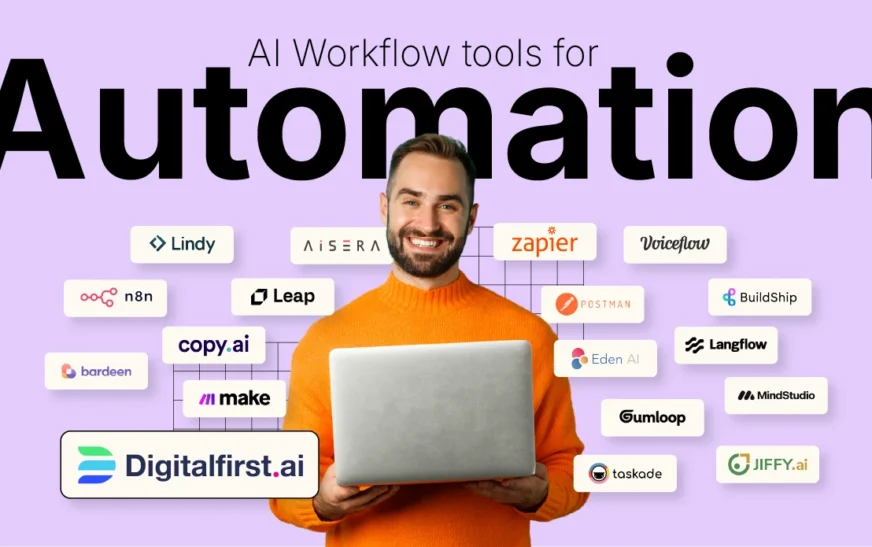
Not all AI tools are created equal. The key is matching the right tool to the right task. Here’s a breakdown of essential categories and top platforms:
Communication & Scheduling
AI-powered assistants like Calendly and Clockwise can schedule meetings, block focus time, and even suggest optimal meeting times based on everyone’s calendar. Otter.ai transcribes meetings in real time and summarizes key points—perfect for teams that rely on frequent check-ins.
Email Management
Tools like Superhuman and SaneBox use AI to prioritize emails, suggest quick replies, and filter out low-priority messages. Gmail’s Smart Compose and Smart Reply features also help speed up responses without sacrificing tone.
Project & Task Management
ClickUp and Notion AI go beyond basic to-do lists. They can auto-generate task descriptions, assign deadlines, and even predict project bottlenecks using historical data. Asana’s AI features can suggest task dependencies and workload balancing.
Content Creation & Marketing
AI writing assistants like Jasper and Copy.ai can generate blog posts, ad copy, and social media captions in seconds. Canva’s Magic Studio uses AI to design graphics, resize images, and even write text overlays. For video, Descript can edit footage, remove filler words, and generate subtitles automatically.
Data Analysis & Reporting
Platforms like Tableau and Power BI integrate AI to uncover trends and generate visual reports. Zapier and Make (formerly Integromat) connect apps and automate data flows—like pulling sales data into a Google Sheet every night.
3. Integrate Tools with Automation Platforms
Having great tools isn’t enough—they need to talk to each other. That’s where automation platforms come in. Zapier, for instance, connects over 6,000 apps. You can create “Zaps” that trigger actions across platforms. Example: When a new lead fills out a form on your website, Zapier can automatically add them to your CRM, send a welcome email, and notify your sales team on Slack.
For more complex workflows, Make offers visual automation builders with conditional logic. You can set up multi-step processes like: “If a customer purchases Product X, send a follow-up email in 3 days, then add them to a retargeting campaign.”
4. Train AI Models for Custom Tasks
Some workflows require more than off-the-shelf automation. That’s where custom AI models come in. Platforms like OpenAI’s GPT API or Google’s Vertex AI allow you to build tailored solutions.
For example, a real estate agent could train an AI to analyze property listings and automatically generate personalized buyer reports. A law firm might use AI to scan contracts and flag clauses that need review. These custom automations save hours of manual work and reduce risk.
5. Monitor, Optimize, and Scale
Automation isn’t “set it and forget it.” Regularly review your workflows to ensure they’re still effective. Use analytics from your tools to track time saved, error rates, and task completion speed.
Ask your team for feedback. Are there bottlenecks? Are certain automations causing confusion? Adjust as needed. As your business grows, scale your automation by adding new triggers, integrating more apps, or upgrading to enterprise-grade AI solutions.
Real-World Examples of Full Workflow Automation
Let’s look at how real businesses use AI to automate their entire workflow:
Example 1: A Digital Marketing Agency
A 10-person agency uses Notion AI to manage client projects. When a new client signs up, a Zapier automation creates a project template, assigns tasks, and schedules kickoff meetings. Jasper generates blog outlines, Canva designs social graphics, and Google Analytics + Looker Studio auto-generate monthly performance reports. The result? 40% faster project delivery and happier clients.
Example 2: An E-commerce Store
An online retailer uses Shopify integrated with Klaviyo for email marketing. When a customer abandons their cart, an AI-driven email sequence is triggered. Zapier syncs order data with QuickBooks for accounting. Chatfuel powers a Facebook Messenger bot that answers FAQs 24/7. The store reduced support tickets by 60% and increased conversions by 25%.
Example 3: A Freelance Consultant
A solo consultant uses Calendly for bookings, Otter.ai for meeting notes, and Grammarly for polished proposals. Trello tracks deliverables, and Zapier sends invoice reminders via Wave. She saves 10+ hours per week and now takes on 50% more clients.
Common Pitfalls to Avoid When Automating with AI
While AI automation offers huge benefits, it’s not without risks. Here’s what to watch out for:
- Over-automating: Not every task should be automated. Personal touchpoints—like client thank-you notes—are better done manually.
- Poor integration: Using too many disconnected tools can create data silos. Stick to platforms that integrate well.
- Lack of oversight: AI can make mistakes. Always review outputs, especially for customer-facing content.
- Ignoring security: Ensure your AI tools comply with data privacy laws like GDPR or CCPA.
Start small. Automate one workflow at a time, test it thoroughly, and expand gradually. This approach minimizes risk and builds confidence in your system.
Future-Proofing Your Workflow with AI
AI is evolving fast. Tools that seem advanced today will become standard tomorrow. To stay ahead, keep an eye on emerging trends:
- AI-powered voice assistants: Imagine dictating tasks to a smart assistant that schedules, writes, and sends them.
- Predictive analytics: AI will soon forecast project delays or customer churn before they happen.
- Autonomous agents: These AI systems can perform multi-step tasks independently, like researching, drafting, and publishing a blog post.
The businesses that thrive will be those that treat AI not as a replacement, but as a collaborator. Use it to enhance your strengths, not mimic human labor.
Key Takeaways
- Use AI tools to automate repetitive tasks across communication, project management, content creation, and analytics.
- Start by mapping your workflow, then choose the right AI tools for each stage.
- Integrate tools using platforms like Zapier or Make to create seamless automation.
- Train custom AI models for unique business needs.
- Monitor performance and optimize regularly.
- Avoid over-automation and always maintain human oversight.
FAQ
What are the best AI tools to automate my entire workflow?
The best tools depend on your needs, but top picks include Zapier for integrations, Notion AI for project management, Jasper for content, Calendly for scheduling, and Otter.ai for meeting notes. Start with one category and expand.
Is it expensive to automate my workflow with AI?
Many AI tools offer free tiers or affordable plans. For example, Zapier has a free plan for basic automations, and Notion AI starts at $8/month. The ROI—time saved, fewer errors, faster scaling—usually outweighs the cost.
Can AI really replace human work in my business?
AI doesn’t replace humans—it augments them. It handles repetitive tasks so you can focus on strategy, creativity, and relationship-building. The most successful businesses use AI to empower their teams, not eliminate jobs.
Final Thoughts
Automating your entire workflow with AI isn’t about cutting corners—it’s about working smarter. By leveraging the right tools, you can eliminate busywork, reduce stress, and free up mental space for innovation. The future of productivity isn’t more hours—it’s more intelligent systems working alongside you.
Start today. Pick one repetitive task—like email sorting or report generation—and automate it. Then build from there. Before you know it, your workflow will run smoothly, silently, and efficiently—like a well-oiled machine powered by artificial intelligence.