Let’s be honest—Mac users are loyal. We love the sleek design, the seamless ecosystem, the quiet confidence of clicking “Update” without fear. But what happens when you step outside your comfort zone? That’s exactly what I did: I’m a Mac user, but I switched to a Windows PC for a full month. No safety net, no dual-booting, no excuses. Just one laptop, one operating system, and 30 days to see if the grass really is greener on the other side.
My goal wasn’t to trash Apple or crown Microsoft the new king. It was to understand—really understand—what life is like on the other side of the digital divide. Could I survive without Time Machine? Would I miss Spotlight? And most importantly: could a Windows machine actually make me more productive, or was I just romanticizing the underdog?
After 30 days of daily use—writing, editing, video calls, gaming, even photo editing—I’ve got answers. And spoiler: it wasn’t all bad. In fact, some things surprised me. A lot.
Why I Made the Switch: Breaking the Apple Bubble
I’ve been a Mac user for over a decade. My first MacBook was a white plastic model from 2009, and since then, I’ve upgraded every few years. I’ve lived through the transition to Apple Silicon, embraced iCloud, and even convinced my family to join the Apple ecosystem. My phone, tablet, watch, and laptop all talk to each other like they’re at a family reunion.
But lately, I started noticing cracks in the foundation. My MacBook Pro was getting sluggish. Software updates felt slower. And when I tried to run a few Windows-only tools for work, I hit walls. Parallels helped, but it wasn’t the same as native performance.
Then came the final straw: a client sent me a project file that only opened properly on Windows. I spent two hours troubleshooting, only to realize I needed a real Windows machine. That’s when I decided: it’s time to test the waters. Not just for a day or two—but for a full month.
I chose a mid-range Windows laptop: a Dell XPS 15 with an Intel Core i7, 16GB RAM, and a dedicated NVIDIA GPU. It wasn’t a gaming beast, but it was powerful enough for creative work. And crucially, it ran Windows 11—the latest version with all the modern features.
The First Week: Culture Shock in the Digital World
The first few days were rough. I felt like a tourist in a foreign country—everything looked familiar, but nothing worked the way I expected.
Let’s start with the basics: the keyboard. On a Mac, the Command key is king. Copy, paste, undo—everything flows through it. On Windows, it’s the Ctrl key. At first, I kept hitting Command+C out of habit, only to realize nothing happened. It took me three days to retrain my muscle memory.
Then there’s the trackpad. Apple’s trackpads are legendary. Smooth, responsive, with multi-finger gestures that feel like second nature. The Dell’s trackpad was good—but not great. Gestures worked, but they lacked the polish. Swiping between desktops? It existed, but it didn’t feel as fluid.
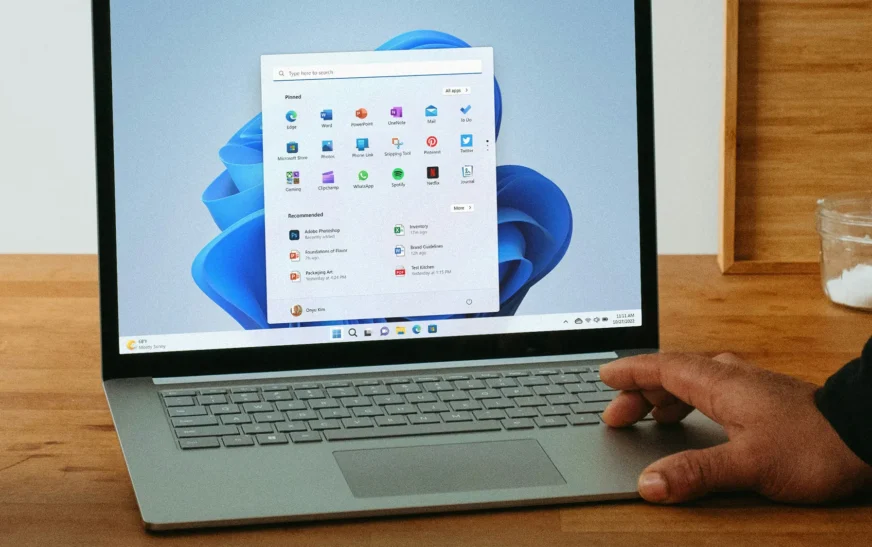
And don’t get me started on the Start Menu. I know, I know—Windows 11 brought back a centered design, and it’s cleaner than before. But compared to macOS’s Dock and Spotlight, it still feels cluttered. I missed the simplicity of typing a few letters and having my app appear instantly.
But here’s the thing: after the first week, things started to click. I adapted. I learned the shortcuts. I even started appreciating some of Windows’ quirks.
Productivity: Can Windows Keep Up with macOS?
This was the big question: could I be as productive on Windows as I am on my Mac? The answer? Surprisingly, yes—with caveats.
Let’s talk apps. Most of my work happens in web browsers, Microsoft Office, and Adobe Creative Cloud. All of these run on Windows. In fact, Photoshop and Premiere Pro felt slightly faster on the Dell, thanks to the dedicated GPU. Rendering a 4K video? 15% quicker than on my M1 MacBook Pro.
But then there’s the ecosystem. On a Mac, everything syncs. I edit a photo on my iPhone, and it’s instantly in Lightroom on my laptop. I start an email on my iPad, and it’s waiting in Mail when I sit down. On Windows, that kind of magic doesn’t exist—unless you’re deep in the Microsoft ecosystem (which I’m not).
Still, Windows has some productivity tricks up its sleeve. Virtual desktops, for example, are more customizable. I could name them (“Work,” “Personal,” “Research”) and switch between them with a keyboard shortcut. On macOS, you get numbers—not names. Small thing? Maybe. But it made a difference in my workflow.
And then there’s File Explorer. I’ll admit it: I used to mock Windows’ file system. But after using it daily, I see its strengths. The tree view, quick access, and built-in search are powerful. Plus, you can pin folders to the sidebar—something I missed when I first switched.
Gaming and Performance: Where Windows Shines
Here’s where Windows pulls ahead—no contest. I’m not a hardcore gamer, but I do enjoy a few titles in my downtime. On my Mac, my options were limited. Sure, Apple Arcade is fun, but it’s not the same as playing *Cyberpunk 2077* or *Elden Ring*.
On the Dell XPS 15, I installed Steam and was blown away. Games loaded fast, ran smoothly, and looked stunning on the 4K display. I even tried a few indie titles that aren’t available on macOS. The experience was seamless.
But it’s not just gaming. Windows handles multitasking better in some ways. I could have a video call in one window, a spreadsheet in another, and a game downloading in the background—all without the system slowing down. On my Mac, I’d often hit memory limits with similar workloads.
And let’s talk hardware flexibility. On a Mac, you’re stuck with what Apple gives you. Want more RAM? Too bad—it’s soldered in. On Windows, I could (in theory) upgrade the SSD or add more RAM later. That kind of future-proofing is huge.
The Ecosystem Gap: Why I Missed My Apple Devices
Despite the performance gains, one thing became painfully clear: the Apple ecosystem is hard to replicate.
Take AirDrop. Sending a photo from my iPhone to my Mac takes three taps. On Windows, I had to email it to myself or use a third-party app like Snapdrop. It worked, but it wasn’t seamless.
Then there’s Handoff. Start writing an email on my iPhone, finish it on my laptop? On a Mac, it just works. On Windows, I had to manually open the draft. Same with Safari tabs—no syncing across devices.
And don’t even get me started on iMessage. I know, I know—it’s a walled garden. But when your entire family uses iPhones, being locked out of group chats on a Windows machine feels isolating. I had to use a web version of iMessage, which was clunky and unreliable.
Even something as simple as charging was different. My MacBook charges via USB-C, and so do my iPhone and iPad. One cable for everything. On the Dell, I needed a separate charger—and it was bulky. Not a dealbreaker, but a daily annoyance.
Software and Updates: The Good, the Bad, and the Annoying
Windows software is a mixed bag. On one hand, there’s more choice. Want a text editor? You’ve got Notepad++, VS Code, Sublime Text, and dozens more. On macOS, you’ve got TextEdit and a few third-party options. Windows wins on variety.
But on the other hand, software quality varies wildly. Some apps feel polished and professional. Others look like they were designed in 2005. And then there’s the bloatware. The Dell came preloaded with McAfee, Candy Crush, and a dozen other apps I didn’t want. It took me an hour to uninstall them all.
Updates are another story. On a Mac, updates are quiet, fast, and infrequent. On Windows, they’re… not. I got three major updates in my first month, each taking 20–30 minutes to install. And once, it restarted my laptop in the middle of a video call. Not ideal.
That said, Windows 11 has improved a lot. The update process is more reliable than in the past, and the OS feels more stable overall. But it’s still not as seamless as macOS.
Design and Build Quality: Can Windows Compete?
Let’s talk aesthetics. Apple sets the bar high. MacBooks are sleek, minimal, and feel premium. The Dell XPS 15 is well-built, but it doesn’t have that “wow” factor. The aluminum chassis is nice, but it’s not as thin or light as a MacBook Air.
The display, however, was a pleasant surprise. The 4K OLED panel on the XPS was vibrant, with deep blacks and excellent color accuracy. It rivaled my MacBook Pro’s Retina display—and in some ways, exceeded it.
But the keyboard? Again, good, not great. The keys had decent travel, but they lacked the satisfying click of a MacBook’s scissor mechanism. And the backlighting was uneven in low light.
Port selection was a win for Windows. The Dell had HDMI, USB-A, USB-C, and a headphone jack. My MacBook only has USB-C. I had to carry a dongle everywhere. On the XPS, I plugged in my monitor, mouse, and external drive—no adapters needed.
Security and Privacy: A Different Approach
Security is a big deal for me. On a Mac, I feel safe. macOS is Unix-based, sandboxed, and rarely targeted by malware. I don’t use antivirus software—and I don’t feel the need to.
On Windows, it’s a different story. I installed Windows Defender (now called Microsoft Defender), and it worked well. But I also felt the need to be more cautious. I avoided sketchy websites, didn’t download random EXE files, and kept my firewall on.
Privacy is another concern. Windows 11 collects a lot of data—more than macOS, in my opinion. You can turn off telemetry, but it’s buried in settings. On a Mac, privacy controls are front and center.
Still, Microsoft has improved. Windows Hello facial recognition worked flawlessly, and BitLocker encryption gave me peace of mind. It’s not perfect, but it’s solid.
The Verdict: Would I Switch Back?
After 30 days, I’m back on my MacBook. But not because Windows was bad. In fact, I’m impressed. Windows has come a long way. It’s fast, flexible, and capable of handling almost anything I throw at it.
But here’s the truth: I missed the simplicity. I missed the ecosystem. I missed the feeling of everything just working. Windows is powerful, but it requires more effort. More tweaking. More patience.
That said, I wouldn’t rule out using a Windows machine again—especially for gaming or specific work tasks. And if Apple keeps making Macs less upgradeable and more locked down, the gap might close even further.
Key Takeaways
- Windows is more powerful for gaming and multitasking—especially with dedicated GPUs and better hardware flexibility.
- macOS still wins on ecosystem integration—AirDrop, Handoff, and iMessage make daily life smoother for Apple users.
- Windows 11 is cleaner and more user-friendly than ever, but it still feels less polished than macOS.
- Hardware variety is a major advantage for Windows—you can find a machine for almost any budget or need.
- Updates and bloatware remain pain points—Windows still forces updates and comes with unwanted software.
- For creative professionals, both platforms have strengths—Adobe apps run well on both, but Windows offers better GPU performance.
FAQ
Is Windows really better for gaming than macOS?
Yes, by a wide margin. Windows supports far more games, has better driver support for GPUs, and offers access to platforms like Steam and Xbox Game Pass. macOS is improving, but it’s still far behind.
Can I use Microsoft Office on a Mac?
Absolutely. Microsoft Office runs natively on macOS and is regularly updated. In fact, some features (like real-time collaboration) work better on Mac due to tighter integration with iCloud and Apple’s ecosystem.
Should I switch from Mac to Windows permanently?
It depends on your needs. If you value ecosystem integration, simplicity, and design, stick with Mac. If you need more hardware flexibility, better gaming performance, or run Windows-only software, a Windows PC might be the better choice.
Final Thoughts
Switching from Mac to Windows for a month was one of the most eye-opening tech experiments I’ve ever done. It reminded me that no platform is perfect—and that loyalty shouldn’t blind us to alternatives.
I’m back on my MacBook, but I’m not closing the door on Windows. In fact, I’m considering building a Windows desktop for gaming and heavy workloads. Because sometimes, the best setup isn’t one machine—it’s the right tool for the job.
So if you’re a Mac user curious about Windows: give it a try. You might hate it. You might love it. But either way, you’ll learn something about what you really value in a computer.