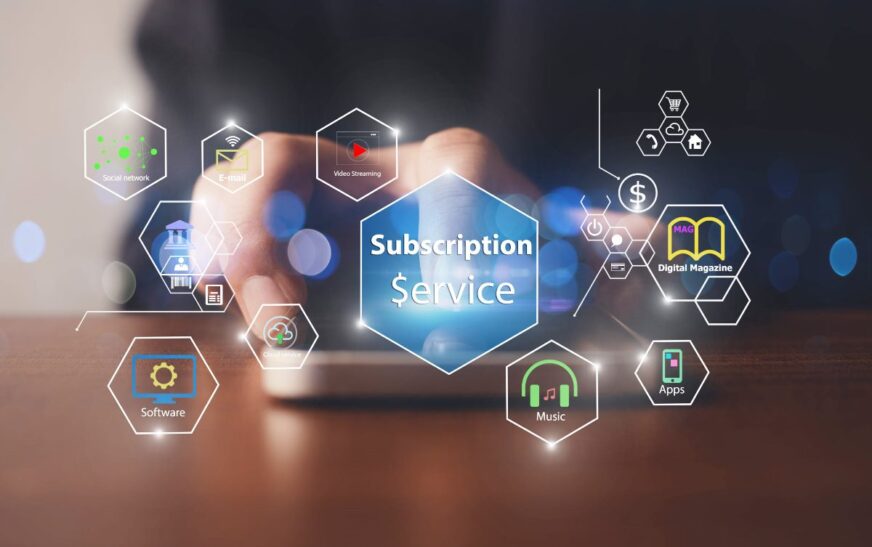
The software world has changed—fast. One day you owned your tools outright; the next, everything runs on a monthly fee. Subscription models are taking over software, and they’re not slowing down. From design apps to project management platforms, pay-as-you-go has become the default. But why? And more importantly—how can you push back without sacrificing productivity or innovation?
This shift isn’t just about pricing. It’s a fundamental rethink of how software is built, delivered, and monetized. Companies love subscriptions because they create predictable revenue. Users get constant updates and cloud access. But for many, especially freelancers, small businesses, and privacy-conscious individuals, the model feels restrictive, expensive, and hard to escape.
In this article, we’ll break down why subscription software dominates today’s market, the hidden costs you might not see, and practical strategies to reclaim control—without going back to floppy disks.
The Rise of the Subscription Economy in Software
Subscription models aren’t new, but their takeover of the software industry has been swift and total. Adobe Creative Cloud, Microsoft 365, Slack, Notion—these aren’t niche tools. They’re household names, and they all run on recurring payments.
So what sparked this shift? Several forces converged:
- Predictable Revenue Streams: For companies, subscriptions mean steady income. No more waiting for big one-time purchases. This stability fuels faster development and better support.
- Lower Entry Barriers: Instead of paying $500 upfront for Photoshop, users pay $20/month. This makes premium tools accessible to students, startups, and casual users.
- Continuous Updates: Subscriptions enable real-time improvements. Bug fixes, security patches, and new features roll out automatically—no more buying version 5.0 just to get dark mode.
- Cloud Integration: Most subscription tools are cloud-based. That means access from any device, real-time collaboration, and automatic backups.
But while the benefits are clear for businesses and casual users, long-term subscribers often feel trapped. What starts as a $10/month habit can balloon into hundreds per year—especially when you’re paying for multiple tools.
The Psychology Behind the Paywall
Subscription models exploit behavioral economics. Once you’re in, it’s hard to leave. Auto-renewals, sunk costs, and habit formation keep users locked in—even when they’re unhappy.
Think about it: How often do you actually cancel a subscription? Most people don’t. They rationalize the cost (“I use it sometimes”) or fear losing access (“What if I need it next month?”). This inertia is gold for SaaS (Software as a Service) companies.
And let’s not forget feature creep. Over time, subscriptions often add premium tiers, usage caps, or AI add-ons that cost extra. What began as a simple tool now demands more money for basic functionality.
The Hidden Costs of Subscription Software
Beyond the monthly bill, subscription models carry hidden expenses that add up fast.
1. Long-Term Cost Inflation
A $15/month app costs $180 per year. Over five years? That’s $900. For a tool you might have bought once for $200, that’s a 350% markup. Multiply that across five tools, and you’re spending thousands just to stay current.
2. Vendor Lock-In
Once your data lives in a subscription platform, moving it out is hard. Export options are often limited or require paid plans. You’re not just paying for software—you’re paying for the right to keep your own work.
3. Feature Bloat and Complexity
To justify recurring fees, companies keep adding features. But more features mean steeper learning curves and slower performance. You end up paying for tools you don’t need, buried in interfaces you don’t understand.
4. Privacy and Data Risks
Cloud-based subscriptions mean your data lives on someone else’s servers. Even with strong encryption, you’re trusting a third party with sensitive information. Breaches happen. And when they do, your subscription doesn’t protect you.
5. No True Ownership
With subscriptions, you don’t own anything. Cancel your plan, and poof—your files, settings, and access vanish. It’s like renting a house but losing all your furniture when the lease ends.
Who Benefits—and Who Loses?
The subscription model isn’t all bad. For some, it’s a game-changer.
Startups and freelancers benefit from low upfront costs and scalable pricing. They can test tools without big investments.
Remote teams thrive on cloud collaboration. Real-time editing, shared workspaces, and integrations make teamwork seamless.
Developers and IT teams appreciate automatic updates and centralized management. No more patching 50 desktops manually.
But for others, the trade-offs are steep.
Long-term users pay more over time. A student who uses a tool for 10 years ends up spending far more than if they’d bought it once.
Small businesses with tight margins feel the squeeze. Subscriptions eat into profits, especially when employees need multiple licenses.
Privacy advocates reject the data-hungry nature of cloud software. They prefer offline, open-source alternatives they can control.
The truth? The subscription model favors convenience over ownership, and scalability over sustainability.
How to Fight Back: Practical Strategies
You don’t have to surrender to the subscription tide. There are smart, realistic ways to reduce dependency—without going fully analog.
1. Audit Your Subscriptions Regularly
Start by listing every software subscription you pay for. Include tools for design, writing, storage, communication, and productivity.
Ask yourself:
- Do I use this tool weekly?
- Could I replace it with a free or one-time purchase alternative?
- Am I paying for features I never use?
Cancel anything that doesn’t pass. Even saving $10/month adds up to $120/year.
2. Embrace One-Time Purchase Software
Not all software has gone subscription-only. Many powerful tools still offer perpetual licenses.
Examples:
- Affinity Suite (Photo, Designer, Publisher) – One-time purchase, no subscriptions.
- Final Cut Pro – Apple’s video editor, bought once, updated for years.
- DaVinci Resolve – Free version available; Studio version is a one-time fee.
- Obsidian – Note-taking app with optional paid sync, but core features are free.
These tools may not update as frequently, but they offer stability and ownership.
3. Use Open-Source Alternatives
Open-source software is free, community-driven, and often more transparent than proprietary tools.
Top open-source replacements:
- GIMP – Photoshop alternative for image editing.
- Inkscape – Vector graphics like Illustrator.
- LibreOffice – Full office suite (Writer, Calc, Impress).
- Joplin – Note-taking with Markdown and end-to-end encryption.
- Nextcloud – Self-hosted cloud storage and collaboration.
They may lack polish, but they’re powerful, private, and free forever.
4. Self-Host When Possible
For tech-savvy users, self-hosting is the ultimate rebellion. Run your own servers for email, file storage, or project management.
Tools like Nextcloud, Bitwarden (password manager), and Matomo (analytics) can be installed on a home server or VPS.
Yes, it takes setup time. But once running, you control everything—no subscriptions, no data mining.
5. Negotiate or Downgrade Plans
Many SaaS companies offer discounts for annual payments, students, nonprofits, or long-term users.
Don’t be afraid to ask. Email support and say:
“I’ve been a loyal customer for X years. Are there any loyalty discounts or lower-tier plans available?”
You might unlock a 20–30% discount—or find a plan that fits your actual needs.
6. Use Free Tiers Strategically
Most subscription tools offer free versions with limits. Use them wisely.
For example:
- Use Notion’s free plan for personal notes and light project tracking.
- Use Canva’s free tier for basic designs—90% of features are available.
- Use Google Workspace’s free suite (Docs, Sheets, Drive) instead of paid alternatives.
Free tiers won’t replace premium tools for heavy users—but they’re perfect for casual needs.
7. Build a Hybrid Stack
You don’t need to go all-in on one model. Mix subscriptions, one-time purchases, and free tools.
Example hybrid setup:
- Design: Affinity Photo (one-time) + Canva Free (quick graphics)
- Writing: Obsidian (free) + Grammarly Free (basic checks)
- Storage: Nextcloud (self-hosted) + Google Drive (free 15GB)
- Communication: Signal (free) + Slack (free tier for small teams)
This approach balances cost, control, and convenience.
The Future: Will Subscriptions Keep Winning?
Short answer: Yes—but resistance is growing.
As users become more cost-aware and privacy-focused, demand for alternatives is rising. We’re seeing a quiet revival of one-time purchases, open-source tools, and decentralized platforms.
Even big companies are responding. Adobe now offers some perpetual licenses for enterprise clients. Microsoft still sells standalone Office suites. These aren’t mainstream—but they’re signs of change.
Meanwhile, regulations like GDPR and antitrust scrutiny are forcing SaaS companies to be more transparent about data and pricing.
The future won’t eliminate subscriptions—but it will likely diversify the options. Users will demand more choice: pay monthly, pay once, or pay nothing at all.
Key Takeaways
- Subscription models dominate software due to predictable revenue, lower entry costs, and cloud convenience.
- Hidden costs include long-term inflation, vendor lock-in, and loss of ownership.
- Fight back by auditing subscriptions, using one-time purchases, and exploring open-source tools.
- Self-hosting and hybrid software stacks offer greater control and long-term savings.
- The future will include more alternatives as users push back against recurring fees.
FAQ
Are subscription models always more expensive than one-time purchases?
Not always—but often. For short-term use, subscriptions can be cheaper. But over 2–3 years, one-time purchases usually win. Calculate the break-even point before deciding.
Can I really replace Adobe or Microsoft with free tools?
For many users, yes. GIMP and LibreOffice handle 80–90% of typical tasks. Professionals may need premium features, but casual users can thrive with free alternatives.
Is self-hosting safe and reliable?
It can be—if done correctly. Use strong passwords, enable 2FA, keep software updated, and back up data regularly. For non-tech users, managed VPS services simplify the process.
The software landscape is shifting. Subscriptions offer convenience, but at a cost. By staying informed and proactive, you can build a toolset that works for you—not just for the companies selling it. The power to choose is still in your hands.